

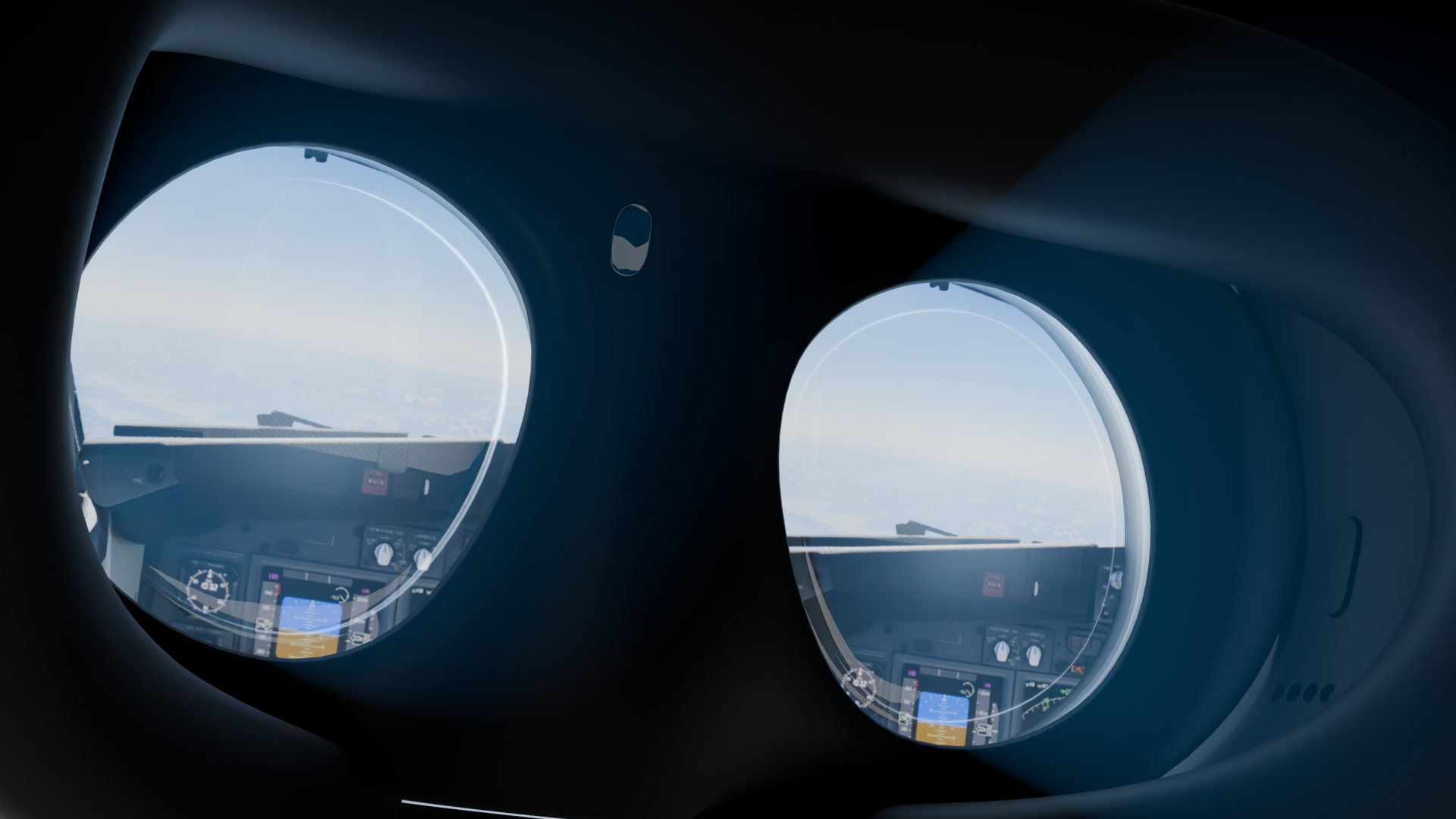
We’ve teased long enough… let’s look at some of the new features coming to 12.4.3 – The VR Update!
The world’s most sophisticated flight simulator is getting a major update to VR in 2026! We caused quite a buzz when we announced our collaboration with Apple and Nvidia. It would appear many of you have questions…
So whilst we wait for 12.4.2 to release, let’s take a look at 12.4.3! A few house rules before we begin;
- This is not a full feature list. A more detailed changelog will be revealed when 12.4.3 is released.
- X-Plane for Apple Vision Pro & The VR Update are not available yet. Any information circulating about installing 12.4.3 is likely inaccurate at this stage.
The Backstory
Last year, we started to think about what a new VR system would look like. VR remains unmatched in immersion—and uniquely powerful as a training tool. We wanted to address a lot of pain points in our current system.
So we secretly began compiling a list of user feedback regarding VR feedback. We looked at our Discord feedback requests and comments around social media (also a major thank you to the X-Plane Discord & Sparker for being patient with us!)
Chris (our resident VR guru) has been hard at work overhauling the VR system, which has been rewritten from top to bottom. We’ve addressed some long-standing desires, and we’re really happy so far with what we’ve come up with, and we think you will too! We think the accessibility and ease of use will be a big win for VR fans.
Apple Vision Pro
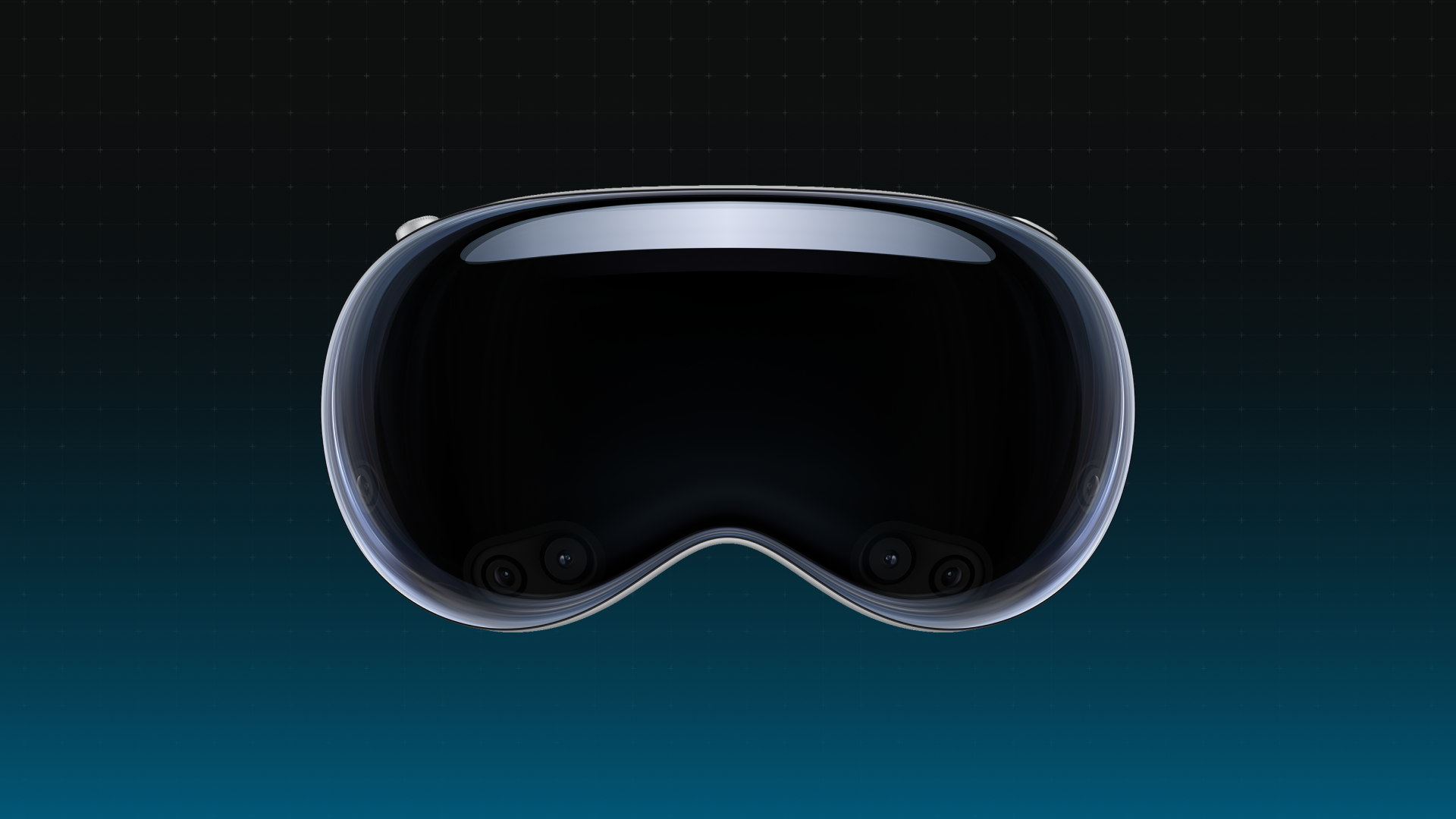
X-Plane will be coming to Apple Vision Pro. We’re really excited by this initiative, which was made possible with recent developments of CloudXR. Our thanks go to Apple and Nvidia for being supportive of this development.
Q. Why make Apple Vision Pro compatible with X-Plane?
- It’s one of the most compelling spatial computing devices available—elegant, simple, and equipped with exceptionally high-quality displays and a powerful suite of features. This makes it perfect not just for regular users, but professional users as well.
- When we heard about CloudXR, we became really excited by the possibilities, not just for the Apple Vision Pro, but all compatible devices. No need for a clumsy wired connection. Now we could just create an air-link between your headset and your PC for the ultimate spatial computing setup.
Q. You mentioned CloudXR… does this mean I need GeForce Now?
- No! Contrary to the name, this has nothing to do with “cloud computing” in the traditional sense. Instead, it refers to streaming directly from one device to another.
Q. Does this require a PC?
- For CloudXR 6.0 to work, you will need a PC with an Nvidia GPU! See Nvidia’s system requirements.
Q. What would I need to download?
Users will require two things
- A paid copy of X-Plane running 12.4.3 (Either Beta or Full Release). This will run on your PC.
- A FREE companion app from the App Store for the Apple Vision Pro! X-Plane can then automatically detect and connect to your Apple Vision Pro.
Q. Does this work now?
- Not yet! Please wait for 12.4.3 (either public beta or full release)
General VR Improvements in 12.4.3
Mixed Reality (All Compliant Devices)
X-Plane 12.4.3 running passthrough with an Apple Vision Pro. The physical cockpit is demonstrated with the RealSimGear SR7X Home Package
The ultimate flight simulation setup is now within reach. With mixed reality, users can now enable pass-through, which allows you to partially see the world through your VR headset cameras.
This gives you a unparalled tactile experience: the outside render views of X-Plane, but now merged with your fantastic hardware and equipment!
Tracking (Apple Vision Pro)
Leveraging the power of ARkit, Apple Vision Pro users will be given the ability to draw custom masks on their headset render, which you can draw around the circumference of panels and equipment. Users can also add a 2D texture, which can be used as a mask
Tracking (All Compliant Devices)
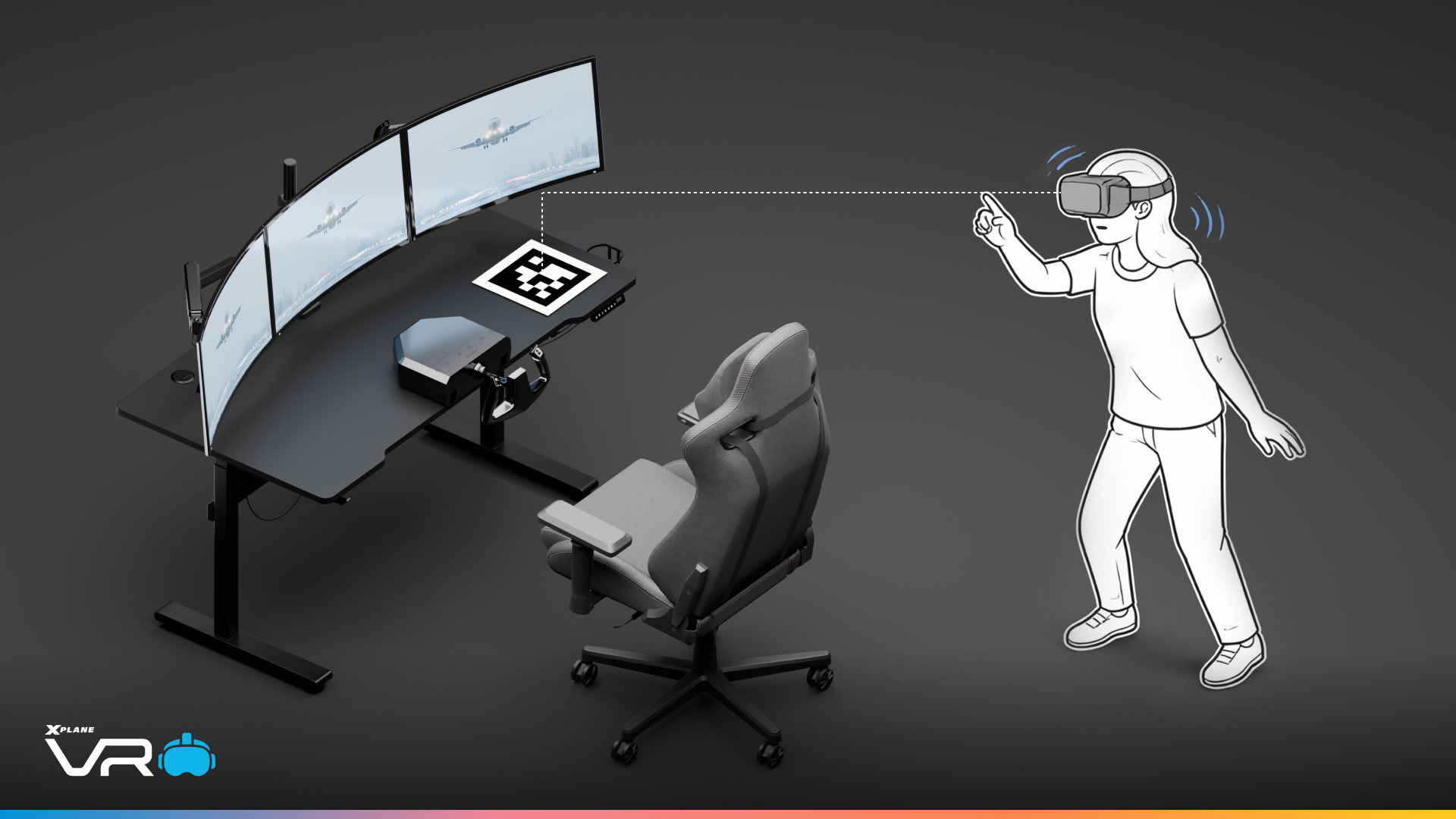
For users not using an Apple Vision Pro, X-Plane introduces QR-based spatial tracking. Simply place printed markers in your environment, and the simulator will track and persist their position—allowing your physical setup to align seamlessly with the virtual cockpit.
Hand Tracking (All Compliant Devices)
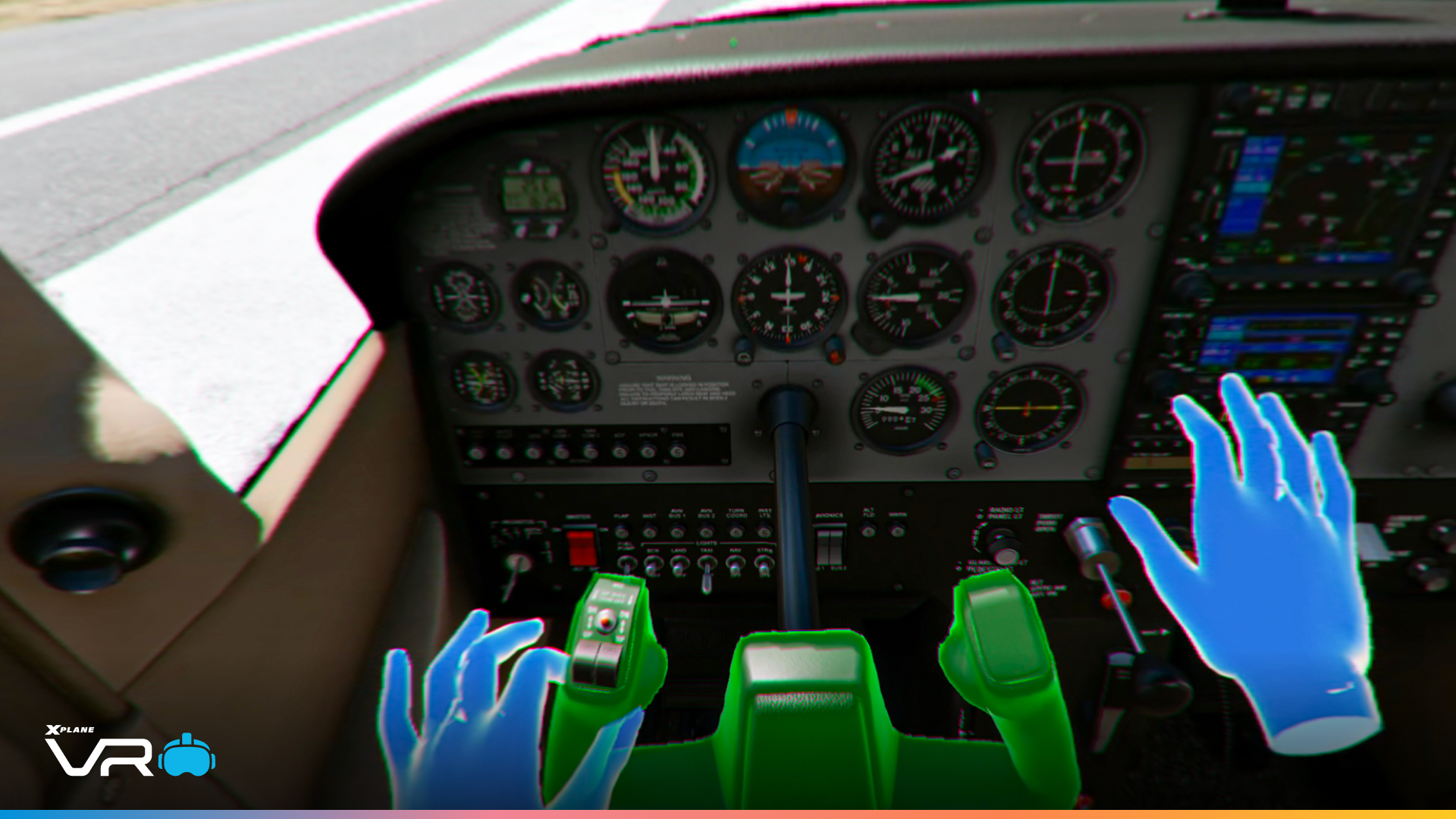
Hand-tracking is now supported in X-Plane! Your hands are now represented in real time within the cockpit.
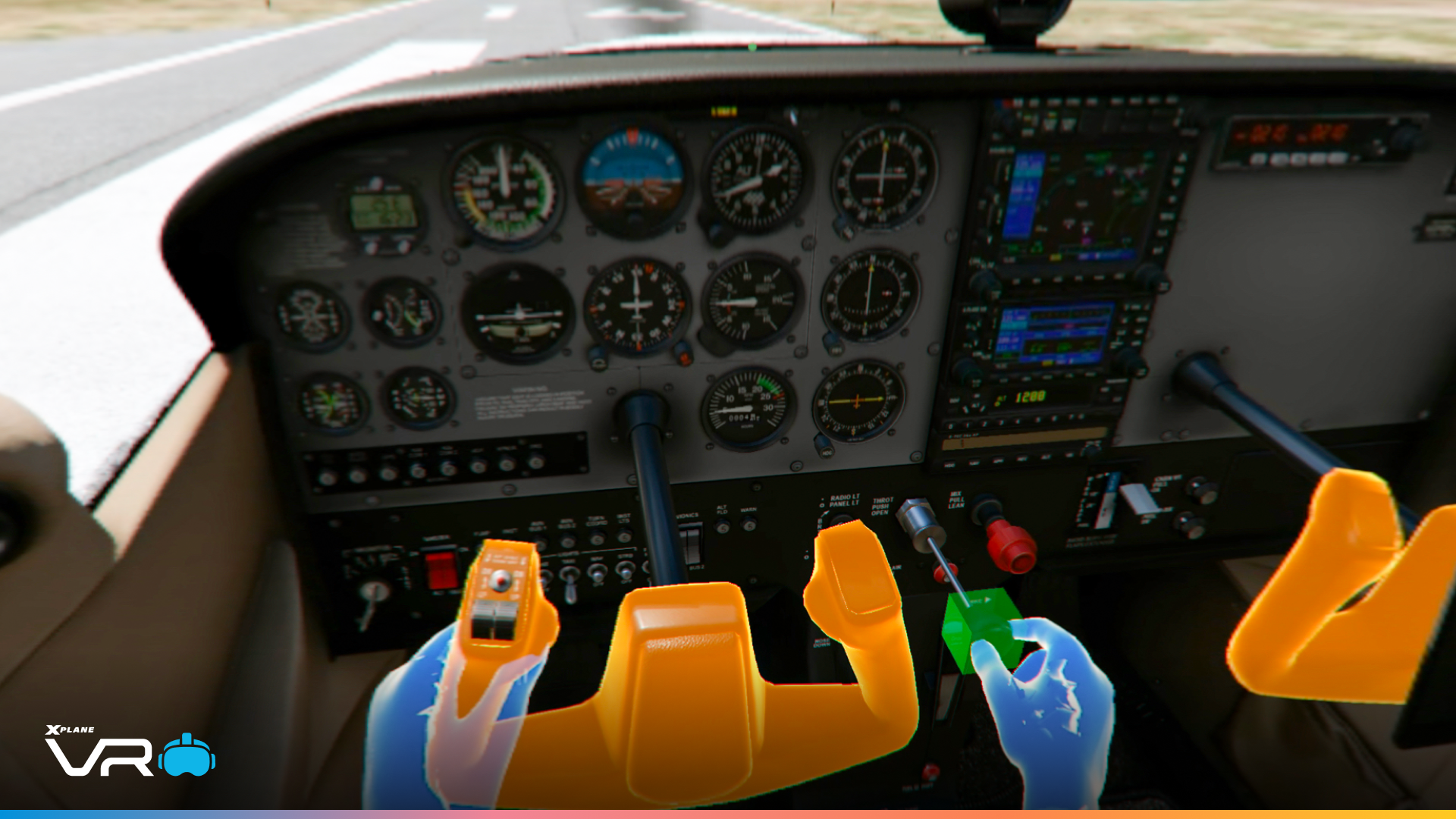
The manipulator system has been overhauled with gesture-aware responses, allowing you to grab, pinch, and rotate cockpit controls with precision. We also have improved cockpit manipulation for controllers and hands.
Foveated Streaming & VRS
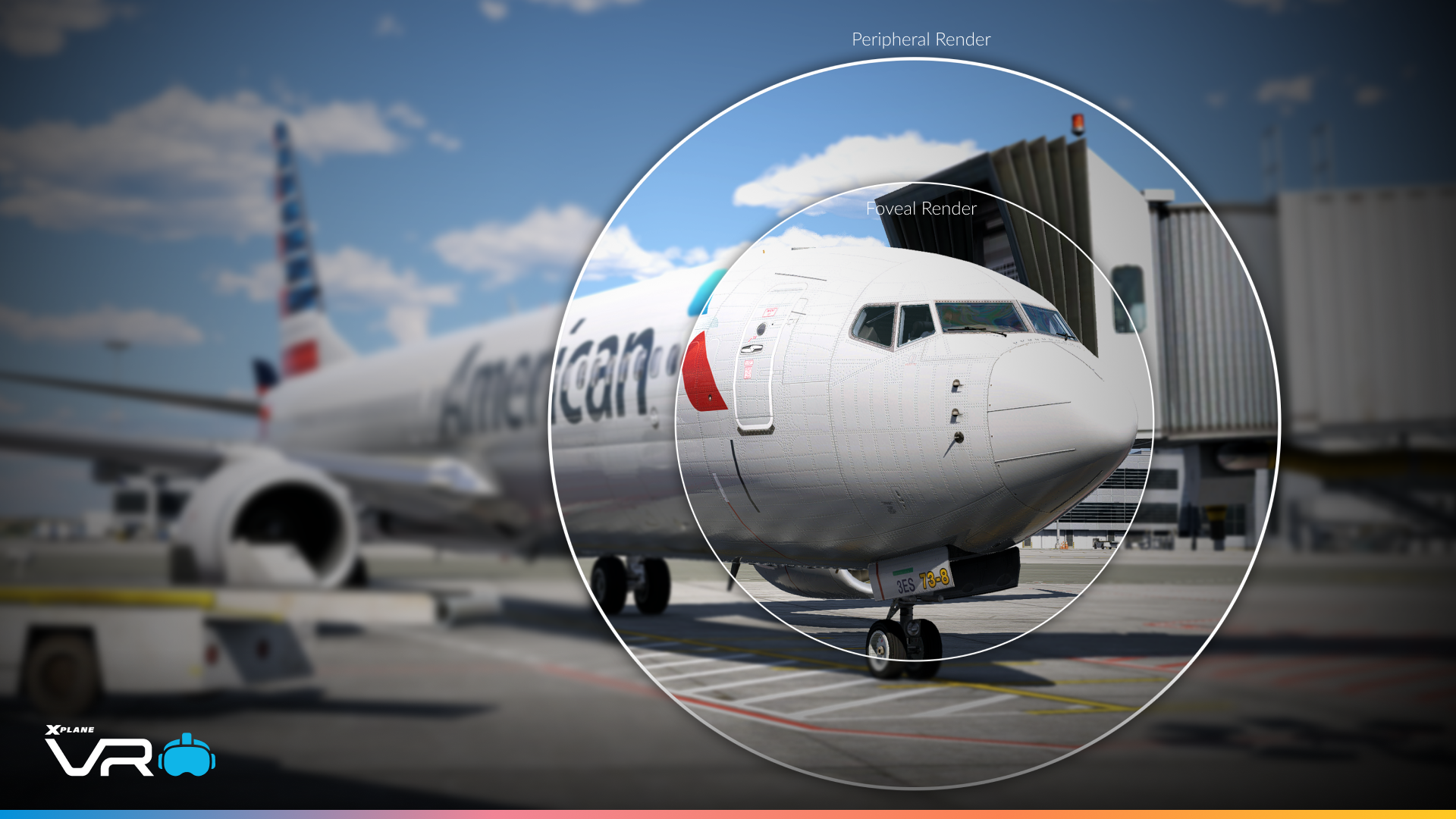
Foveated Streaming
First, let’s explain foveated rendering, which is coming to X-Plane. This is a performance-enhancing technique in VR that renders the centre of the user’s gaze in high resolution while reducing the detail in the user’s peripheral vision. VR users tend to be GPU-limited, so we can save performance by only streaming high-resolution pixels relative to eye gaze.
As part of CloudXR, we will take advantage of Foveated Streaming. This is an essential process to ensure low latency when streaming from the host device to your headset
Variable Rate Shading
For OpenXR users, support is provided through eye-tracked Variable Rate Shading (VRS). VRS allows shading rates to vary across the image based on gaze position, again concentrating detail where it matters most. This requires hardware capable of eye tracking and the OpenXR eye-tracking extensions!
(I wonder why we spent so much time on head and eye tracking… almost like this was part of the plan 😀 )
New UI/UX
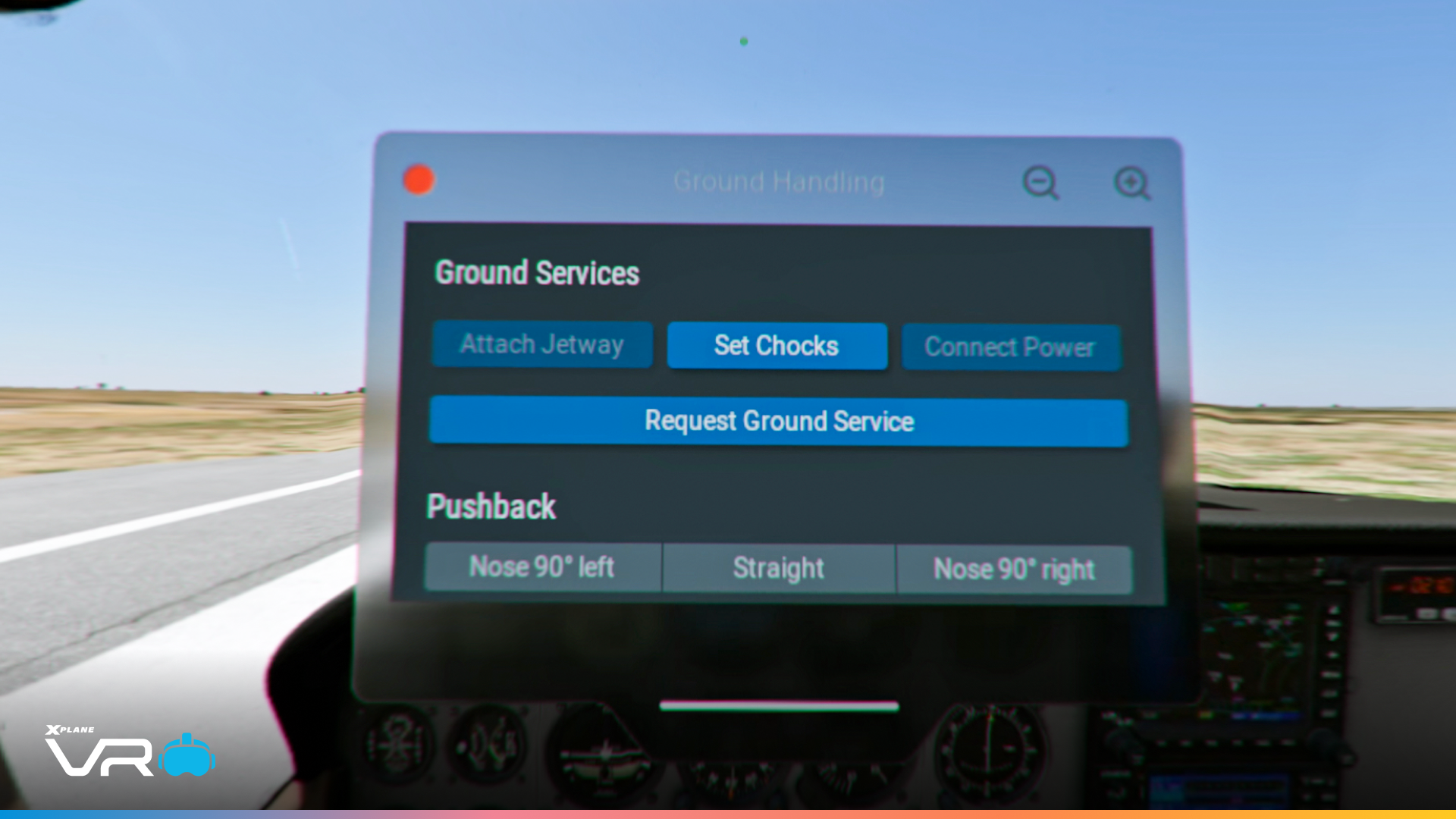
VR users will also get a new UI system, one with a more contemporary glassmorphism design and designed with hand-tracking in mind. Users can expand or minimise windows, and manipulate them around with the new “grab tab” at the bottom of the UI window.
And we have new gesture controls! Some VR headsets will be able to take advantage of our new wrist-mechanic. Simply tap the top of your wrist to open the radial VR menu. This has also been updated with new controls for mixed reality. With hand-tracking, X-Plane will be more aware of gestures, including poke, pinch, grab, and drag.
(Shoutout to dribbble.com, we’re cool and hipster too!)
Questions
Q. Which headsets will be compatible with mixed reality?
- Any compliant OpenXR headset with support for passthrough will support mixed reality. In our testing, this includes Apple Vision Pro and Varjo XR devices.
Q. Which headsets will be compatible with hand tracking?
- Any compliant OpenXR headset that supports the hand-tracking extension is supported. We’ve only tested this on the Apple Vision Pro and Varjo XR Headsets. Traditional VR controllers will still work.
Q. Which headsets will work with eyetracking?
- Any compliant OpenXR headset that supports the eye-tracking extension will support this. We’ve only tested this on the Apple Vision Pro, Varjo XR, and Beyond 2E
Q. What about Meta Quest 3?
- The Meta Quest does not enable these features for PC use, only apps native to the Quest. So we cannot support it.
Q. Can I use any controller I want with this?
- Yes! There’s nothing unique about hardware integrations with X-Plane VR. X-Plane is compatible with a wide-variety of hardware, from Honeycomb, Moza, HOTAS peripherals, to simple controllers like the Xbox Series X and PlayStation 5.
Q. Will this change anti-aliasing in VR?
- No. Anti-aliasing is not a VR-specific issue, but a GFX engine issue. Motion vectors are on the roadmap and a huge priority for us (but the checklist to reach this goal is larger than people realize.)
Q. Are there any performance improvements?
- We’ve focused on multi-threading in 12.4.0 and 12.4.1. In 12.4.3, VR users specifically get VRS. Performance is normally a generalised graphics task, not a VR-specific one, which is something we’ll always continue to invest in
Q. Will X-Plane come as a native app on different headsets?
- No, the processing power is too limited ON these devices
Q. Is there more to 12.4.3?
- Yes… But you’ll have to wait until release day 🙂 There will also be some non-VR content in this release.

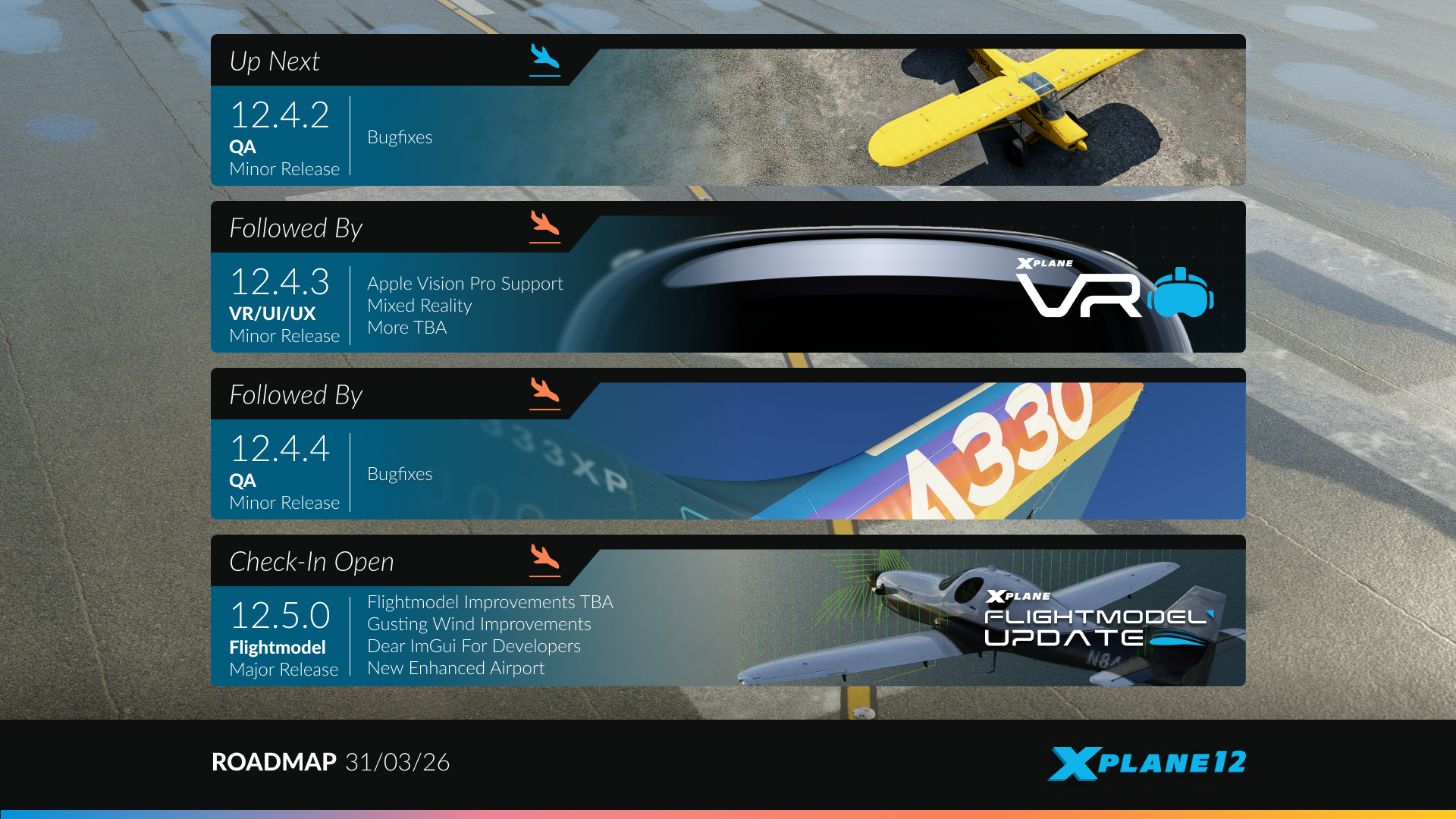
That’s it for this sneak preview. X-Plane 12.4.3 will be available soon.
Catch you all next time!

