The Tools to Build. The Freedom to Fly.
X-Plane has always been an open platform. Everything the simulator knows about the world, your aircraft and its systems is published through DataRefs, and with our Software Development Kit, building add-ons has always been straightforward. That openness is a big part of why the X-Plane ecosystem looks the way it does today: thousands of aircraft, plugins, tools and utilities, most of them built by people who simply wanted something to exist and had the tools to make it.
X-Plane 12.4.4 gives that toolbox its biggest expansion in years.
The headline is our new Panel Graphics API, a modern way to draw directly inside the simulator without wrestling with OpenGL, Cairo or NanoVG. Alongside it we’re shipping native rendering hooks for Dear ImGui, embedding CEF for web-technology interfaces, and releasing XLua 2.0 with full support for both as well as full X-Plane SDK integration for Lua. If you build things for X-Plane, this is the release you’ve been waiting for.
And if you don’t? There’s plenty here too. Our art team delivered a large batch of new scenery assets and a substantial static aircraft update. Our graphics engineers spent this cycle on performance: night lighting, a new on-disk texture cache, sharper cockpit panels, and an updated Zink.
Weather got another round of deep fixes; we improved the Weather Radar, and added a new enhanced airport in the UK, at a field where British aviation began.
Let’s take a look.
The Mission Statement

Every release we ship has to answer a simple question: who does this help, and how?
Empower Pilots. The simulator has to be worth flying. That means frame rates that hold up at a busy airport, weather that behaves the way the real atmosphere does, and a world detailed enough to be worth looking at out the window. Most of what we do lands here.
Empower Developers. But we don’t build the whole ecosystem ourselves, and we never have. Aircraft developers, scenery artists, plugin authors and tool makers have built an enormous amount of what people actually fly. Our job is to hand them better tools and then get out of the way.
Empower the Future. And some work isn’t for this release at all. Replacing an old rendering path, building an API that will outlive the technology it replaces, laying groundwork for the next several years: that work rarely makes a pretty screenshot. It’s how the simulator stays alive.
12.4.4 leans hard into the second and third of those. Here’s what that looks like in practice.
New SDK APIs For Developers

For as long as X-Plane has had a plugin SDK, drawing something on a screen in the cockpit has meant picking your poison. You could use OpenGL, and pay the performance penalty of not using the native high-performance graphics APIs the simulator itself runs on. You could bring in Cairo and deal with the CPU cost and the plumbing. You could use NanoVG. All of these worked, but none of them were ideal implementations.
That ends with 12.4.4.
Of course, developers still have the freedom to use OpenGL, Cairo or other drawing systems. Panel Graphics just adds another possibility to solve the drawing issue and hopefully a good one.
The new X-Plane SDK is available for download and we also have new documentation for it.
Panel Graphics API
The new Panel Graphics API is a first-class drawing interface built into X-Plane itself. You describe what you want drawn (paths, shapes, text, gradients, images, clipping regions) and X-Plane draws it, on whatever graphics backend the user is actually running.
It’s also fast. Drawing goes through the same modern rendering path the simulator uses for its own avionics, which means our built-in displays and your custom ones are drawn by the same machinery, with the same performance characteristics.
And critically, it isn’t a C/C++ only club. Panel Graphics is available from XLua too, which means Lua developers can build genuinely custom avionics displays for the first time. Instrument builders who have been maintaining hand-rolled drawing code for years can throw a lot of it away.

Native Dear ImGui Rendering Hooks
Panel Graphics covers drawing in the cockpit. Building a user interface is a different problem, whether that’s a settings window, a configuration panel, a debug overlay, or a flight-planning tool, and it’s one plugin developers have historically solved by hand, widget by widget.
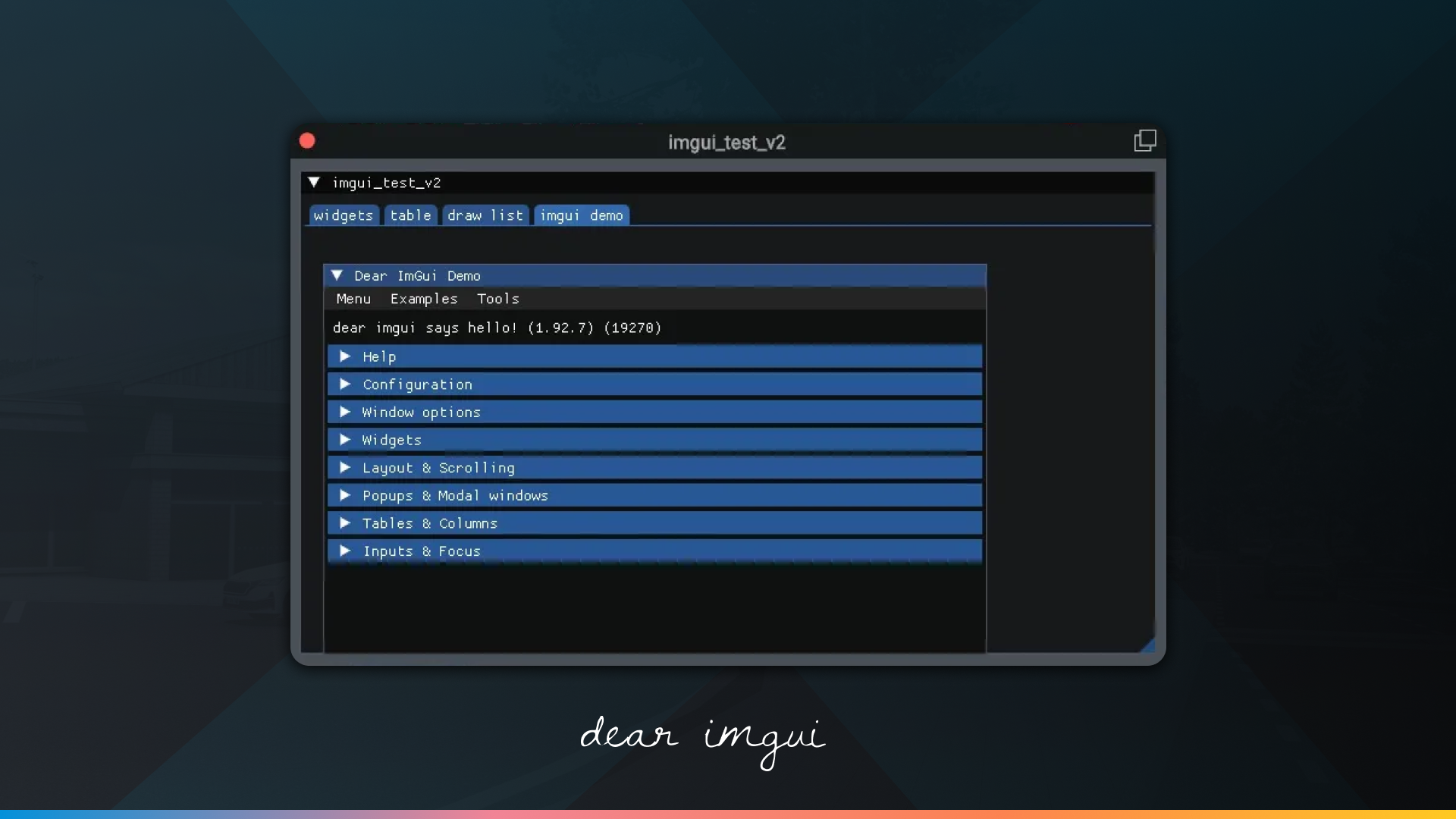
12.4.4 ships native rendering hooks for Dear ImGui, the immediate-mode GUI library used across the games industry and in a large amount of professional tooling. X-Plane doesn’t ship the bindings themselves. Your plugin brings its own Dear ImGui and the simulator renders it natively, instead of you routing the output through a drawing path by hand.
For XLua developers it’s simpler still: XLua 2.0 ships native Dear ImGui bindings, so a Lua script gets the full widget set with nothing to bundle at all.
If you’ve built a plugin UI before, you know how much of the work was never really about your plugin. That work is now optional.
Chromium Embedded Framework (CEF)
For interfaces that want to go further, 12.4.4 makes CEF, the Chromium Embedded Framework, available through the SDK. That means a full modern web rendering engine inside X-Plane: HTML, CSS and JavaScript, with the layout engine, typography and animation support you’d expect from a browser.
This opens the door to a category of add-ons that was previously awkward to build. Flight-planning interfaces, EFB-style applications, complex configuration frontends, dashboards with live charts: the kind of thing where a web stack is the right tool, and where the existing options meant either an external window or a lot of pain.
XLua 2.0
Tying it all together: XLua 2.0 is here, with full support for both Panel Graphics and Dear ImGui and the X-Plane SDK.
XLua has always been the fastest way into X-Plane development. No compiler, no build system, no platform-specific toolchain: write a script, drop it in, reload the aircraft. The tradeoff was that anything involving custom drawing or a real interface, or interacting with the simulated world outside of DataRefs meant graduating to C++.
That tradeoff is gone. An XLua developer can now build a custom avionics display and a proper configuration UI for it, in Lua, with no native code at all. Lua now has almost 100% parity with C/C++ when it comes to the rest of the X-Plane SDK, too. With the exception of a few deprecated functions, all of the API is now available to Lua. Better still, a single plugin will run both original, unchanged XLua scripts as well as new, fully-featured XLua 2.0 scripts.
For the enormous number of aircraft projects built on XLua, this is a meaningful change in what’s achievable.
XLua 2.0 Beta 1 is available for download from our GitHub repository. We also have new documentation available for it.

Performance Improvements
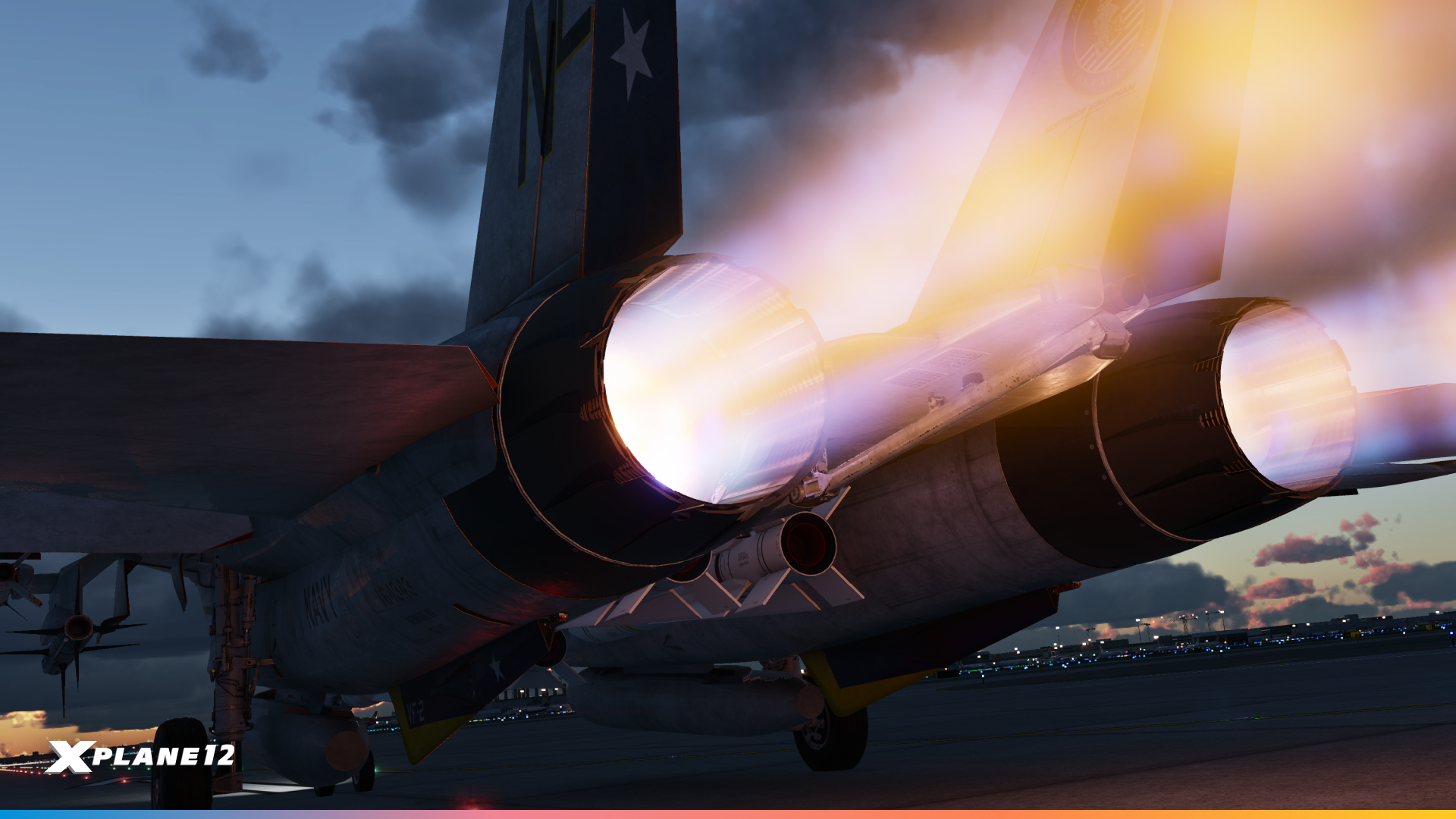
Performance work is never finished, and this release our graphics team went after several different bottlenecks at once. Some of these you’ll feel as improved frame rates, some as shorter loading times, and some as an image that’s simply sharper than it was.
Night Lighting Performance (Tiled Lights)
Large airports at night have long been one of the most demanding scenes in the simulator, with hundreds of individual light sources each contributing to the final frame. 12.4.4 improves both the performance and the accuracy of nighttime lighting in dense scenes. If your favorite big-city airport has been your worst frame-rate case after sunset, this is the release to re-test it.

X-Plane can display thousands of lights at once, and the old system could become expensive for the GPU. MSAA made that even heavier by doing extra work around light geometry.
12.4.4 introduces a new hybrid tiled lighting system. Most lights are processed using the faster tiled system, while any extras are handled separately instead of being dropped. The result should be better GPU performance at night, particularly around large airports and when using MSAA.
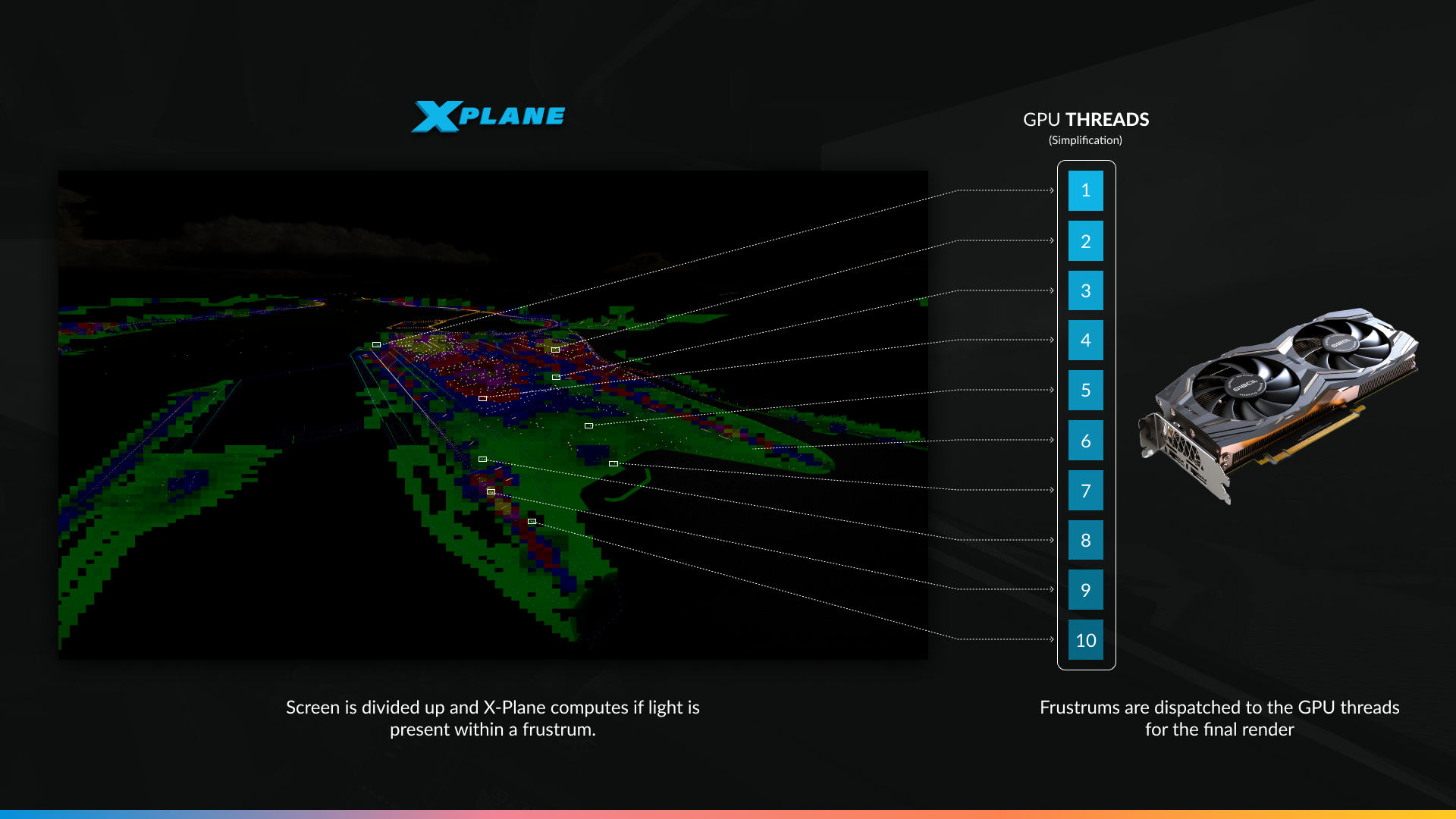
We’ve optimized how lights are rendered by breaking them into tiles. Especially visible at night and at large airports, this should result in better performance in demanding environments. This change allows the GPU to allocate lighting tasks between threads in manageable chunks – which is programmer speak for: “more pretty, more faster”.
Sharper Cockpit Panels
We’ve reduced instrument blurriness across the board. Cockpit panels and instruments are noticeably clearer, which matters most exactly where it should: small text, thin needles, and fine markings on a gauge you’re trying to read in a turn.


Toliss A319 HD – MMMX @ July 6th 1200Z. 1080p display. Same settings, same FOV with 2x MSAA. This picture is taken from the pilots position and zoomed in. The image shows greater clarity of displays for 12.4.4
Related: PlaneMaker now has a checkbox to exclude individual OBJs from FXAA, giving aircraft developers direct control over which parts of a cockpit get anti-aliased and which stay crisp.
FSR Sharpening
FSR upscaling now applies AMD’s recommended texture LOD bias, which produces a visibly sharper image at every quality level. If you tried FSR before and found it too soft, try it again.
Texture cache
X-Plane does a certain amount of processing on textures before it can use them. Previously, that work happened every time the texture was needed: every session, every flight, over and over. 12.4.4 introduces an on-disk texture cache that stores the pre-processed result, so the next time that texture comes up, it’s already ready.
A new setting lets you choose how much disk space the cache can use, from 0 to 10 GB.

This means faster loading, and scenery that streams in more quickly while you fly. The effect is largest for people flying over the same regions repeatedly and for anyone running a lot of high-resolution add-on scenery.
Managed Buffers and High-Detail Meshes
High-detail (UHD) meshes are large. A single one can run past 200 megabytes, because when it comes to terrain detail, more mesh has always meant more detail. The problem is what that costs you in graphics memory.
Since X-Plane 11, our managed buffers worked as one big block. Any access to that block meant transferring the whole thing onto the GPU, even if the simulator only actually needed a few kilobytes of it. The backend also tried to guess which buffers were worth managing and which weren’t, with mixed results.
In 12.4.4 we’ve rebuilt that from the ground up. A managed buffer is now a logical collection of many smaller regions, each with its own buffer, backed by a single large host-side buffer as a fallback. Only the regions actually needed get made resident on the GPU. The rest stay in system memory until something asks for them.
For UHD meshes, that’s the difference between paying for 200 megabytes and paying for the handful of regions you’re currently flying over. It also cuts latency, because there’s far less data to move at any one time. If you’ve been running up against your VRAM ceiling with UHD mesh installed, there’s real headroom now.
Sparse residency and VRAM
The second piece of VRAM work is more unusual, and it pairs neatly with the night lighting improvements above.
LIT textures are what give X-Plane its night lighting: the glowing windows, the lit signage, the ramp floodlights. Here’s the thing about a LIT texture, though. Most of it is black. An office block at night has a few dozen lit windows and an awful lot of dark wall, and every one of those black pixels was, until now, occupying real graphics memory to store nothing.
Sparse residency lets us stop paying for that. Instead of one contiguous block of memory, the texture is divided into tiles, and tiles that contain nothing but opaque black simply don’t get backed by physical memory at all. The GPU still sees a complete texture. We just don’t buy the empty parts.
The savings scale with exactly the scenery you’d hope: dense urban areas and large airports, where there are a great many LIT textures and most of them are mostly dark.

On Windows and Linux, sparse residency is on by default in 12.4.4 through our Vulkan backend. On macOS the Metal implementation is still opt-in and limited to certain hardware, so Mac users won’t see this one yet.
Zink
We’ve updated Zink to the version in Mesa 25.3.4, bringing upstream fixes and improvements to the OpenGL-over-Vulkan path.
Benchmarks

The benchmark results are shown in milliseconds (ms), which measure how long the CPU or GPU takes to complete a frame. In this case, lower numbers are better.
For example, a CPU time of 20 ms means the CPU is taking 20 milliseconds to prepare each frame. A reduction to 18 ms means the frame is being completed more quickly, allowing the simulator to potentially run at a higher frame rate if the CPU is the limiting factor.
The tables also show several percentile measurements:
- AVG is the average frame time across the entire test.
- P99 represents the slower end of the frame-time distribution. In practical terms, 99% of frames were completed in this time or faster, making it useful for identifying heavier frames and overall consistency.
- P95 is similar, but looks at the point where 95% of frames were completed at or below that time.
- P5 and P1 represent the faster end of the distribution, showing the performance of the quickest frames during the test.
Across the sampled CPU-limited systems shown by our testers, 12.4.4 produced an average 6.4% improvement in CPU performance.
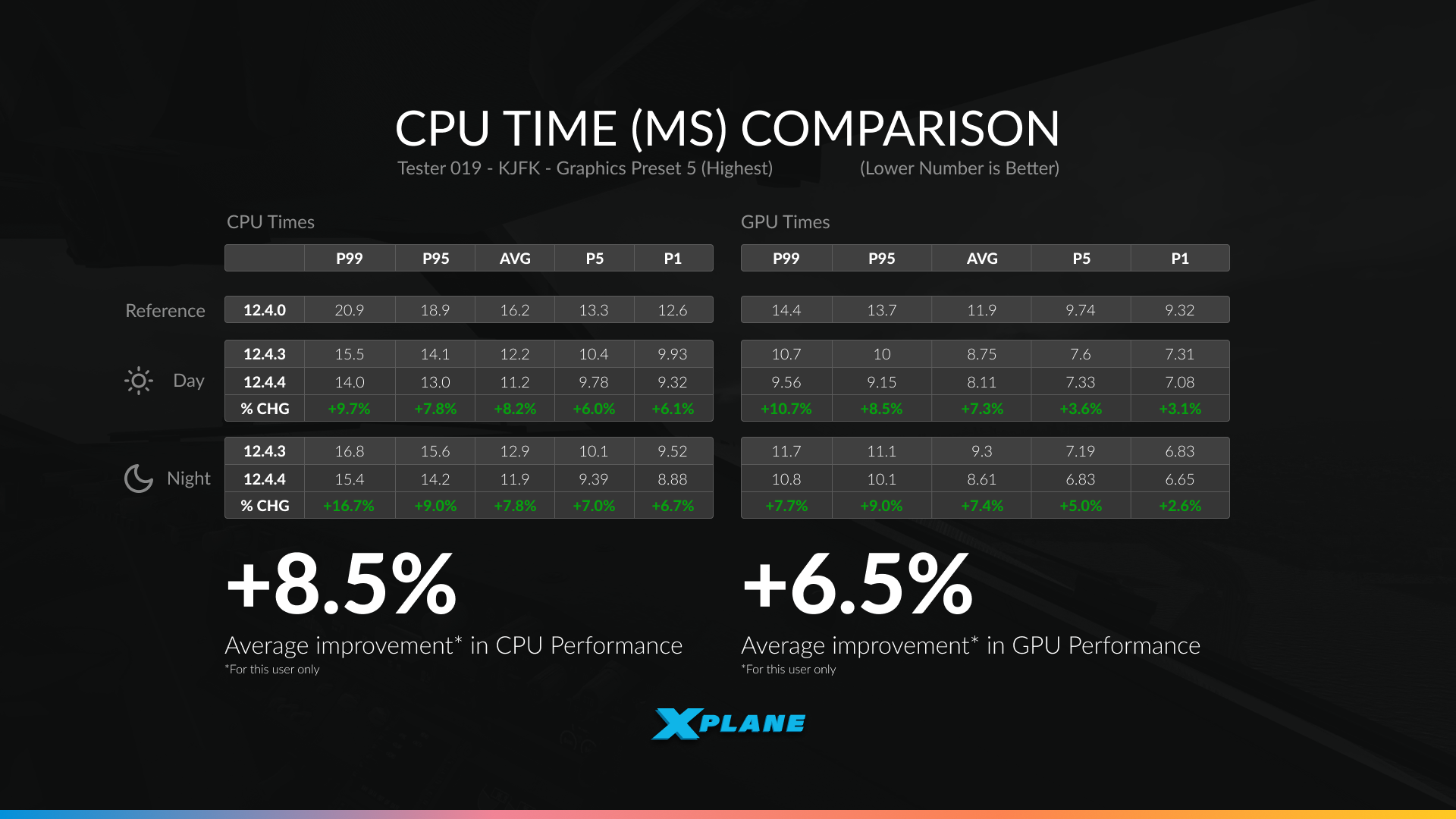
A bit unusually, we’ve also shown reference data from a single user. Here we have both day and night tests against 12.4.3 and 12.4.4.
12.4.4 delivered an average 8.5% improvement in CPU performance and 6.5% in GPU performance across daytime and nighttime testing. These gains reflect continued optimization throughout the rendering pipeline, helping reduce frame times in demanding scenes.
We’ve also thrown in daylight test data from the same user for 12.4.0, just to show how far their system has improved from our rounds of optimization. The CPU times in particular have changed drastically, and we’ll continue to make more performance gains over the upcoming updates.

New Scenery Assets
X-Plane 12.4.4 also expands the library of scenery assets available to both the Gateway community and our own scenery development work. These additions are intended to give airport authors more variety when recreating real-world environments.
Static Aircraft Update – Part 2

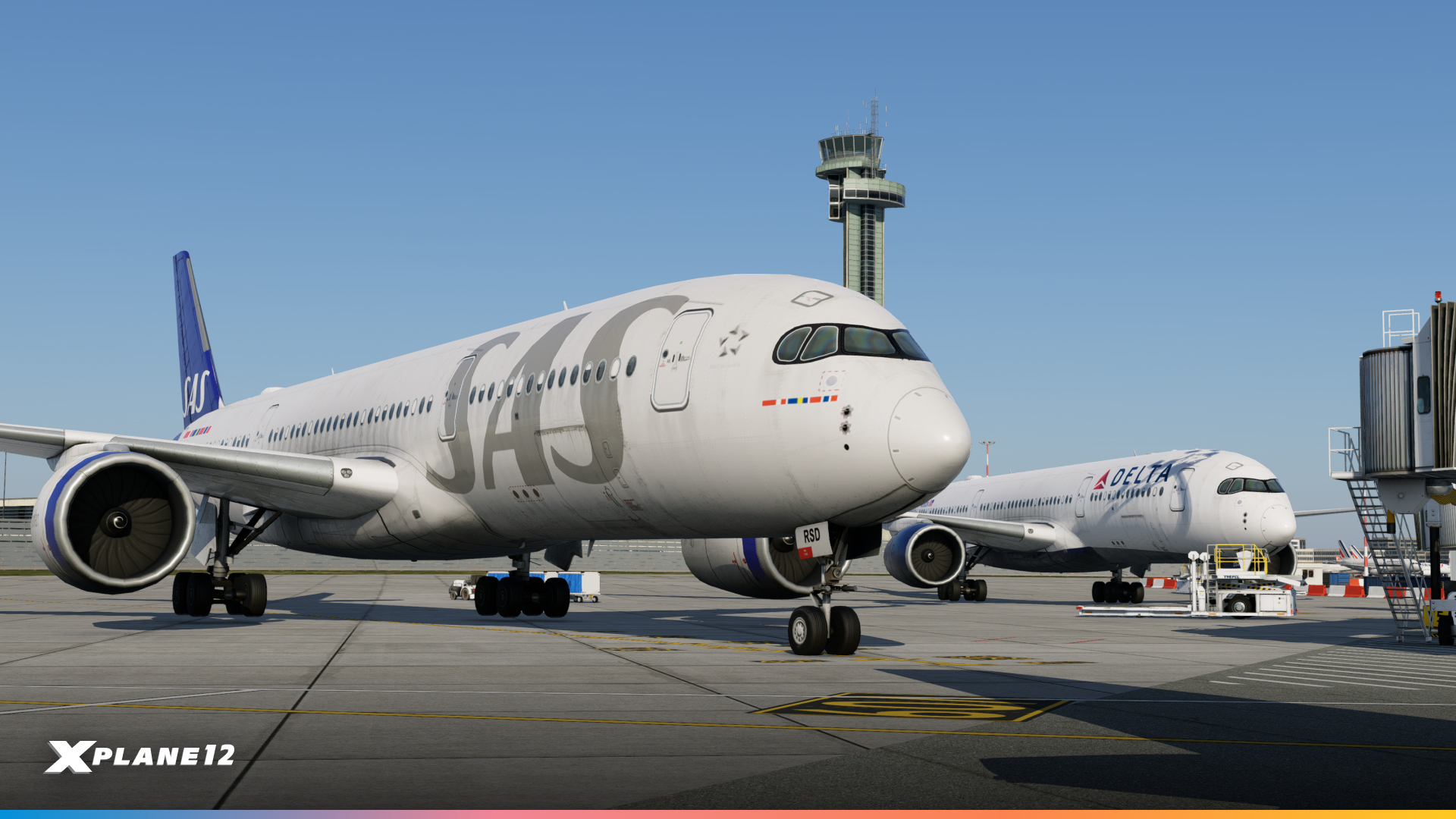
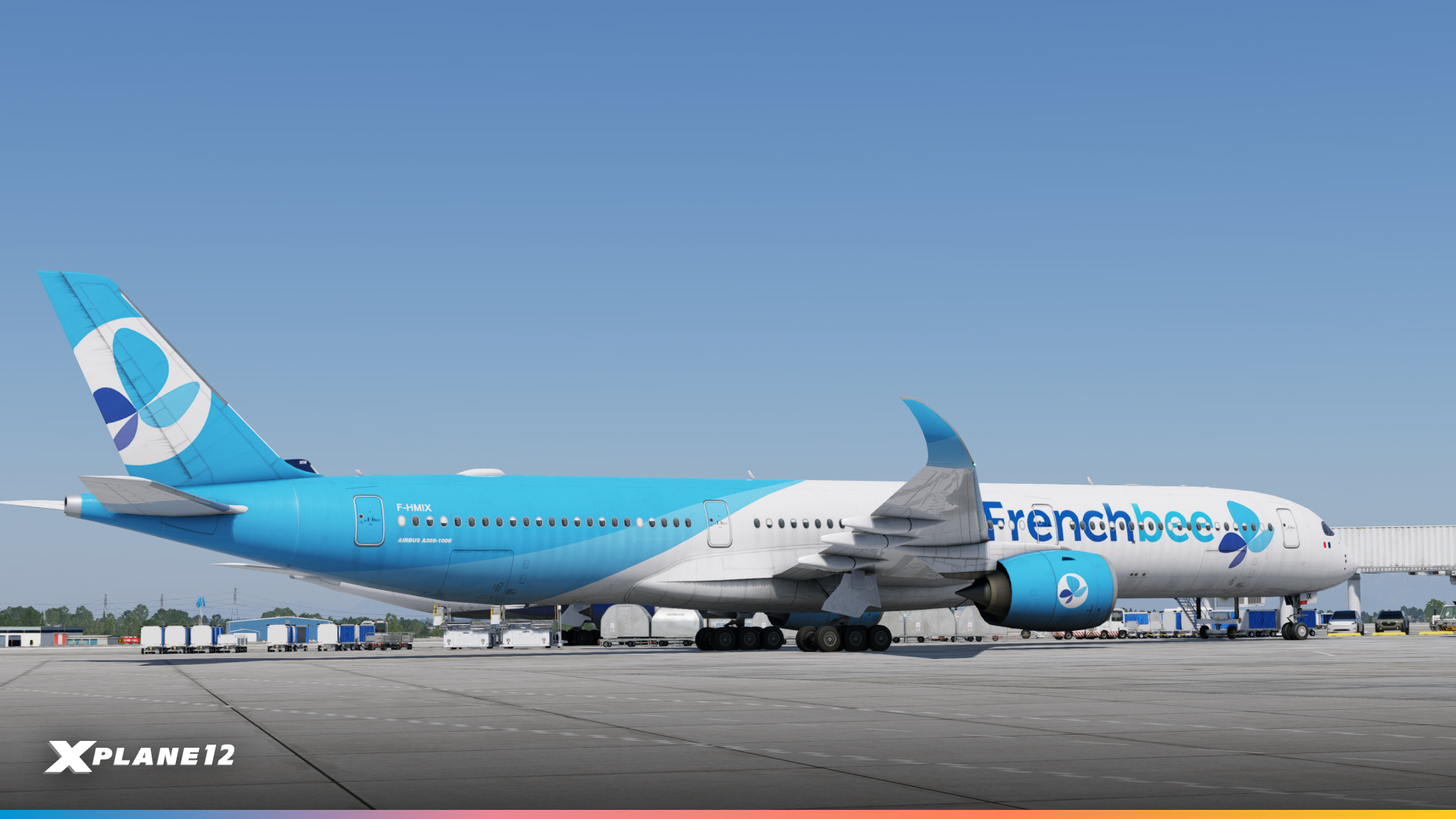
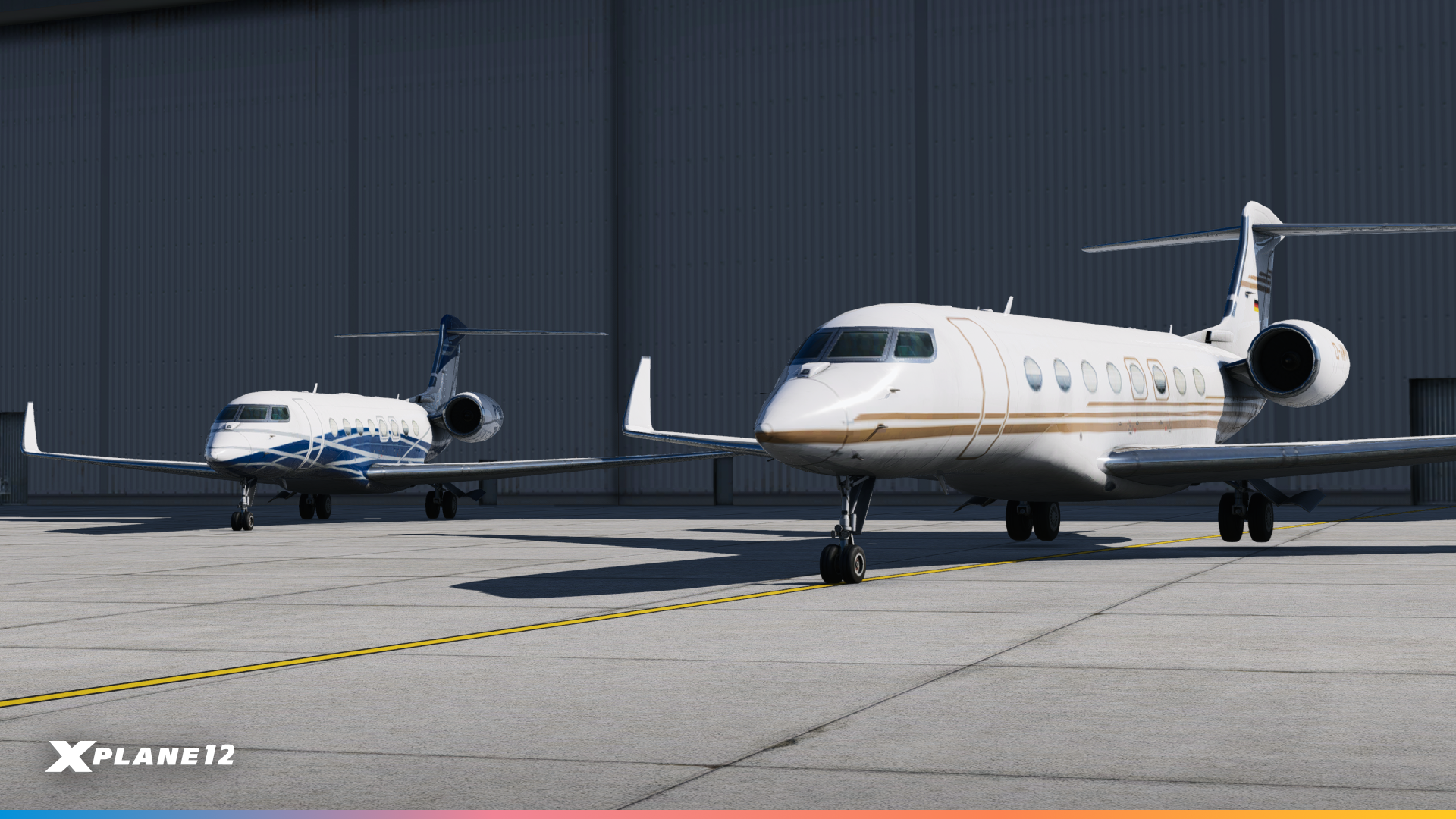
Our static aircraft library is also getting another substantial refresh. With thanks to Justin and Eric, X-Plane 12.4.4 adds 78 new static liveries and six new aircraft types, significantly increasing the variety of traffic you’ll see parked around airports.
The new aircraft include the Airbus A350-900, Airbus A350-1000, Lockheed Martin C-130J Super Hercules, Eurofighter Typhoon and Gulfstream 650. Together, they broaden the mix of commercial, business, military, and transport aircraft represented in the scenery system.
We’re particularly excited by the inclusion of the A350, bringing a touch of the next-gen aircraft to X-Plane’s airports!

- Aeroflot
- Air Caraibes
- Air China
- Air France
- Air India
- Air Mauritius
- Asiana
- Cathay Pacific
- China Airlines
- China Eastern
- China Southern
- Delta
- Edelweiss
- Egyptair
- Emirates
- Ethiopian
- Factory (Airbus Carbon Fibre)
- Fiji Airways
- Finnair
- Frenchbee
- Hainan Airlines
- Iberia
- Iberojet
- ITA Airways
- Japan Airlines
- K5 Aviation
- Korean Air (Old)
- Korean Air (Modern)
- Lufthansa
- Luftwaffe
- Malaysia
- Philippines
- Qatar
- SAS
- Sichuan (Panda)
- Singapore
- Starlux
- Swiss
- Thai
- Turkish Airlines
- Vietnam Airlines
- World2Fly

- Air Caraibes
- British Airways
- Cathay Pacific
- Ethiopian
- Etihad
- Factory (Airbus 1000)
- Frenchbee
- Japan Airlines
- Philippines
- Qatar
- Starlux
- Virgin Atlantic

- AM – Spain
- RAAF – Australia
- RCAF – Canada
- USAF – United States
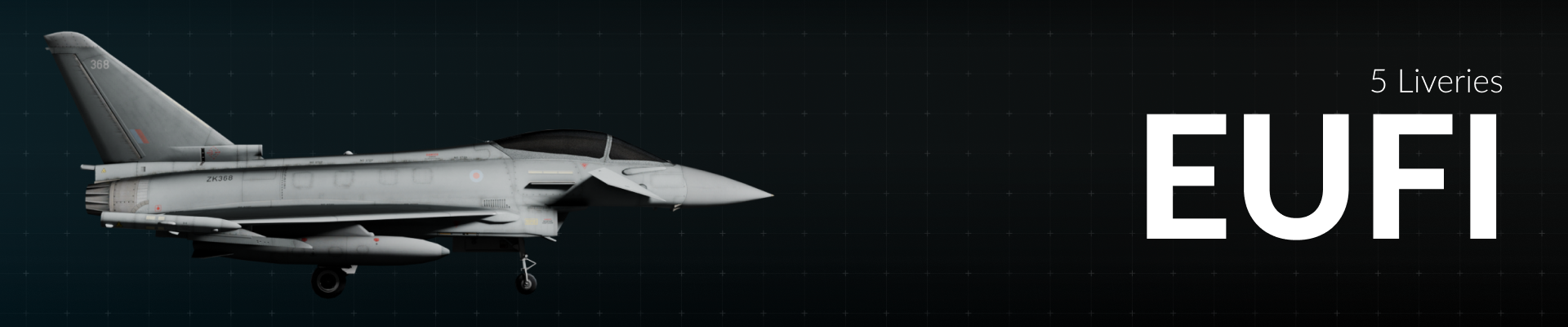
- AME – Spain
- GAF – Germany
- IAM – Italy
- RAF – United Kingdom
- RSF – Saudi Arabia

- ABP
- DCS
- GLF
- LXJ
- N918TA
- QQE
- VPCTS

- D-CASH
- N403QS
- N381FX
- N417N
- N503ER
- PP-JDB
- N652UP
- N359AS


Overhead Powerline Facades
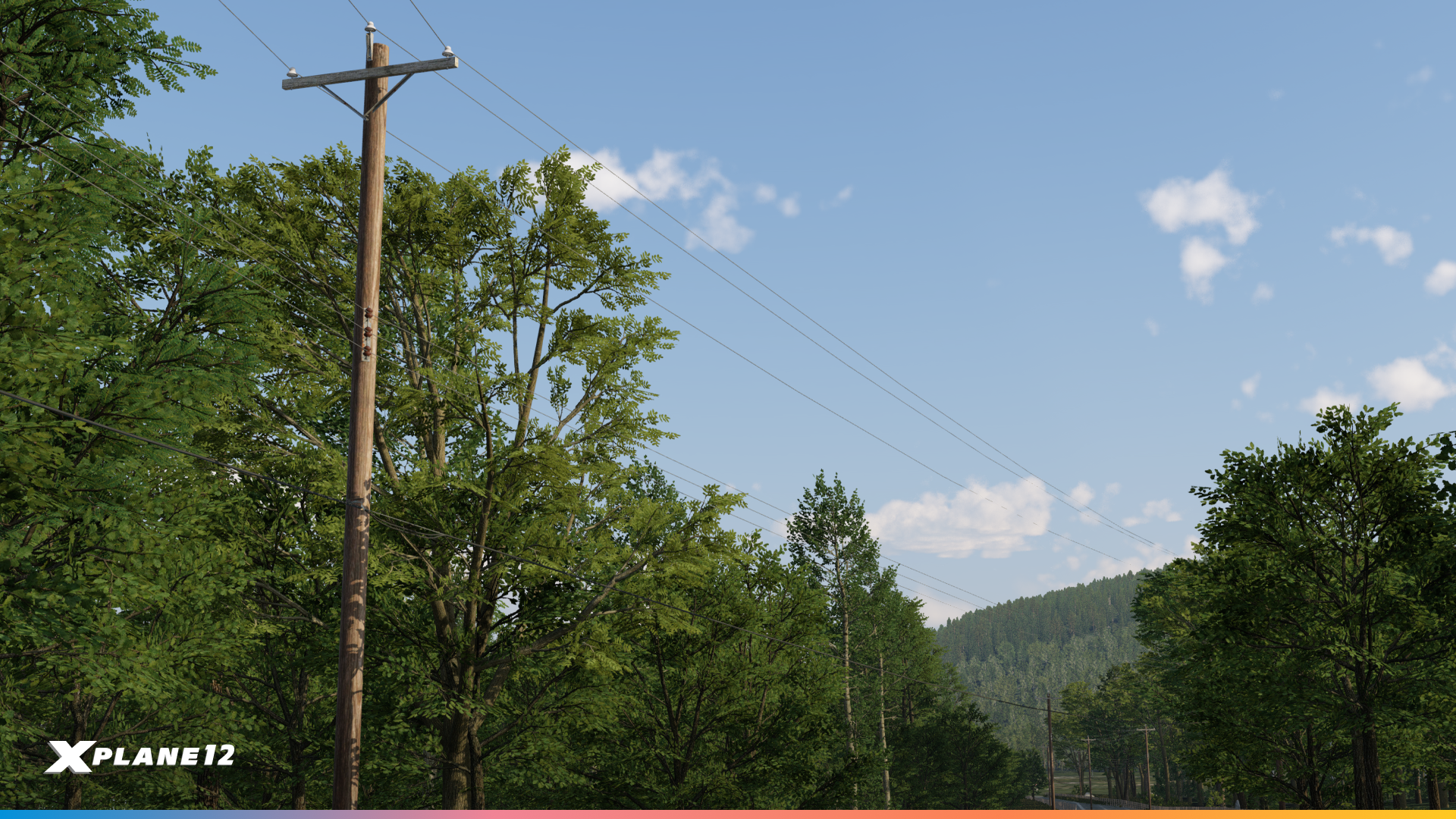
A quietly excellent addition for anyone building outside the airport fence. New overhead powerline facades let scenery authors run proper transmission lines across the landscape, and for low-level VFR flying, powerlines are exactly the kind of detail that makes terrain read correctly. They’re also, appropriately, something to keep an eye on when you’re down in the weeds.
Accessible Passenger Boarding Ramps

New accessible passenger boarding ramps are now in the library, so airports that handle boarding from the apron can model it properly.
Draped Letters

New draped letters in black, blue, green, red and yellow. Small, unglamorous, and immediately useful for anyone who has ever needed to put a taxiway designator or a marking on the ground and had to improvise.

Weather Improvements
The weather system is one of the most important parts of the flight simulator. Everyone flies through it every single flight. In this release, we spent a lot of time improving the data we use and also the way we process this data.
Let it snow!
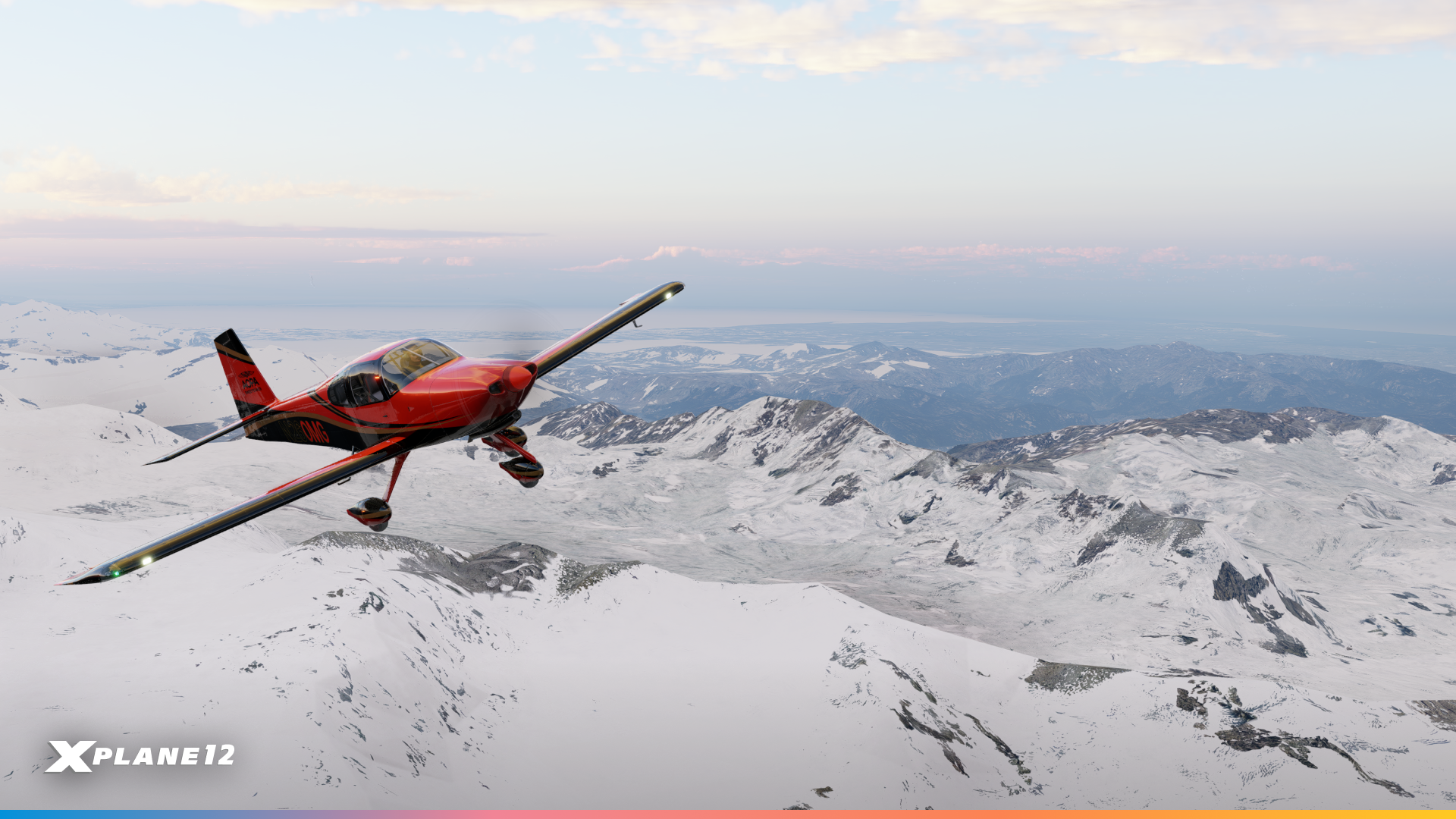
Snow in X-Plane used to be tied directly to the amount of snow immediately underneath the user’s aircraft. If you were flying over snow, the whole world was snowy; if you flew over a snow-free area, the whole world would thaw. Which is not how snow works.
In 12.4.4, snow coverage becomes persistent and regionalized. It varies from one area to the next rather than the entire region inheriting a single state.
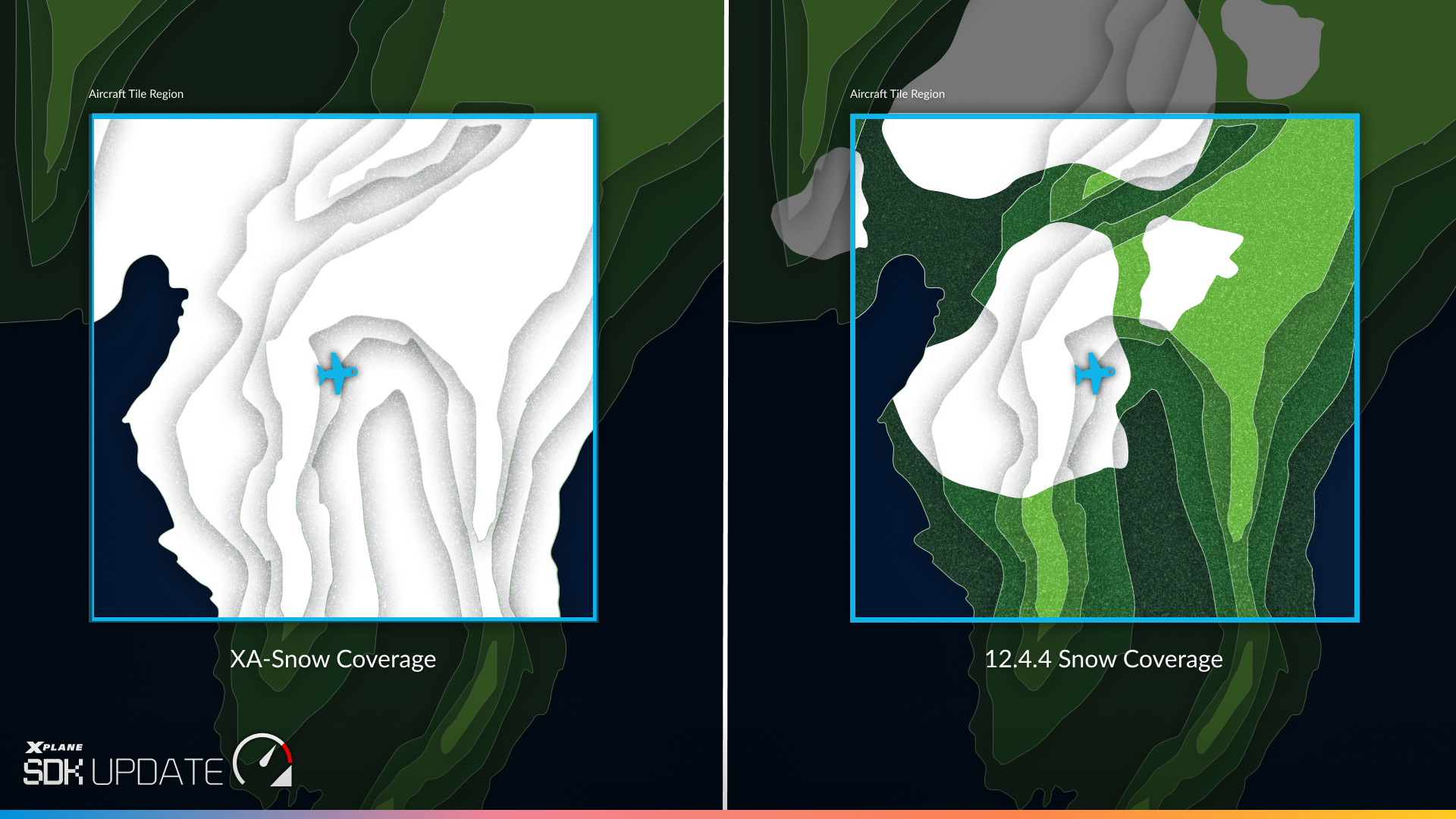
The effect is most obvious on a longer flight. You can now cross from snow-covered terrain into clear ground and back again, with different areas carrying different depths at the same time. Over mountainous terrain especially, that’s the difference between scenery that has weather applied to it and scenery that looks like somewhere in particular, in a particular season.
Behind it, live weather drives a snow depth model from GRIB data. If you fly with historical weather and we don’t have snow data on the server for the right date, X-Plane falls back to an averaged snowfall model, producing plausible conditions for that point in time.
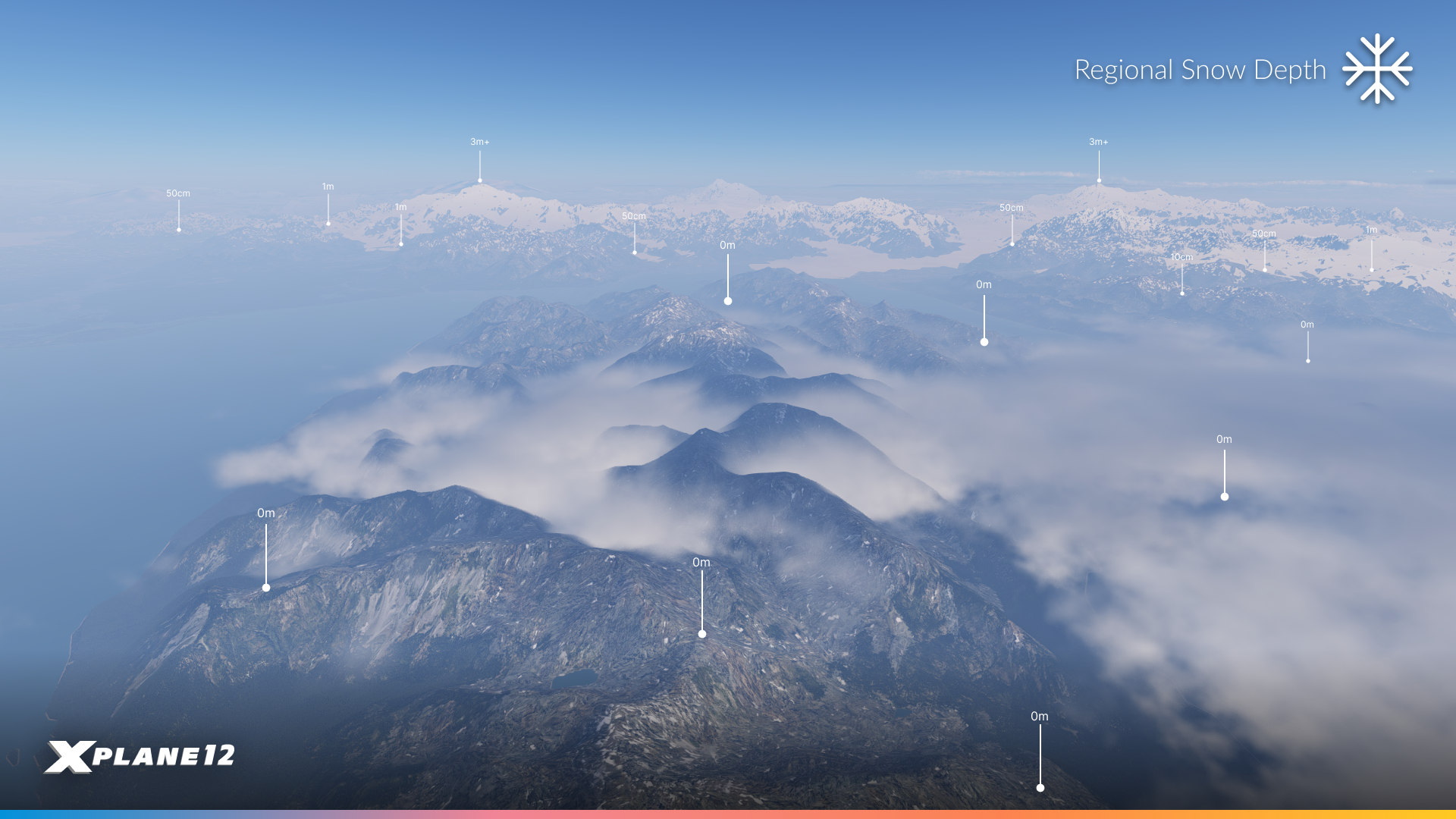
The timing is deliberate, too. The Northern Hemisphere is heading into the colder months, so there’s going to be a lot more white on the ground from here, with everything that implies for how you plan a flight.
A few questions you might have
Q. Does it work with ortho-imagery?
- Yes, it does!
Q. Should I keep XA-Snow?
- No, please remove it. It can’t depict snow spatially and it overrides the global snow parameters. Sincere thanks to its developers, who filled this gap for the community for a long time before we did.
Q. What about the snow settings in Active Sky?
- Same answer, and for the same reason. Turn them off.
Q. Does snow vary with altitude?
- Not currently. Variation is horizontal, on a latitude and longitude basis. However, the snow data is detailed enough to correctly show snow-free valley bottoms in snow-covered mountains, so it generally looks altitude-correct.
Q. Does it freeze lakes and rivers?
- No, it does not.
Q. Does it work with custom weather?
- No, persistent snow needs live or historical weather.
Weather Formation Improvements
Precipitation and thunderstorm placement have improved, as has the display of precipitation on the weather radar. Temperature fluctuations at altitude are better behaved, and we’ve fixed the altitude fluctuations that could occur while established at cruise level. High-confidence cloud-type detection is now stronger and protected against upstream data errors. The clouds-drawn-with-lines-between-them issue is fixed.
And then there are four fixes I want to spend a moment on, because the underlying causes are genuinely interesting.
The Date Line
If you’ve ever crossed the 180° meridian and watched the weather fall apart, this one’s for you. Our distance calculation was breaking down across the date line. A pair of points ten nautical miles apart, straddling the line, measured as fifteen thousand nautical miles. Every METAR and forecast sample on the far side was therefore judged impossibly distant and thrown away. Weather now blends correctly across the date line.
High Latitudes
Above roughly 75°N/S, clouds and precipitation showed a striped, scrolling pattern. The cause: we were sampling forecast data over a fixed number of degrees of longitude rather than a fixed physical area. Near the poles, degrees of longitude get very narrow indeed, so the sampling pattern compressed into visible stripes. We now sample over a fixed physical area, and the stripes are gone.
Local Weather Variation
Local weather variation is meant to ramp up gradually over the first few miles from the reference point. An inverted cosine in the distance calculation inflated that distance by 1/cos²(latitude), a factor of 131x at 85°N, which meant the variation was effectively applied at full strength everywhere. Visibility and cloud layers now change gradually as you fly, the way they were always supposed to.
Visibility with Altitude
Finally, a change you’ll notice on nearly every flight into marginal weather. Visibility previously faded from the ground-reported value to clear-air visibility over a fixed 5,000 to 15,000 ft ramp. It now uses a physically derived altitude band, estimated from the temperature and dewpoint spread, cloud layers, latitude and season.
The practical effect: fog, mist and haze now stay in a realistically shallow surface layer, instead of hazing your view all the way up to cruise altitude. Departing into a foggy morning and breaking out into genuinely clear air is one of the more satisfying things in real flying, and it now works properly here.
Weather Radar Improvements
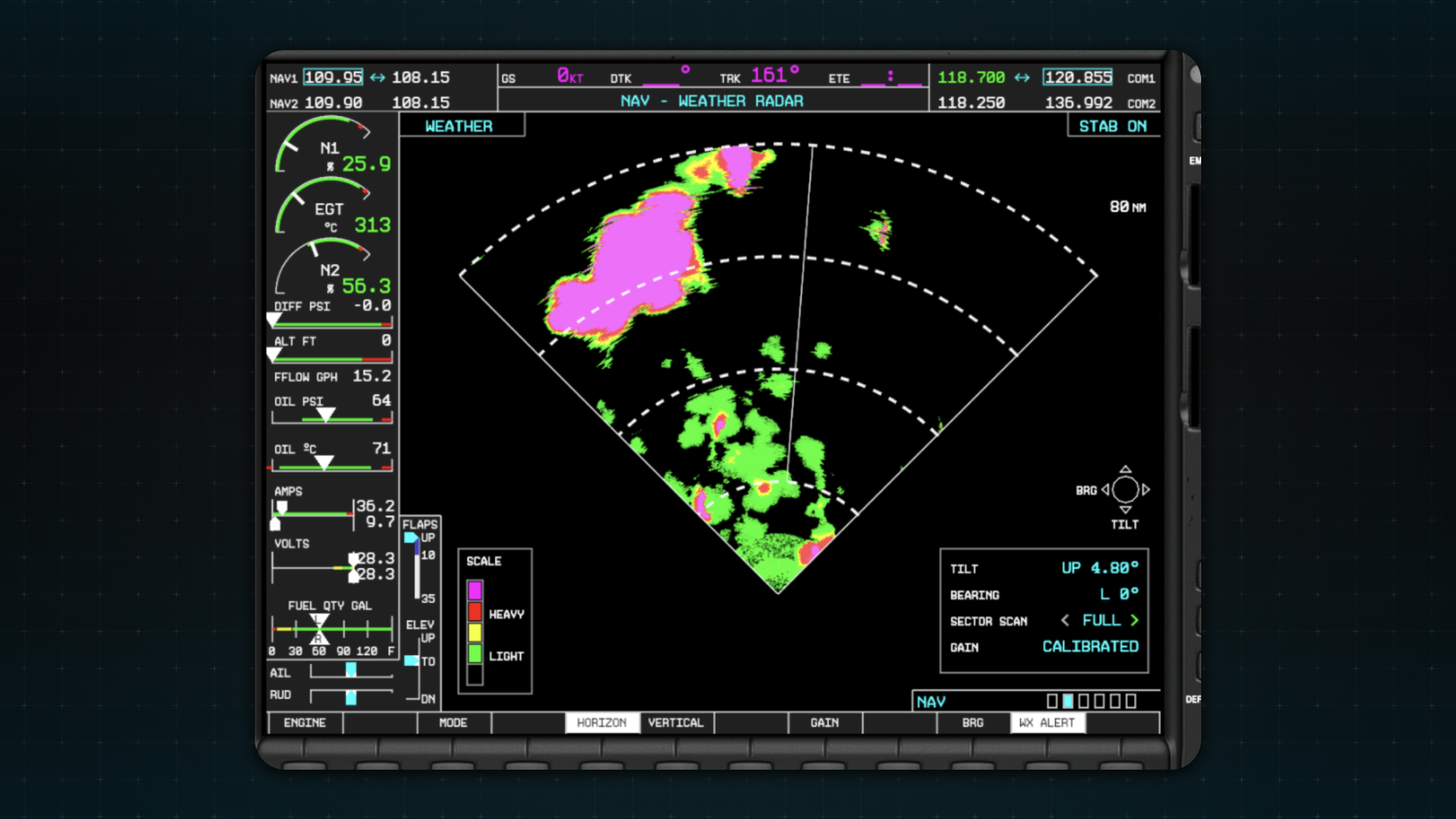
The weather radar itself got a thorough overhaul, and it’s the most visually obvious change in the release.
Return Calibration & WXR Radial Distortion
Start with the colors. The default scale is now four colors (green, yellow, red, magenta), matching how most real radars are configured, and the old dark green and dark yellow bands are gone. That’s a shorter list than before. What you’ll actually see on the screen is more color, not less.
The reason is calibration. Alongside the palette change we reviewed the cloud data and the return strengths behind it. Previously, most returns landed in the light end of the scale, so a serious cell came back as a broad wash of green and yellow with no real core to it. Now returns spread across the full range, and weather that’s genuinely worth avoiding looks like it: red and magenta where it should be, green at the edges.

Behind that, three changes make the radar behave like hardware rather than a picture.
The sweep animation now updates exactly the wedge between the antenna’s position last frame and this frame, rather than a larger area than necessary. That removes the shimmer that used to appear around the antenna position.
The noise pattern is now applied to the radar sample before colour mapping. Previously, noise showed up as black pixels scattered across the display. Now it manifests as pixels landing one colour band above or below their surroundings, which is what noise actually looks like on a real radar.
And we’ve added a smear effect. A real weather radar doesn’t produce a sharp image the way a camera does. It sweeps outward from the aircraft in narrow beams, measuring how strongly precipitation reflects the signal back, so returns come back slightly stretched along the direction of the beam. That radial character is now reproduced in the shader, by introducing small disturbances to the sampling location.
The result still gives you a clear read on the weather ahead. It just gives it to you the way the hardware would.
NEXRAD and X1000
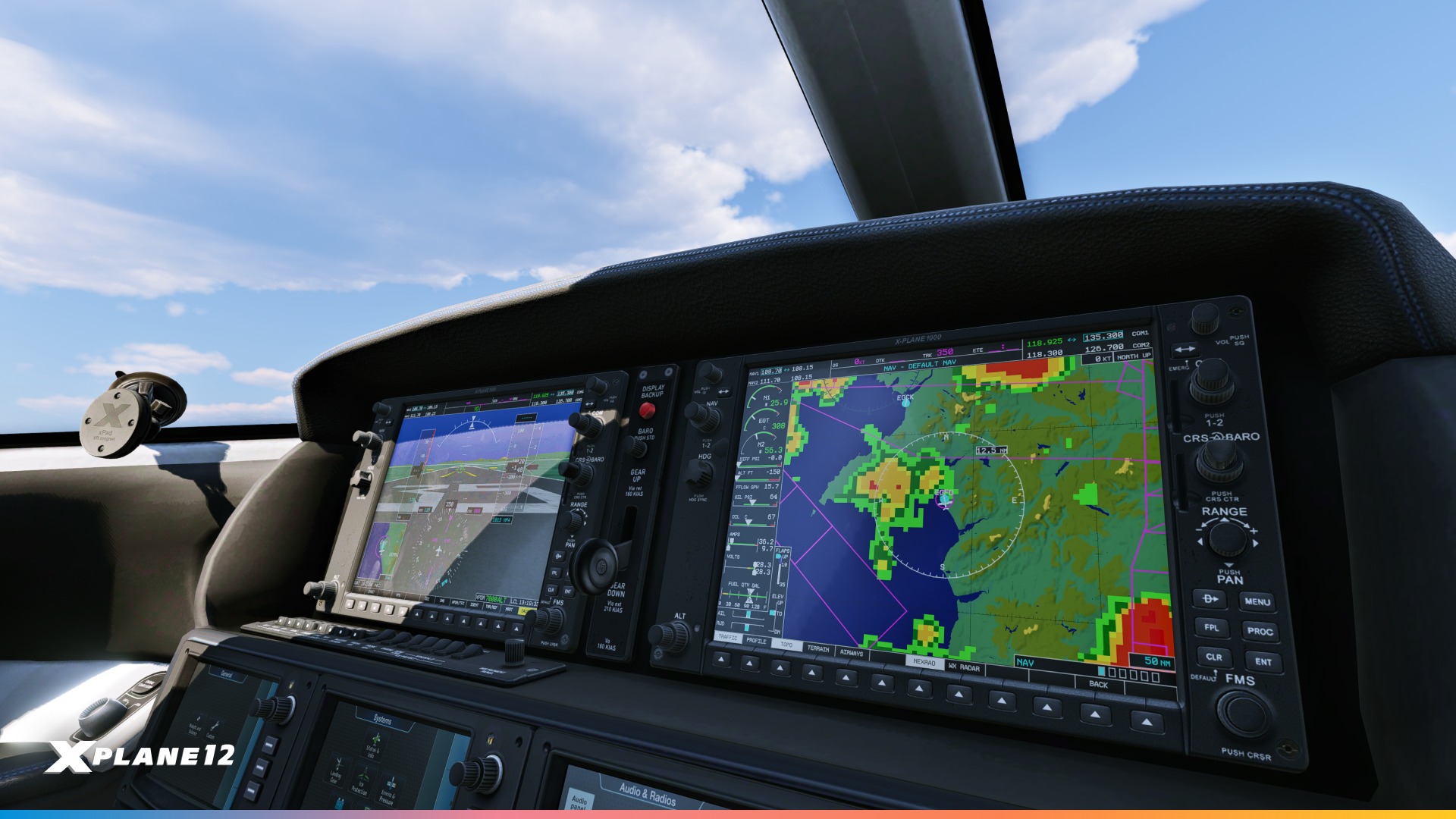
NEXRAD gets the same calibration work, with the underlying weather data and return strengths reviewed alongside the onboard radar.
Its colour scale has also moved from a linear gradient to discrete colour bands. The colours themselves and the levels they map to are unchanged, but banding them is how a real display presents the data.
On the X1000, NEXRAD gets a new visual treatment on top of that. Rather than a smooth, flat overlay, returns are now drawn as discrete blocks, giving the depiction a chunkier, more voxel-like character that’s much closer to the real unit. The NEXRAD overlay on the map window has been improved as well.

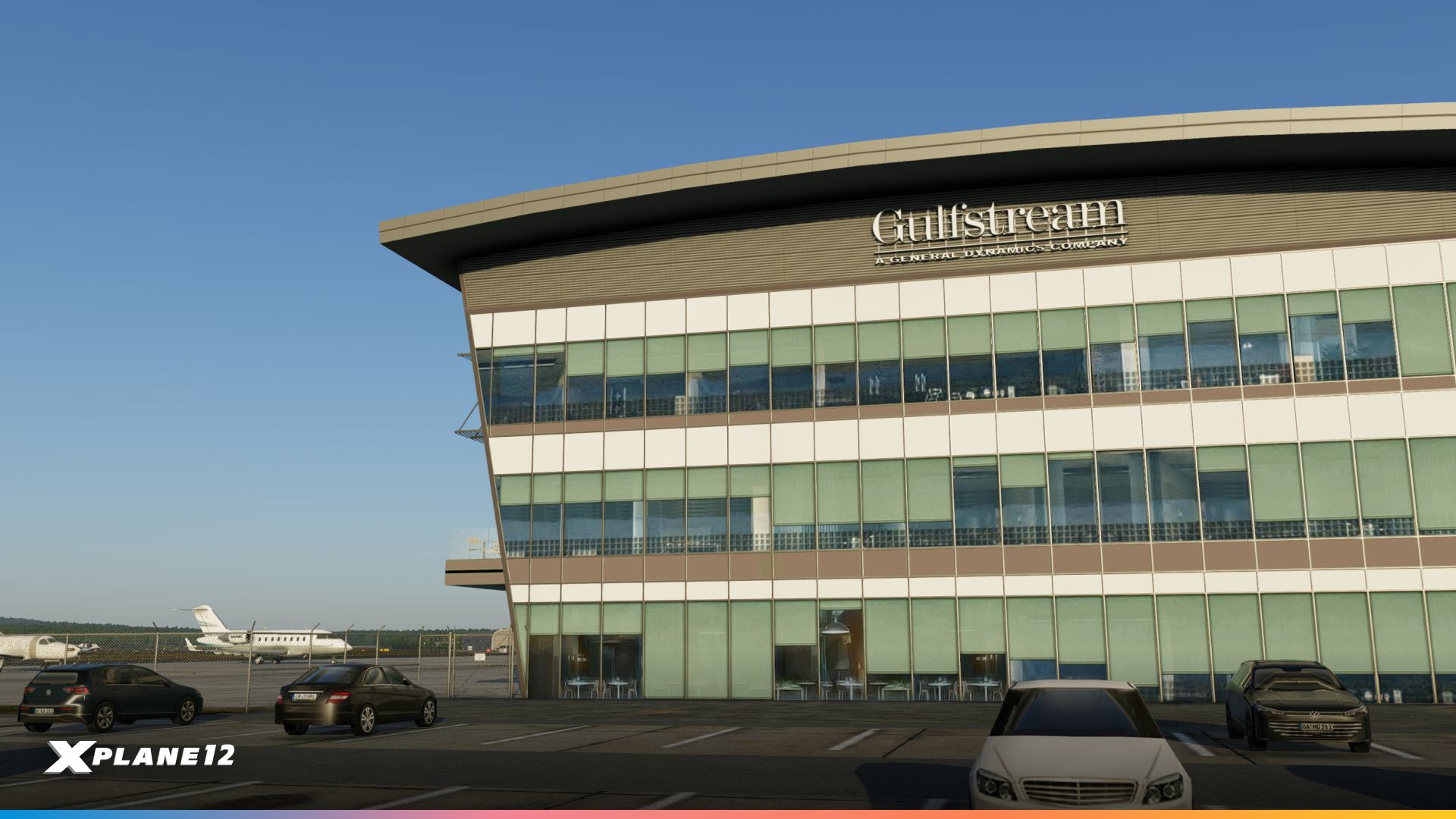
Welcome To Farnborough
Home To The Famous UK Airshow!
Farnborough Airport is one of the most recognizable names in British aviation. The site was home to the UK’s first powered flight in 1908 and later became an important center for military and civil aviation research. Since 1948, it has also hosted the Farnborough International Airshow, helping cement its place in aviation history. Today, Farnborough operates as one of the UK’s leading business aviation airports, serving everything from smaller private jets to large corporate aircraft.
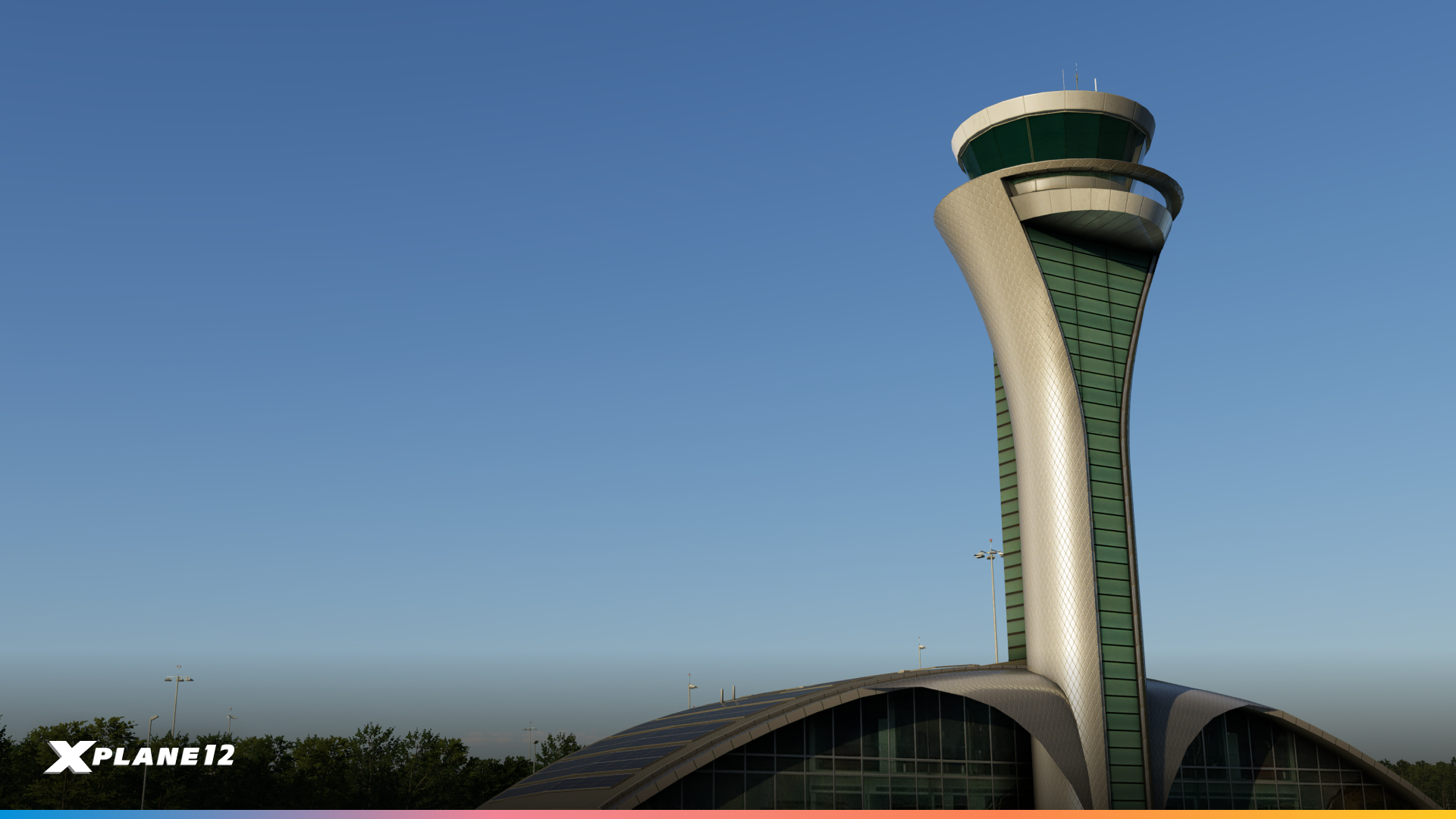
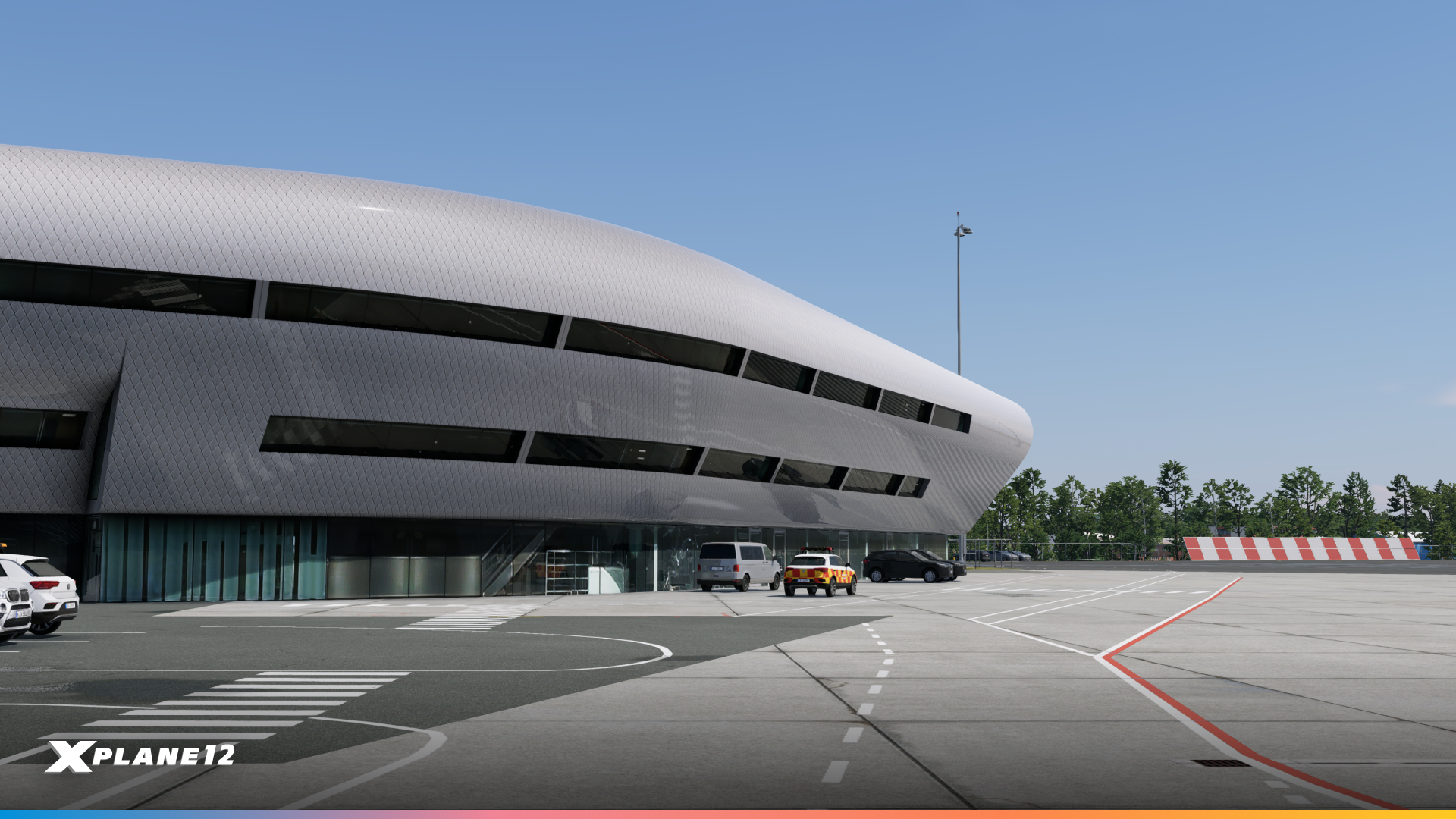
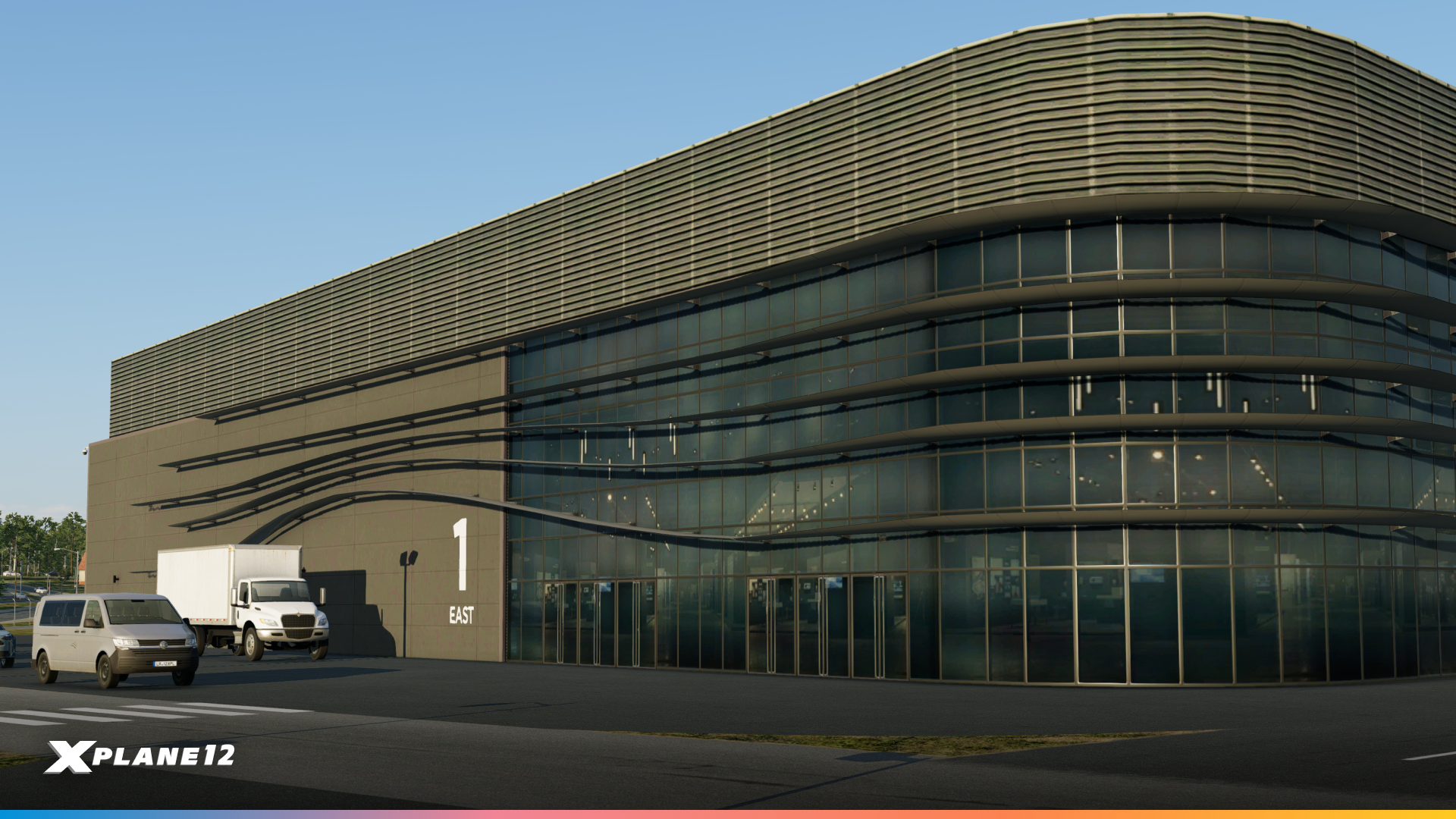
In X-Plane 12.4.4, Farnborough is being brought into the simulator as a new enhanced airport experience. Its distinctive architecture, business-aviation layout and surrounding scenery make it a rather different environment from the large commercial hubs we usually feature, while still offering plenty of operational variety for pilots flying corporate and general aviation aircraft.

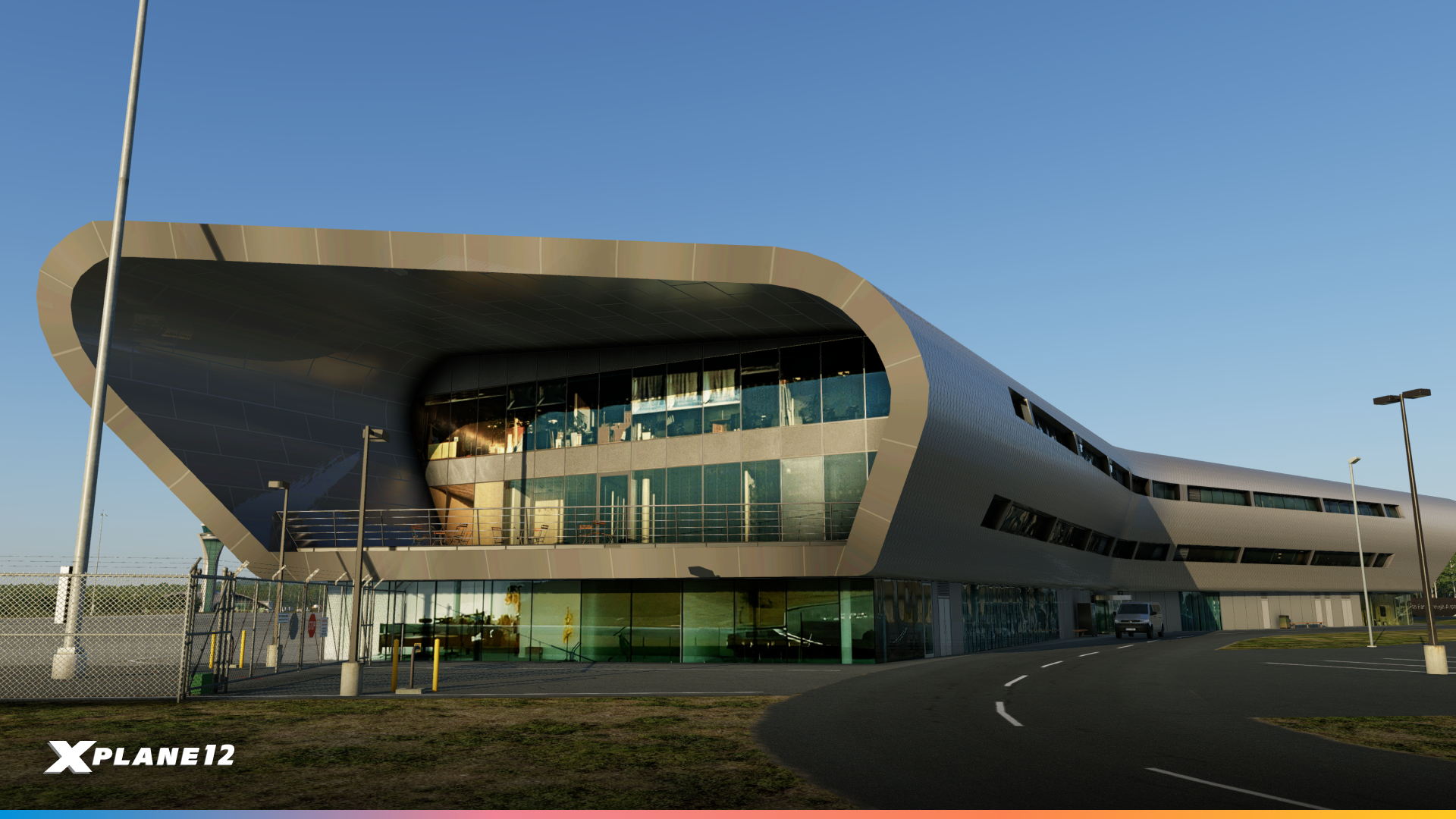


Its inclusion also feels particularly fitting for X-Plane given Farnborough’s long association with aerospace development and innovation. From historic first flights to the modern-day Farnborough International Airshow, the airport has spent more than a century closely tied to the evolution of aviation. Bringing it into X-Plane gives pilots another notable real-world destination to explore, and one with rather more history behind it than your average business jet stop.

Rightfooted – ‘The Impossible Plane’ Livery

12.4.4 adds a new livery to the Van’s RV-10: the blue, white and silver of The Impossible Airplane.
It’s a real aircraft, and the project behind it belongs to the Rightfooted Foundation, founded by pilot and disability advocate Jessica Cox. Jessica was born without arms and learned to operate everyday objects, and eventually an airplane, with her feet. Most aircraft projects set out to fly faster, higher or further. This one asks a more fundamental question: who an airplane can be designed for.
There’s a connection here that goes beyond the paint. Before experimental controls go into the real aircraft, the team tests them in a full-scale RV-10 cockpit simulator, built around a separate fuselage and combining genuine aircraft mechanisms with sensors from Sim Your Plane. X-Plane 12 provides the simulation environment underneath it. Prototype pitch and roll control systems get installed there, evaluated and iterated on, before anyone commits them to the airplane that actually leaves the ground.
That is about as direct an answer as we could ask for to the question of what a flight simulator is for.
We wrote about the project properly in August, including how Ben Myburgh at Sim Your Plane has been working with the team. If you only read one thing we published this year, make it that one.

Not every change in a release earns its own chapter. Most of what we do is smaller than that: a livery, a fix for one aircraft, a hardware profile, a few hundred more airports. On their own they’re footnotes. Together they’re the bulk of the work, and one of them is probably the thing that was quietly bugging you.
X-Plane Gateway Update
The community has been busy again. This update includes 535 refreshed airports from the X-Plane Scenery Gateway. Updated layouts, corrected runway data, improved parking configurations, better ground detail: our scenery artists keep making the world more accurate, one airport at a time. Thank you, as always. This part of X-Plane simply wouldn’t exist without you.
Support for new Hardware
Two additions to our native hardware support this release.
rotAIR panels from Flightsim Services are now supported natively, so alltheir panels are recognized and configured out of the box.
We’ve also added support for additional MOZA hardware, including the MTQ Throttle Quadrant and MRP Rudder Pedals.
Joystick Profile Variants
One more controls change worth knowing about: X-Plane now supports variants for joystick profiles, for hardware that can be configured in more than one way. If you’ve ever had a device that behaves differently depending on how it’s set up, and had to maintain your own workaround, this should make life easier.
X-Plane 12.4.4 | ‘The SDK Update’ Is In Public Beta Now!
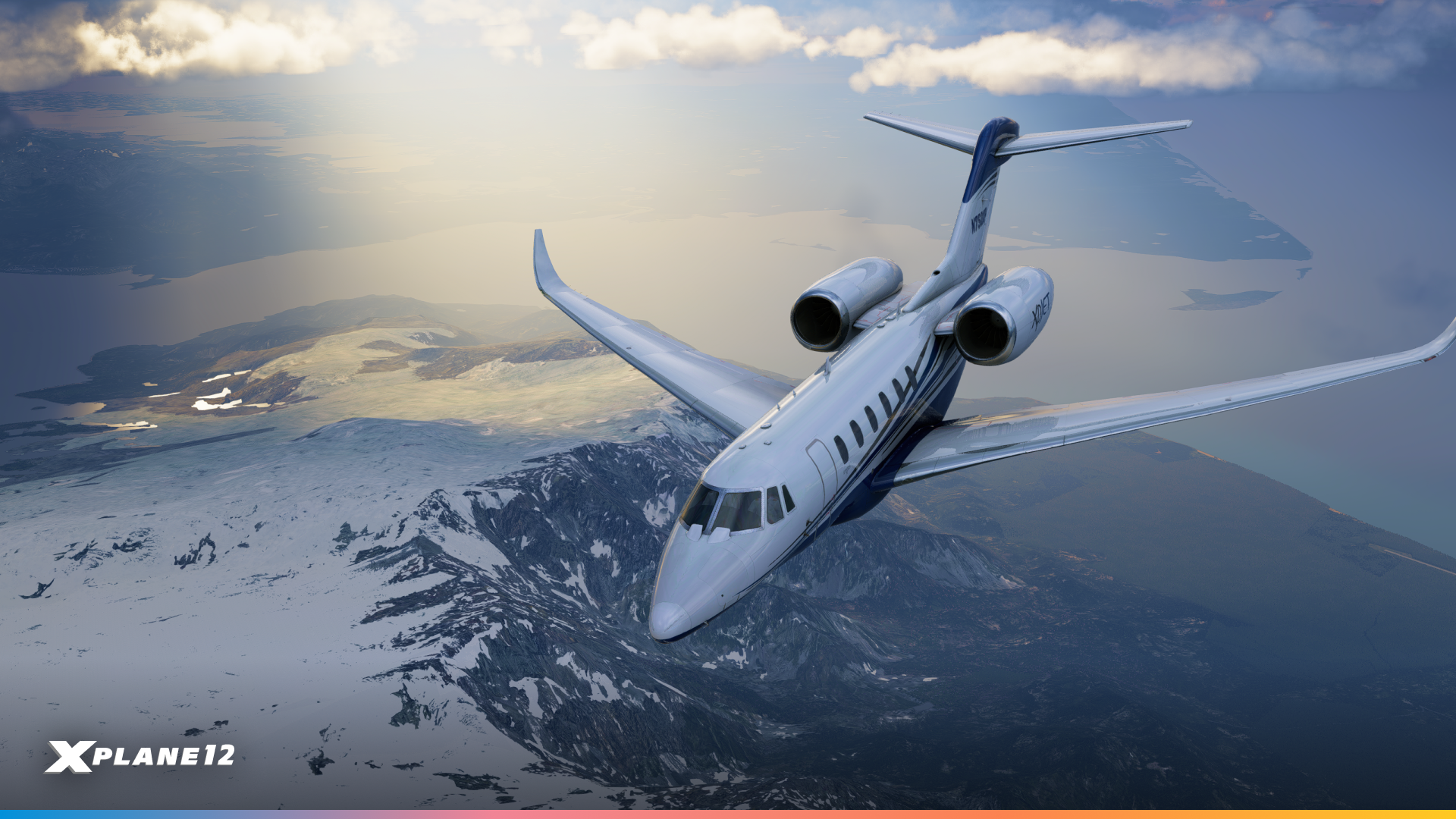
There’s more in this release than I’ve covered here: AIRAC 2609, a long list of X1000 improvements, better flight plan filing, an object-attachment API in the SDK, EXIF data on screenshots, a new random engine failure, French translation improvements, and a good number of fixes across ATC, avionics, systems, and the web server API. As always, the full details are in the release notes.
But if I had to pick one thing for you to take away, it’s this. 12.4.4 is a release about capability, and not just the capability of the simulator itself, but of everyone building on top of it. The Panel Graphics API, the Dear ImGui rendering hook, CEF, and XLua 2.0 together represent the biggest expansion of what’s possible for X-Plane developers in a very long time. I’m genuinely excited to see what turns up in six months that none of us predicted.
For the complete list of changes, check out the full release notes.
Happy flying!