



’Twas the night before Xmas, and all ’cross the skies,
Every aircraft was ready, from turboprops to bizjets that rise.
The community waited, all eager to know,
When Marco would send out X-Plane 12.4.0.The Laminar hangar was glowing with holiday light,
As Marco kept tweaking the sim late at night.
New features were wrapped like gifts in a row,
A present for pilots who love where they go.The virtual runways shimmered with fresh winter snow,
And the jets on the ramp gave a warm turbine glow.
Then Marco appeared with a wink and a bow:
Happy Xmas to all — enjoy 12.4.0 out now!
I’m currently sitting in my office in North Bavaria, Germany and enjoying a nice cup of hot tea. It’s rather cold outside and just before I will go onto my Christmas holidays, I was thinking about the past and future. It was a remarkable year for X-Plane with many great additions and success stories. I’m really happy with what we achieved.
So just before the crew at Laminar Research dims the lights in our virtual office to enjoy Christmas with our families, I would like to give you all an early present.
X-Plane 12.4.0 was in the making for quite some time and includes a few fundamental changes to our engine. I called this release C-Check, because it describes best of what we have done. We replaced core parts of the simulator, improved systems and dealt with many bug reports. X-Plane 12.4.0 is not about new shines features – it’s more about getting things ready for the future and improving existing features.
I really hope you will find lots of wonderful hours using it and the entire team wishes you a Merry Christmas – wherever you are in the world!
– Marco

Tobii Native Integration (Windows Only)


Many of you have probably heard of the Tobii Head & Eye Tracker. It’s a remarkable device to control the camera in X-Plane just using your eyes. It’s a very solid product and we are proud to announce full native support of it in X-Plane. We teamed up with Tobii a couple of months ago and worked hard to get it finished on time.
This technology helps bring practical benefits for pilots. For instance, when landing an aircraft, you can quickly glance at instruments, or look out the window without manually adjusting the camera, making flight operations seamless and realistic. With native integration, you’ll no longer have to leave X-Plane to adjust your head or eye-tracking!
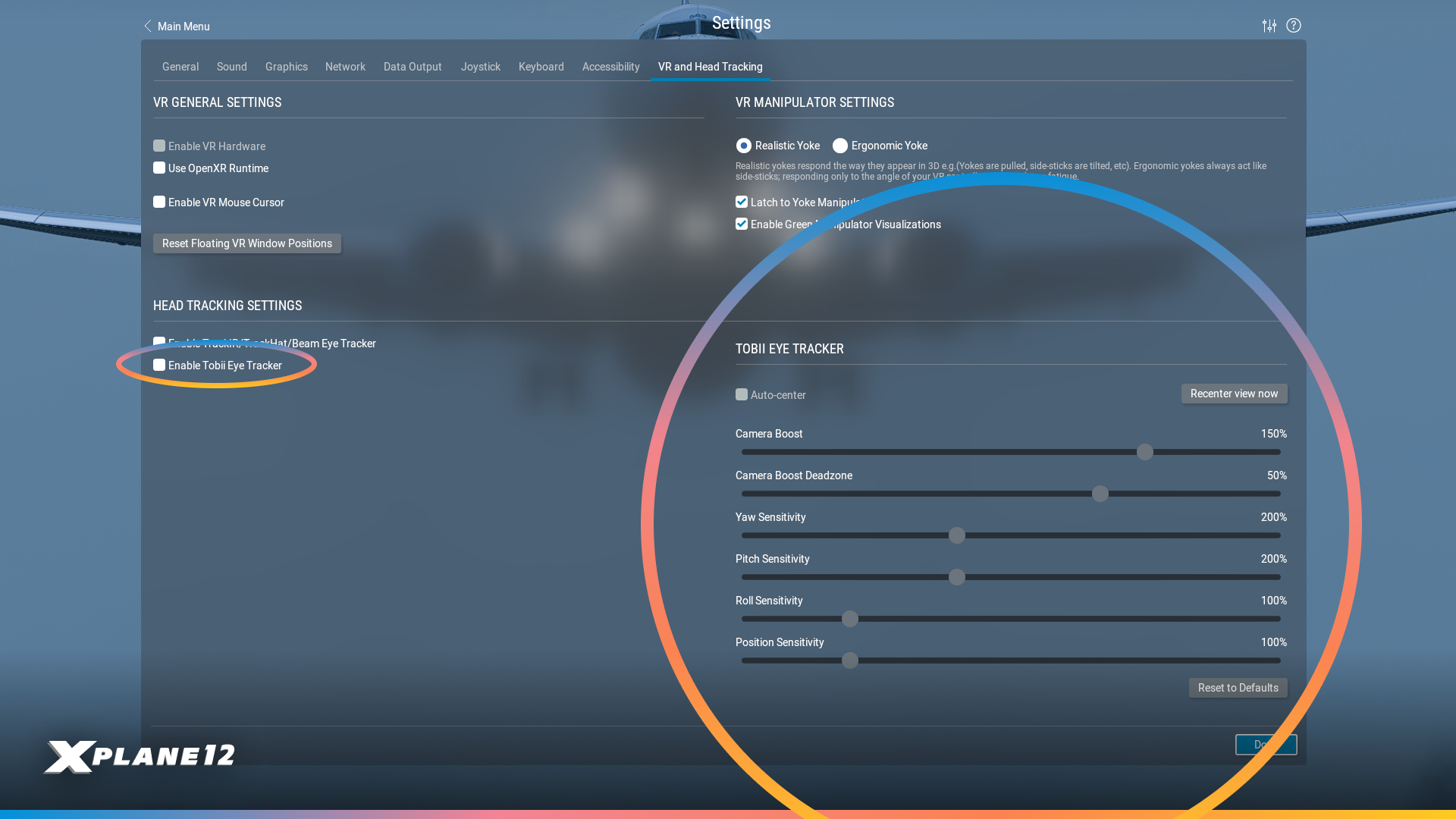
New users can load up their settings to find the reworked VR & Head Tracking Tab. Here you will find new options to enable the Tobii Eye Tracker, and additional controls!
Airbus A330-300 Improvements
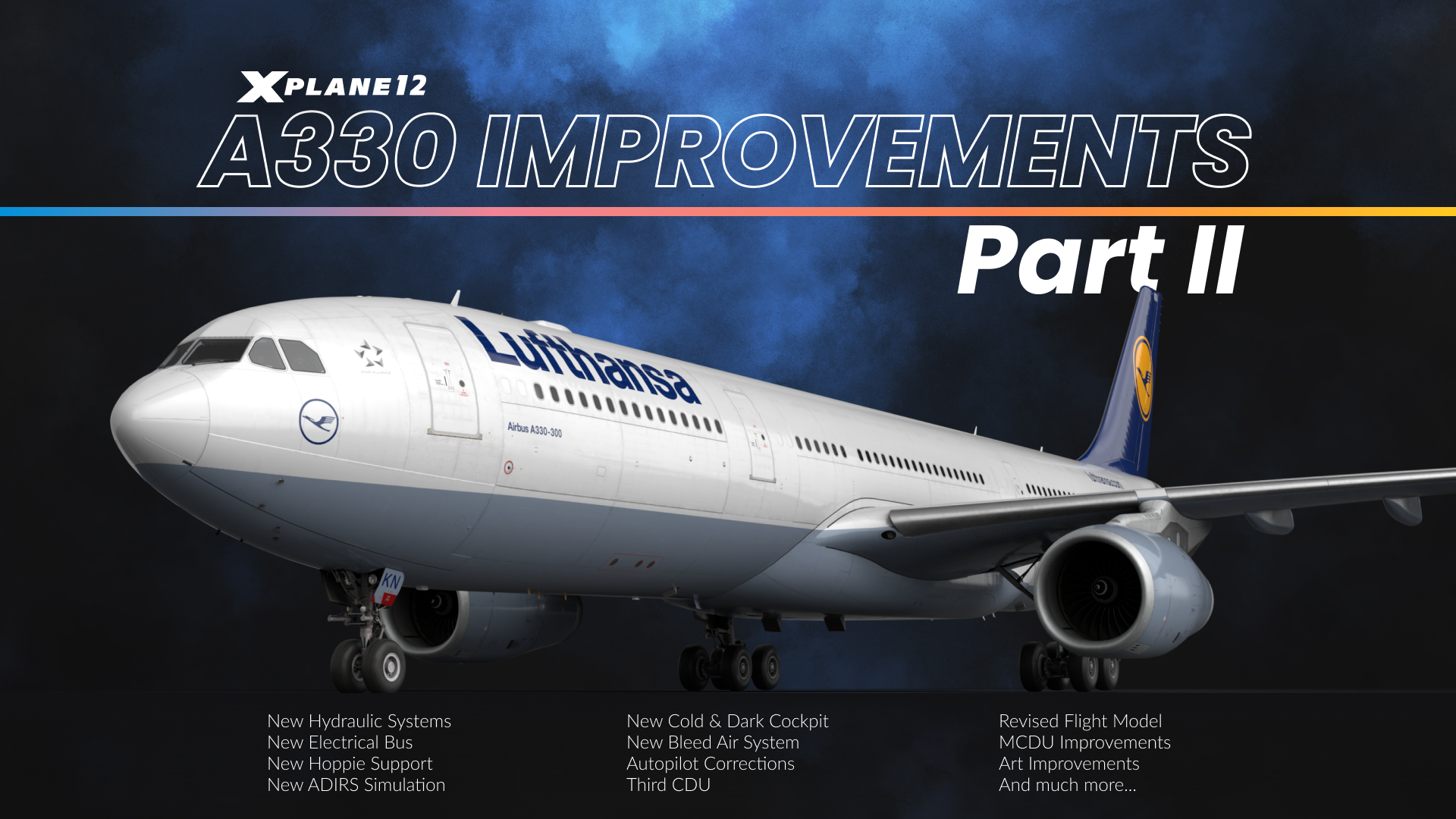
We love our Airbus A330-300 and continued the work we begun with X-Plane 12.3.0. We’ve completely re-engineered the aircraft’s electrical system from the ground up, working closely with real-world A330 pilots to ensure authentic cold and dark startup procedures. This ‘deep maintenance’ update touches virtually every system on the aircraft – from flight management and avionics to hydraulics, displays, and emergency systems.
If you haven’t flown it yet, now it’s a good time to do so.

The A330’s electrical system has been completely rewritten from scratch. We now model all the proper busses including AC1, AC2, AC ESS, DC BAT, DC1, DC2, and emergency configurations. The Electrical Contactor Manager Unit properly manages bus bar contactors, and you’ll see accurate status on the ECAM AC/DC pages.
The system includes realistic components like Transformer Rectifier Units for AC to DC conversion, the Static Inverter for battery to AC conversion, and the Emergency Generator that runs off hydraulic pressure from the green system. Emergency electrical configurations now work properly, including automatic bus shedding when needed.
All cockpit systems now draw power from their appropriate buses, which means annunciators and displays behave realistically based on available power. Even custom systems like the IFE draw electrical load. The FADEC only draws power when it’s on with engines off, and the yellow standby hydraulic pump has its unique power requirements properly modeled. It can even be powered just by plugging in the GPU without activating it from the cockpit.


Starting the A330 from a completely cold and dark state is now authentic to the real aircraft. We spent considerable time working back and forth with real-world A330 pilots to get every switch position correct for a proper cold start. All overhead panel switches and controls are now set appropriately when you load the aircraft cold and dark.
The system includes auto modes for generators and other equipment, allowing you to leave switches in the ON position just like in the real aircraft – they’ll activate automatically when appropriate conditions are met. Screen configurations now respond properly to different power states. For example, on battery power alone, you’ll only see the upper ECAM and captain’s PFD, exactly as in the real A330.
We also implemented appropriate startup times for all displays when powered on, adding to the realism of the cold start procedure. This isn’t just cosmetic – the entire power-up sequence follows real-world timing and behavior.

The Multi-Function Control and Display Unit (MCDU) received extensive improvements throughout. We’ve added the ALTN flightplan to all pages including INIT A/B, FUEL PRED, and F-PLN, giving you more flexibility in flight planning and monitoring.
The FMGC received a full 4D upgrade – it went from three-dimensional planning (route and altitudes) to four-dimensional, taking time constraints into account. It is now possible to assign RTA (required time of arrival) constraints to waypoints, for example if you have an at-or-before time to arrive at your oceanic entry point, or need to set an at-or-later time for your arrival waypoint if you know your gate won’t be available until later. The FMGC will then slow you down or speed you up as required to make the time constraint – or tell you it’s impossible without a time machine.
In the same realm, we have added equi-time points (ETP), showing you when it is quicker to fly to your ETOPS alternate rather than turning back. This of course takes into account all winds aloft from real weather.
During an oceanic crossing, it might not be possible to speed up or slow down due to ATC restrictions. That’s why you can now enter a constant-mach segment into the flightplan. Simply pick your oceanic entry waypoint, and set a constant mach number you need to hold until the oceanic exit waypoint.
The flightplan now also understands time-marker waypoints – when flying with an augmented crew, you might want to set yourself a reminder when to wake up the relief captain – or in my case, when I need to check in on the cookies in the oven. To do that, you enter a UTC time into the scratchpad and paste it into the flightplan – the FMGC then creates a pseudowaypoint indicating where you will be at that UTC time. If you see the little donut come up on the ND, you know it’s time to wake the relief crew (or take out the cookies).
The FIX INFO page now accepts runway designators directly – you can enter something like KCLT18L or EDDF18 and get immediate information. We’ve also improved the FIX INFO color coding and line visibility with proper fix name labels on the ND.
OFFSET now works with optional entry and exit waypoints. This allows you to designate a left or right offset to all or a segment of your flightplan, where the autopilot will steer the airplane to follow a lateral offset and fly parallel to your flightplan. This is sometimes useful for weather avoidance.
LL XING/INCR/NO has been added to the lateral revision so you can make oceanic reporting points that are not in your flightplan. You can make custom waypoint indicating where your flightplan crosses a line of latitude or longitude.
A major addition is the now-functional third CDU, specifically designed for AOC (Airline Operational Communications) operations. ACARS support via the third MCDU allows you to request weather, ATIS, and pre-departure clearance when flying on VATSIM, PilotEdge, or using the default ATC system – bringing realistic airline operations communication to your flights. VATSIM and PilotEdge services are accessed through the Hoppie network.

The Air Data Inertial Reference System (ADIRS) now features a realistic alignment process that follows real-world A330 behavior. The system requires proper time to align after power-up, accurately simulating the real aircraft’s initialization sequence. The initialization will take longer at higher latitudes, and progressively more information will be available on the PFD and ND as the initialization is completed.
The ADIRS alignment process is fully integrated with the electrical system and displays – you’ll see proper indications on the ECAM and navigation displays as the system goes through its alignment sequence. Flight directors and autopilot functionality are appropriately restricted until ADIRS alignment is complete.
The system properly manages its three independent Air Data Reference (ADR) and Inertial Reference (IR) units, providing the flight management, autopilot, and display systems with accurate air data and inertial reference information once aligned.

The A330’s flight model and autopilot systems received significant refinements for more realistic behavior. Autopilot turn anticipation has been improved, resulting in smoother navigation and more accurate tracking along your flight plan. We’ve eliminated the glideslope dropouts that previously caused autoland failures on certain runways. The system now reliably captures and tracks the ILS throughout the approach.
Speed management is now more accurate, with VLS (lowest selectable speed) correctly increasing in two steps following flap and slat retraction after takeoff, matching real A330 behavior. The autobrake system can now be disengaged by applying just 5% more brake pressure than the current autobrake setting, giving you smooth manual control when needed.
We’ve also fixed several edge cases, including an issue where the aircraft could deploy reverse thrust before weight-on-wheels was detected. Throughout the flight envelope, you’ll find the aircraft behaves more predictable and authentically.

Emergency operations are now properly simulated with functional RAT (Ram Air Turbine) and Emergency Generator systems. The RAT deploys and drives the green hydraulic system during emergency situations, while the Emergency Generator runs off hydraulic pressure from that green system to provide emergency electrical power. The emergency electrical configuration logic properly manages bus shedding and power distribution when operating in degraded modes.
The ELT (Emergency Locator Transmitter) is now fully functional with realistic FMOD sounds and event timings. In emergency situations, the system behaves as it would in the real aircraft, providing another layer of operational authenticity.
These systems integrate seamlessly with the new electrical architecture, ensuring that emergency procedures follow real-world A330 protocols.

All cockpit displays now feature realistic startup behavior with appropriate power-up times when energized. Screens don’t instantly appear – they take time to initialize just as they do in the real aircraft, adding authenticity to your cold start procedures.
The TERR ON ND now understands peaks (displayed on the lower right) and no longer warns of terrain that is part of the airport you are landing on.
Display configurations respond intelligently to power states. The upper ECAM and captain’s Primary Flight Display (PFD) operate on battery power alone, while other displays require appropriate AC or DC bus power to function. Each display draws from its correct electrical bus, meaning system failures and power configurations affect what you can see in the cockpit exactly as they would in reality.
ECAM pages swap appropriately with different display states. The ECP (ECAM Control Panel) buttons have been updated to work correctly in single ECAM screen configuration – press and hold to view system pages, which is essential for monitoring the APU during a batteries-only cold and dark startup.
The Primary Flight Display (PFD) and Navigation Display (ND) received numerous improvements including better map contrast, proper TCAS flag displays, and correct altitude indications. ND brightness now applies correctly, and approach names display on the ND when you’re within 100 track miles of your destination.
A labor of love
Our team has worked relentlessly, including the aid of real-world A330 pilots. We believe the changes we’ve made will take the aircraft to the next-level and bring a fantastic and comprehensive detailed simulation of the Airbus to our users.
Avionics Improvements
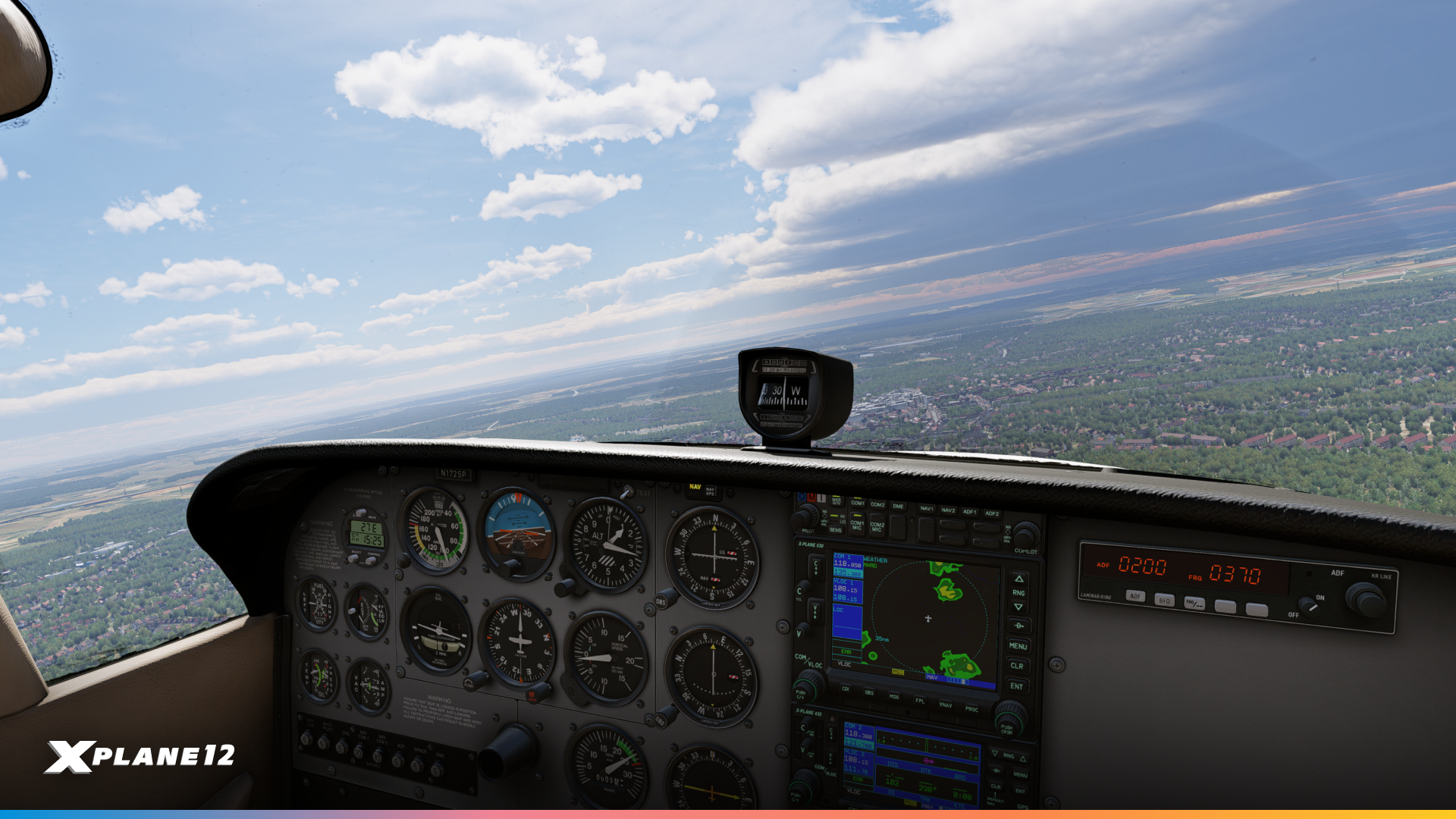
We heard you loud and clear – many of you have been asking for improvements to our avionics suite, and we’ve delivered substantial updates to the X430, X530, and X1000 units.
Terrain, traffic and weather pages on the X430 / X530
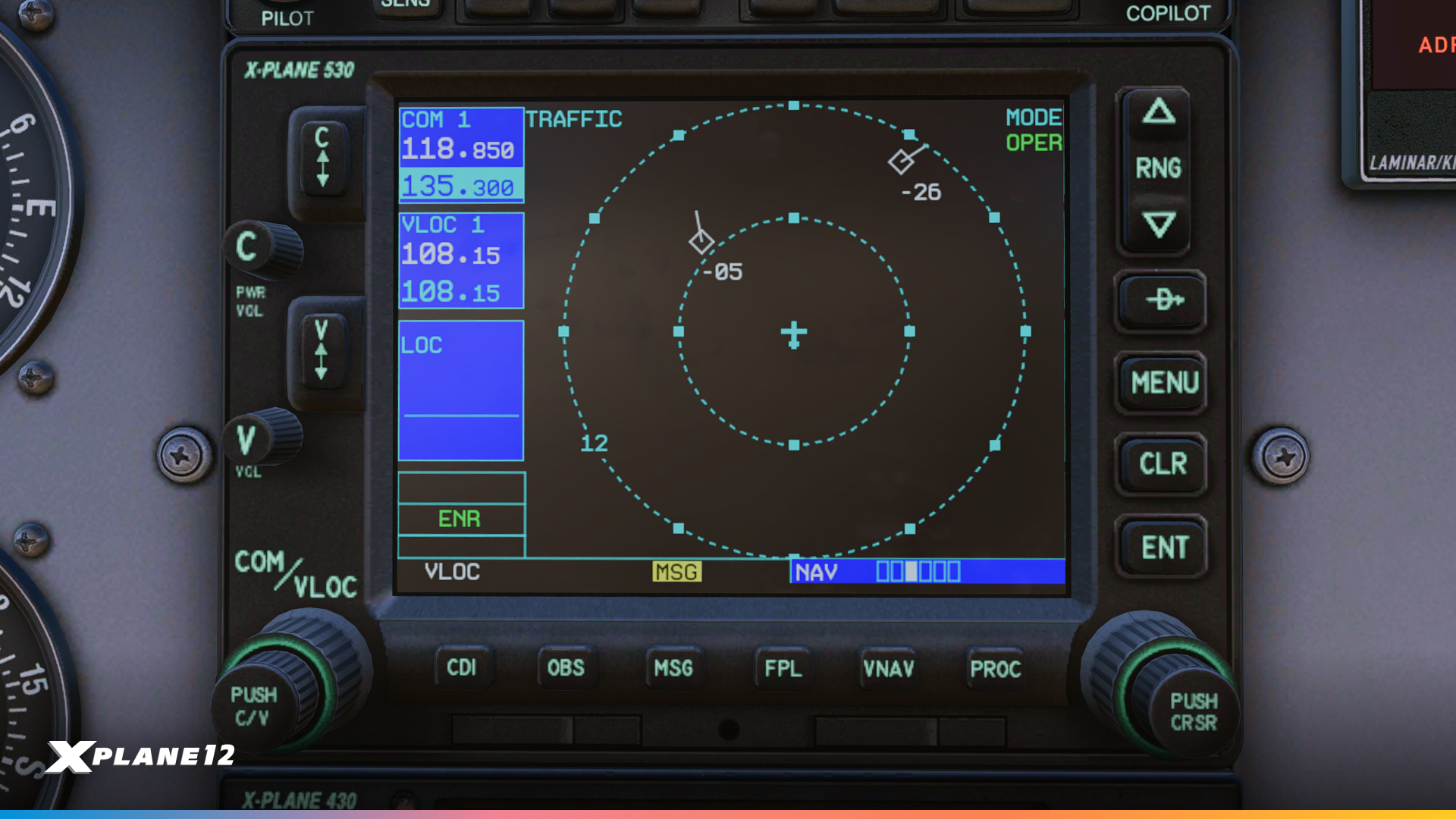
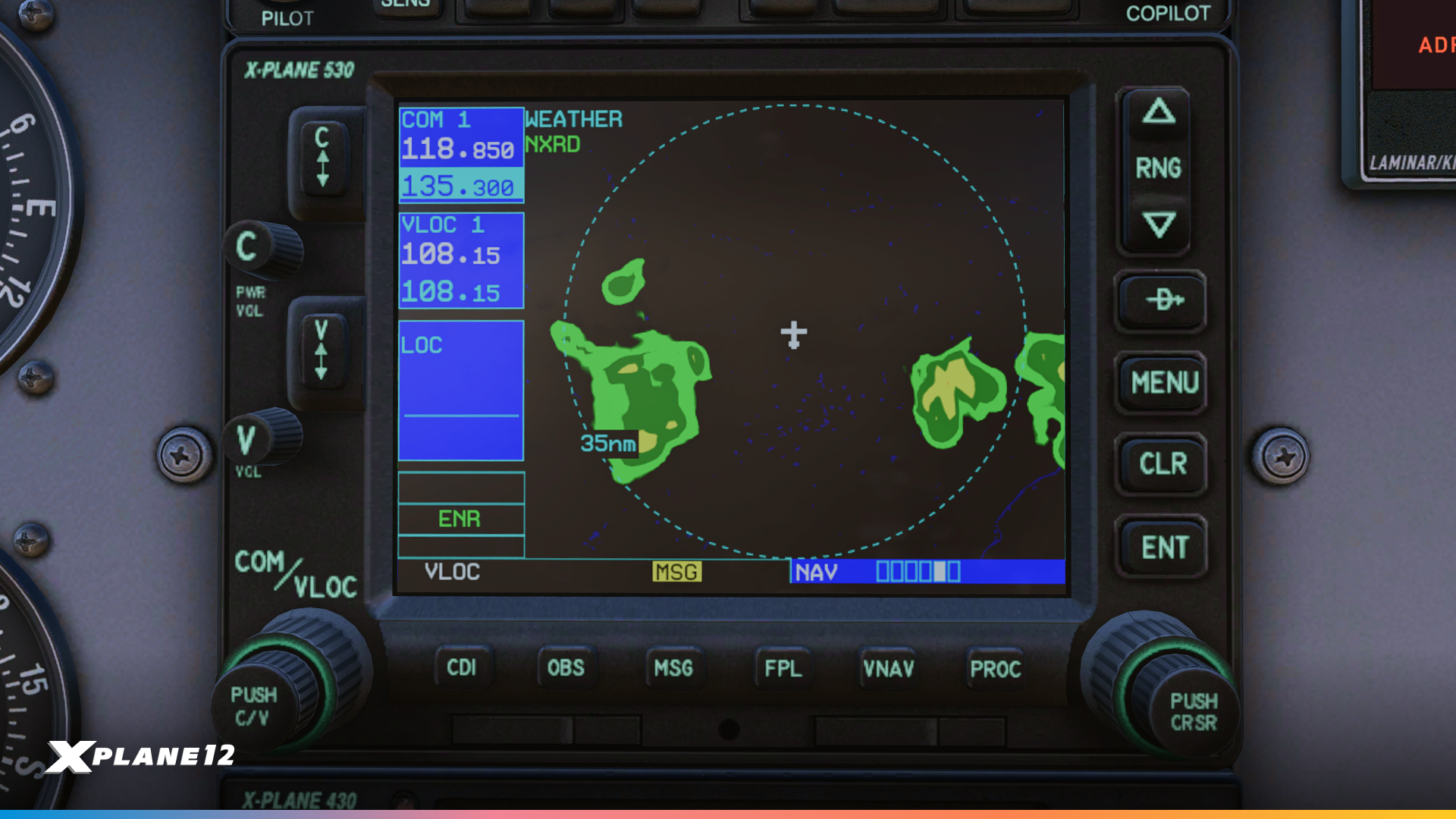
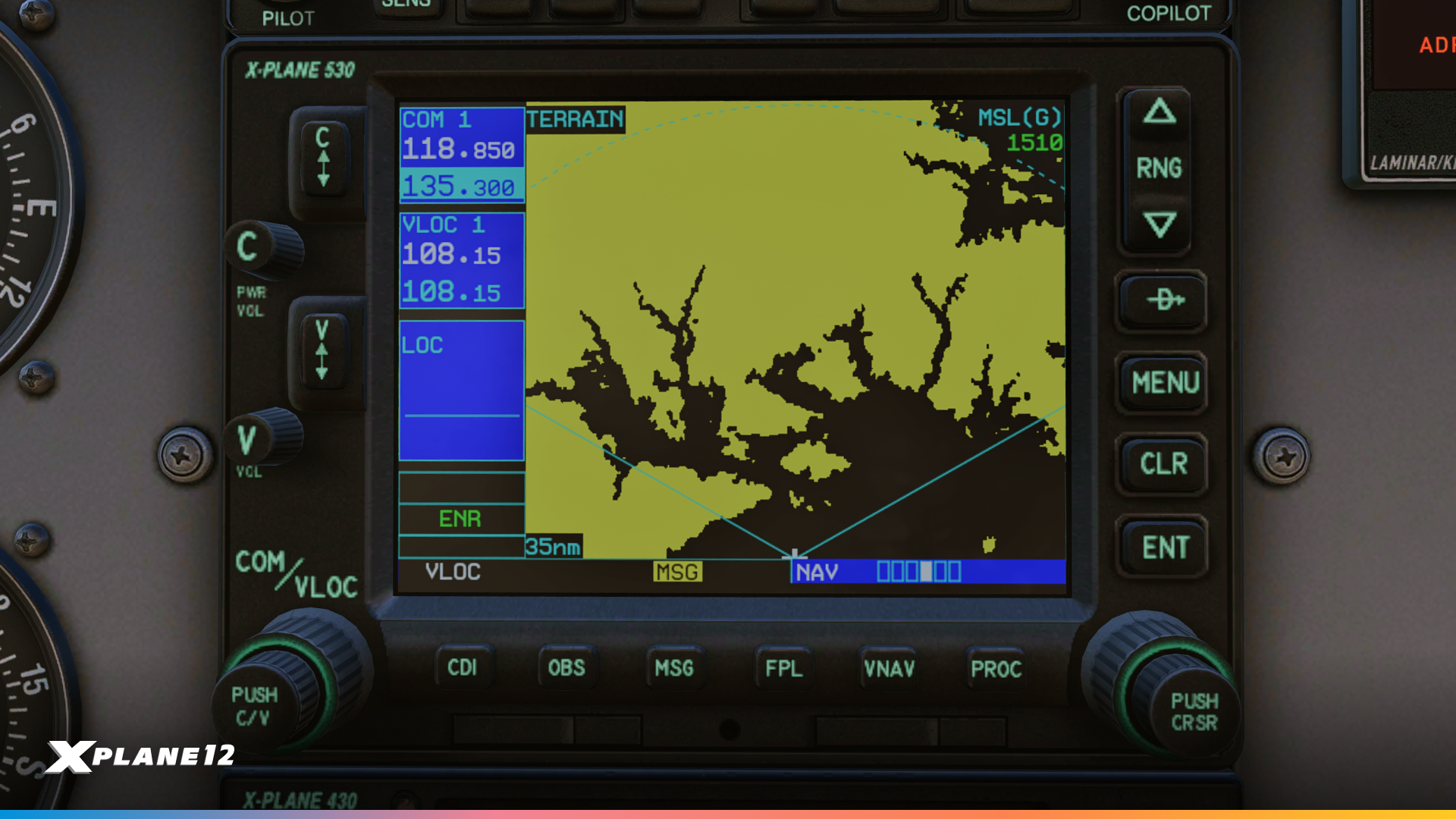
The X430 and X530 now include a comprehensive traffic page with selectable range options of 2, 6, and 12 nautical miles, giving you better situational awareness in busy airspace. TIS-B traffic is also displayed on the main map and navigation map pages. We’ve added a terrain awareness page that displays yellow and red terrain warnings in either 120° or 360° view, helping you stay clear of dangerous terrain. The new NEXRAD weather page provides composite weather in both 120° and 360° views, essential for weather avoidance planning.
Navigation just got smarter with the new Frequencies page, which automatically displays departure airport frequencies during the first half of your flight and switches to destination frequencies as you get closer. If you’re flying without a flight plan, it shows the nearest airport frequencies. The X430 now includes a dedicated Position page displaying ground track, ground speed, MSL altitude, time, and bearing/distance to the nearest airport – all critical information at a glance.
GPS reliability information is now available through the new Satellites page, which shows your GPS status including WAAS capability (displaying either “3D DIFF NAV” or “3D NAV” depending on satellite availability). On the larger X530, the Position and Satellites pages are combined to take advantage of the bigger screen real estate.
The X430/X530 maps now displays bodies of water such as rivers and lakes for more situational awareness.
Upon startup, you can check database effective dates, and then get a fully functional self-test page that you can use to verify the connection to your plane’s CDI or HSI and to a fuel totalizer.
These updates bring the X430/X530 closer to their real-world counterparts and provide the functionality pilots have been requesting for more realistic IFR operations.
X1000 Improvements
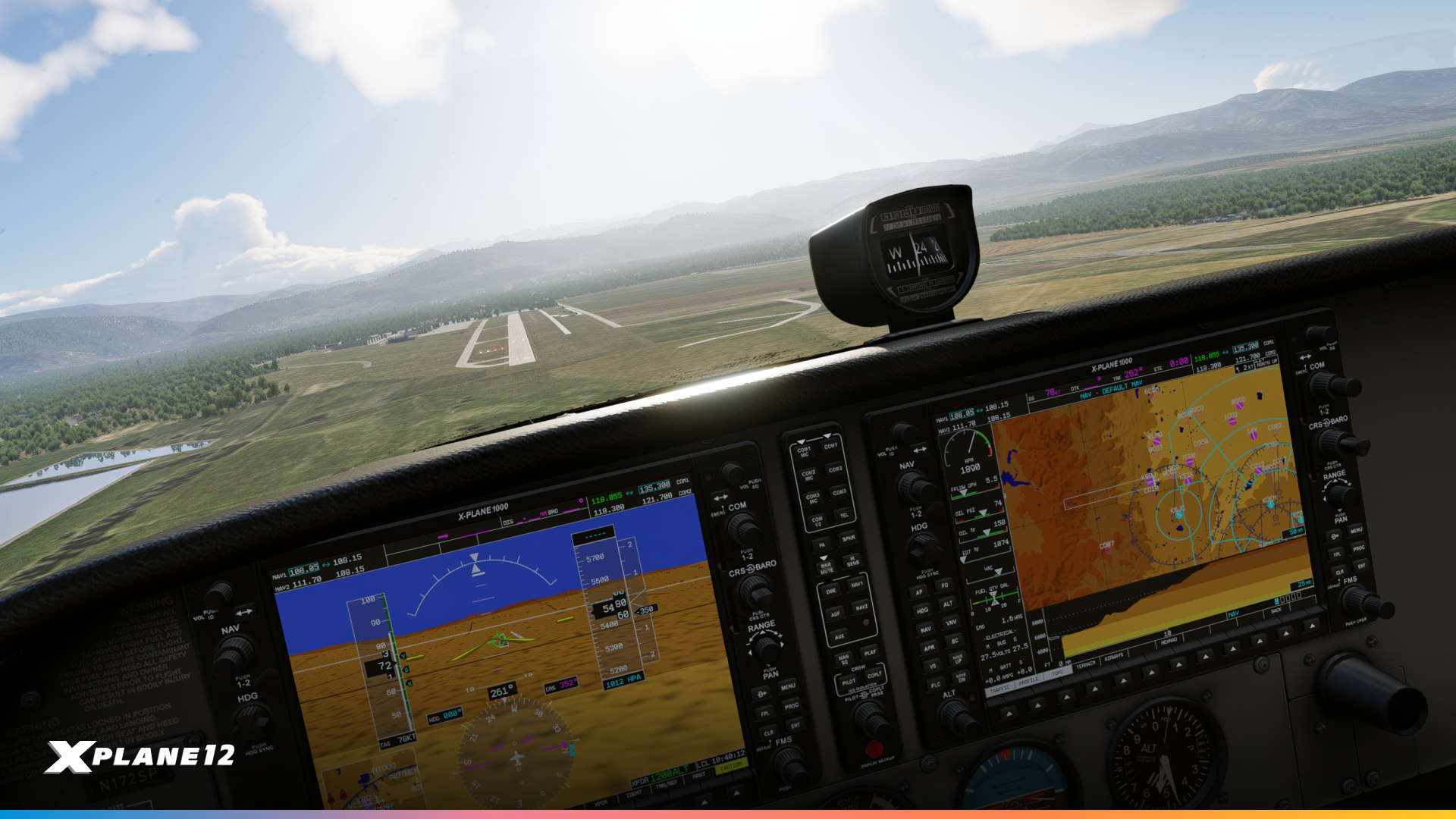
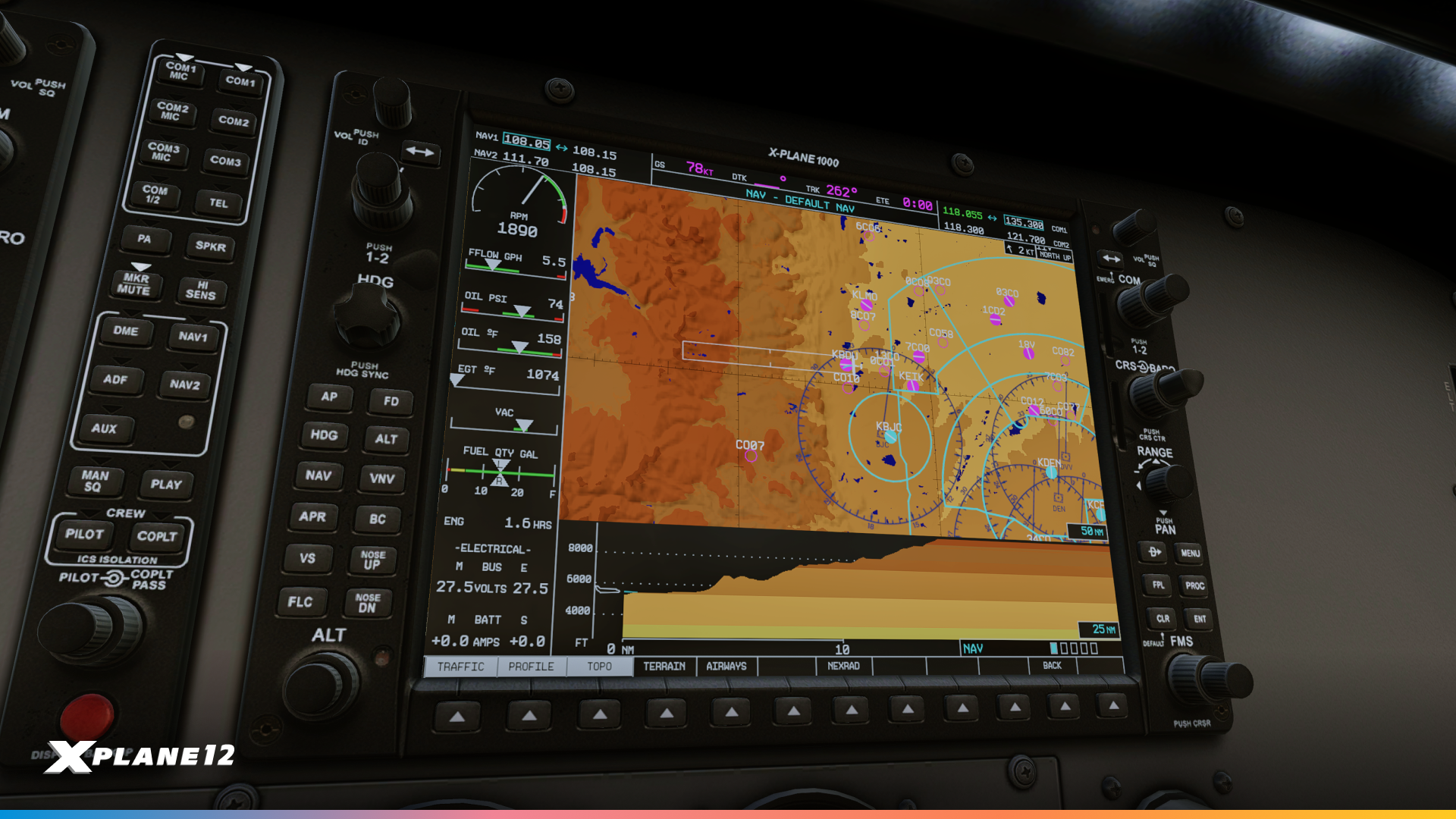

The X1000 received extensive updates focusing on both bug fixes and new functionality. We’ve resolved several critical issues including Synthetic Vision airfield drawing errors, terrain display problems, and a crash that occurred when drawing runway stripes and numbers. The aircraft icon now displays correctly at all zoom levels, and SVT tile loading is now complete and reliable.
A profile view is now available on the NAV MAP, showing you a vertical view of the terrain ahead of you. Optionally, terrain that is higher than your current altitude can be colored for additional warning.
Obstacles are now displayed at the appropriate zoom level (within coverage of the FAA digital obstacle file (DOF)).
The MFD now takes winds into account, displaying the wind indicator and also a ground track vector predicting your position in one minute. The fuel range rings now take winds into account to display your true range over the ground.
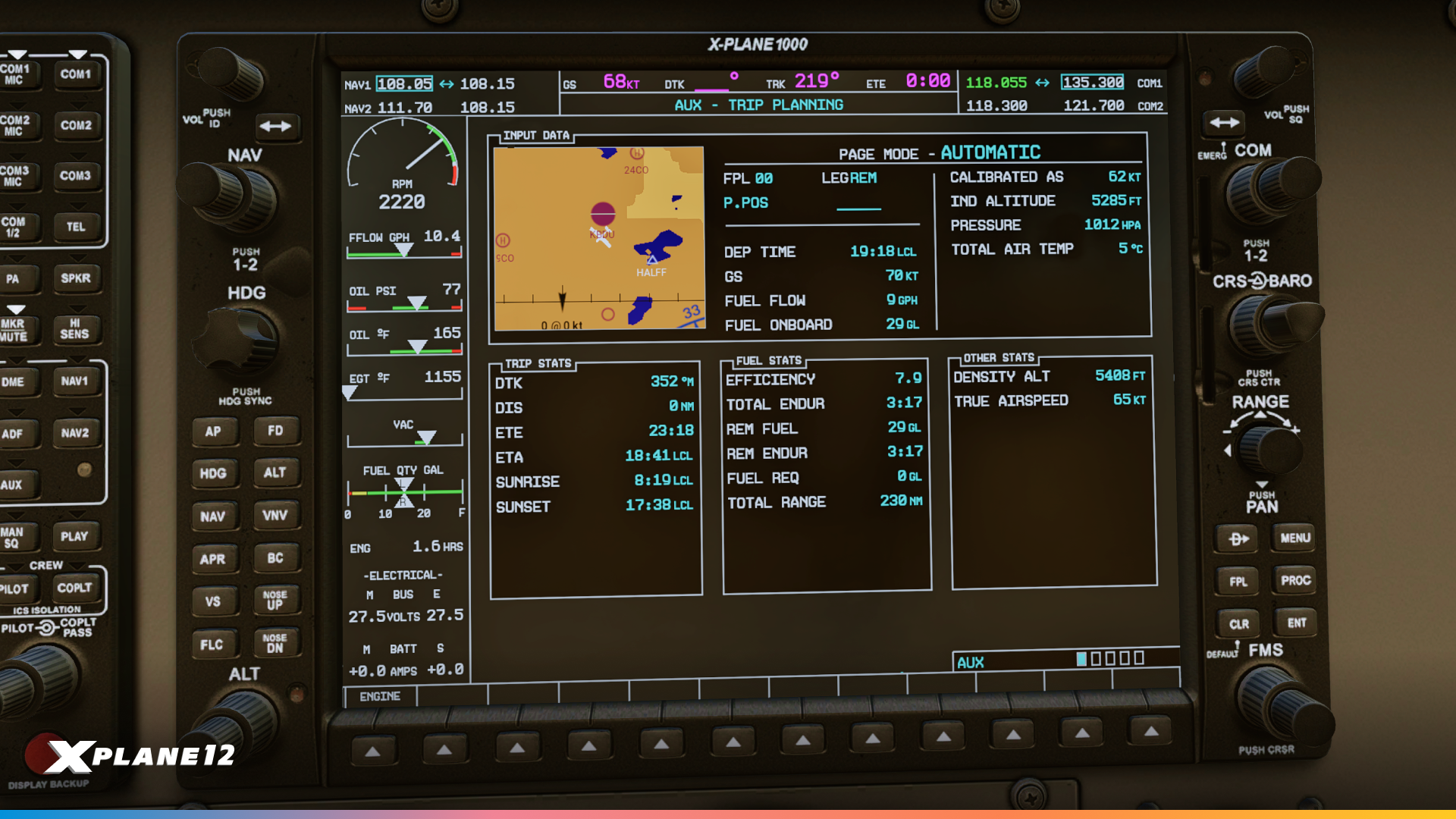
Major new features include enhanced Trip Planning capabilities with a dedicated page showing ETA/ETE to your destination. For day VFR operations, the sunset and sunrise times at arrival are calculated, so you can make sure you are legal for night currency requirements. Fuel efficiency calculations with estimated fuel remaining, plus density altitude and total air temperature are also available. The new Utility page tracks your flying statistics including time in air, time since power-up, distance flown (odometer), and ground speed records – perfect for those who love tracking their flying data. Your parameters are remembered per-aircraft, so you can track your ground speed records in the 172 and the Cirrus separately.
User-defined waypoints have been available for a while, now they can also be found through the NEAREST pages. The MFD map provides better situational awareness with the added state and province borders.
System customization has been greatly expanded through enhanced Setup options. You can now configure temperature units (°C/°F), time display (local/UTC), fuel units (gallons/pounds), transition altitude alerts, arrival alerts, and comprehensive airspace warnings with altitude buffers and individual class warnings. The four MFD data field assignments are now fully customizable, including more exotic options like your current climb gradient (CCG) which might be important for obstacle departure procedures in challenging terrain. You can now set COM channel spacing between 25 kHz and 8.33 kHz, which affects tuning knob behavior for European operations.
The ENGINE/LEAN/SYSTEM softkeys now correctly display the LEAN page on the Cessna 172 and RV-10. The ASSIST softkey on the Engine page now displays the hottest or last peaked EGT with relative temperature, making leaning procedures more intuitive for the C172, Cirrus SR-22 and RV-10.
Aircraft-specific improvements include proper copilot PFD support for secondary sensor inputs (copilot pitot, AHRS, etc.). You can either drive a second copilot PFD from its own set of sensors, or have redundancy for a single PFD, for example on the Cirrus SR-22.
SR-22 Improvements
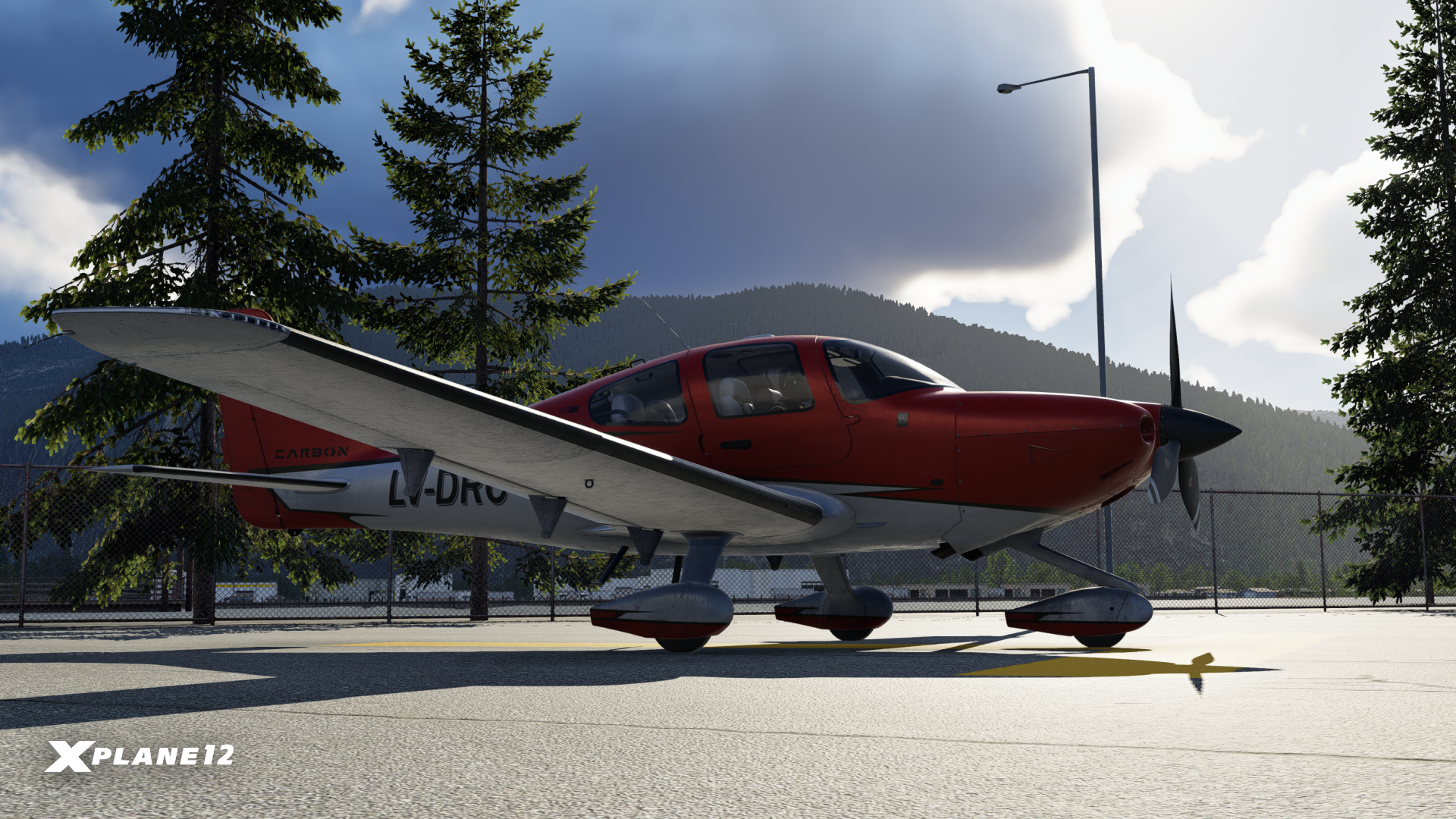
This update brings a range of avionics and flight-management improvements to the SR-22, enhancing situational awareness and reducing pilot workload. We’ve fixed a GCU error that occurred when using popout mode and corrected flight-plan behavior when removing hold-in-lieu procedures.
The avionics now display current climb gradient (CCG) data, a new one-minute trend vector, and a wind vector on the MFD, while the flight path vector has been refined to accurately reflect the geometric climb path with wind accounted for. Autopilot behavior on takeoff has also been improved – the GFC-700 now supports HDG ARM for departure.

Explore Bilbao – An Architectural Icon
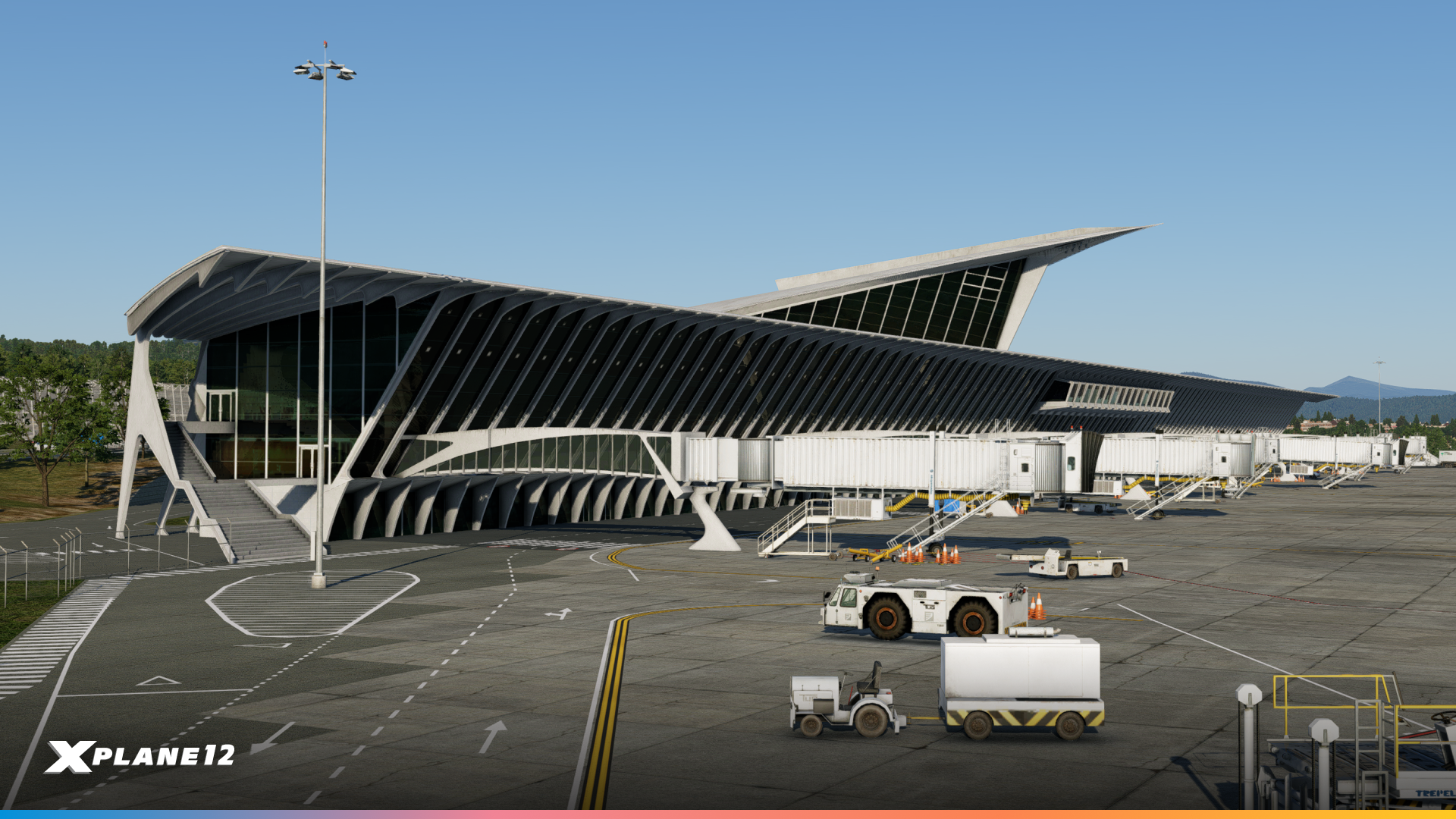
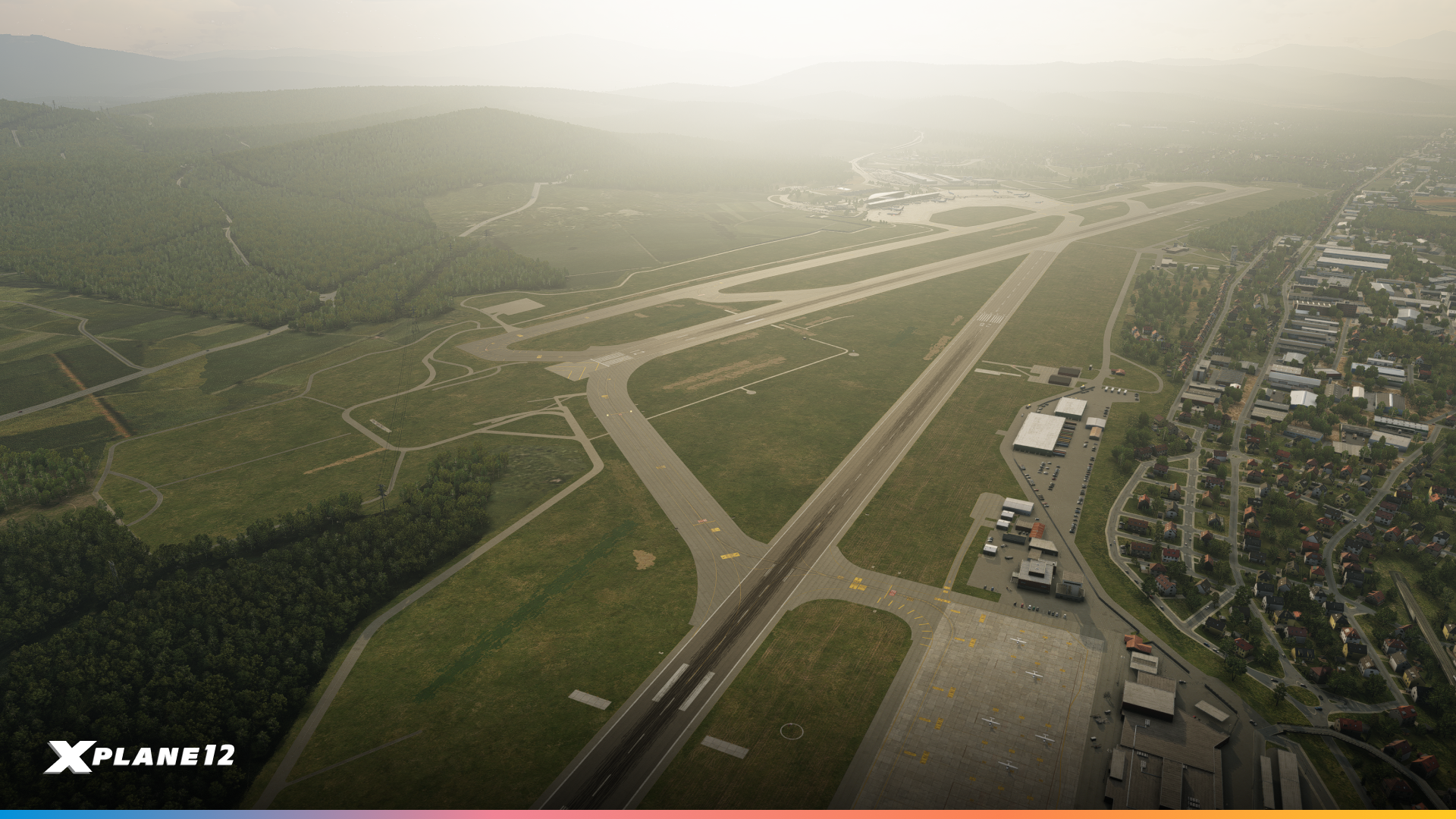
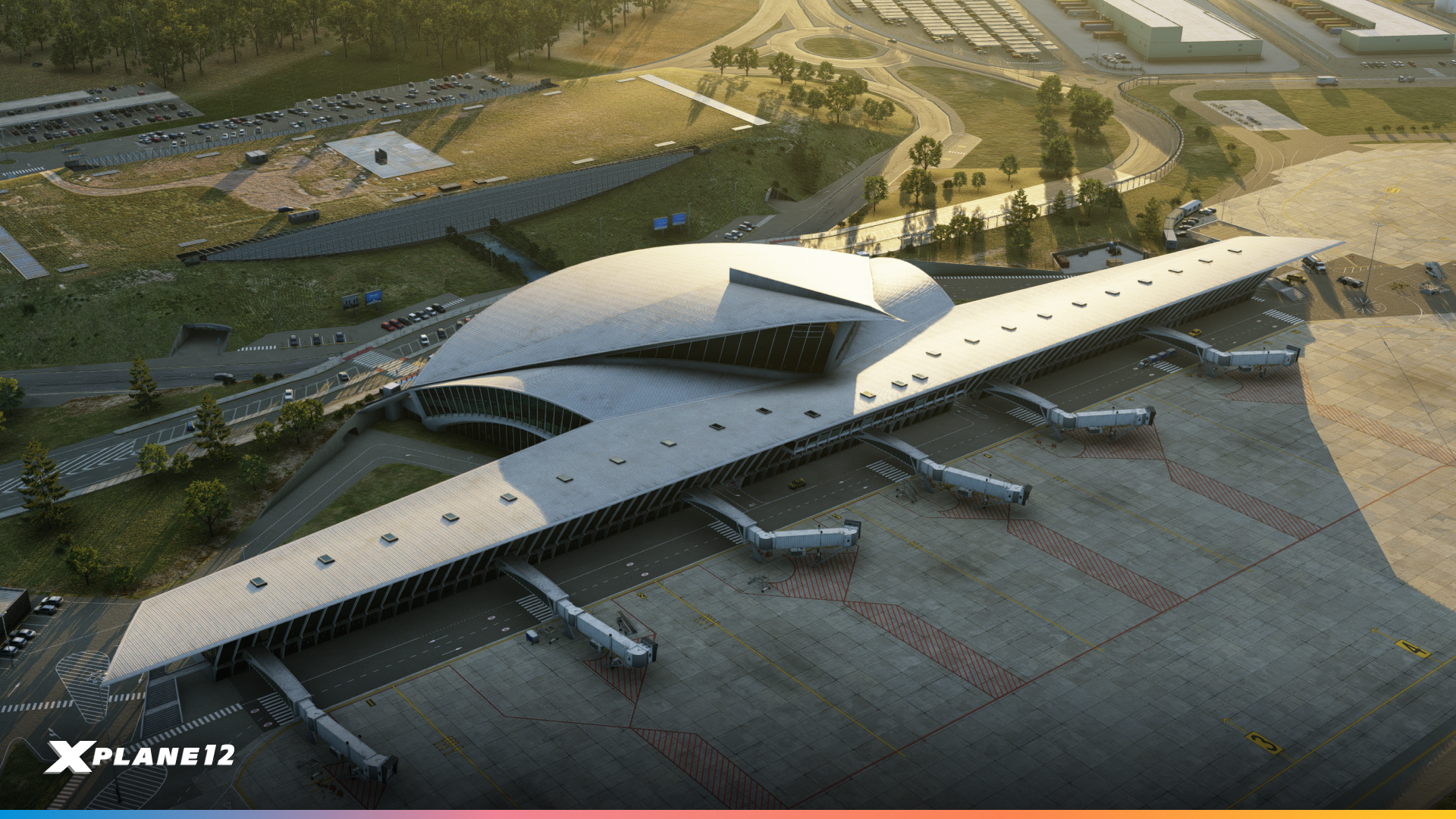
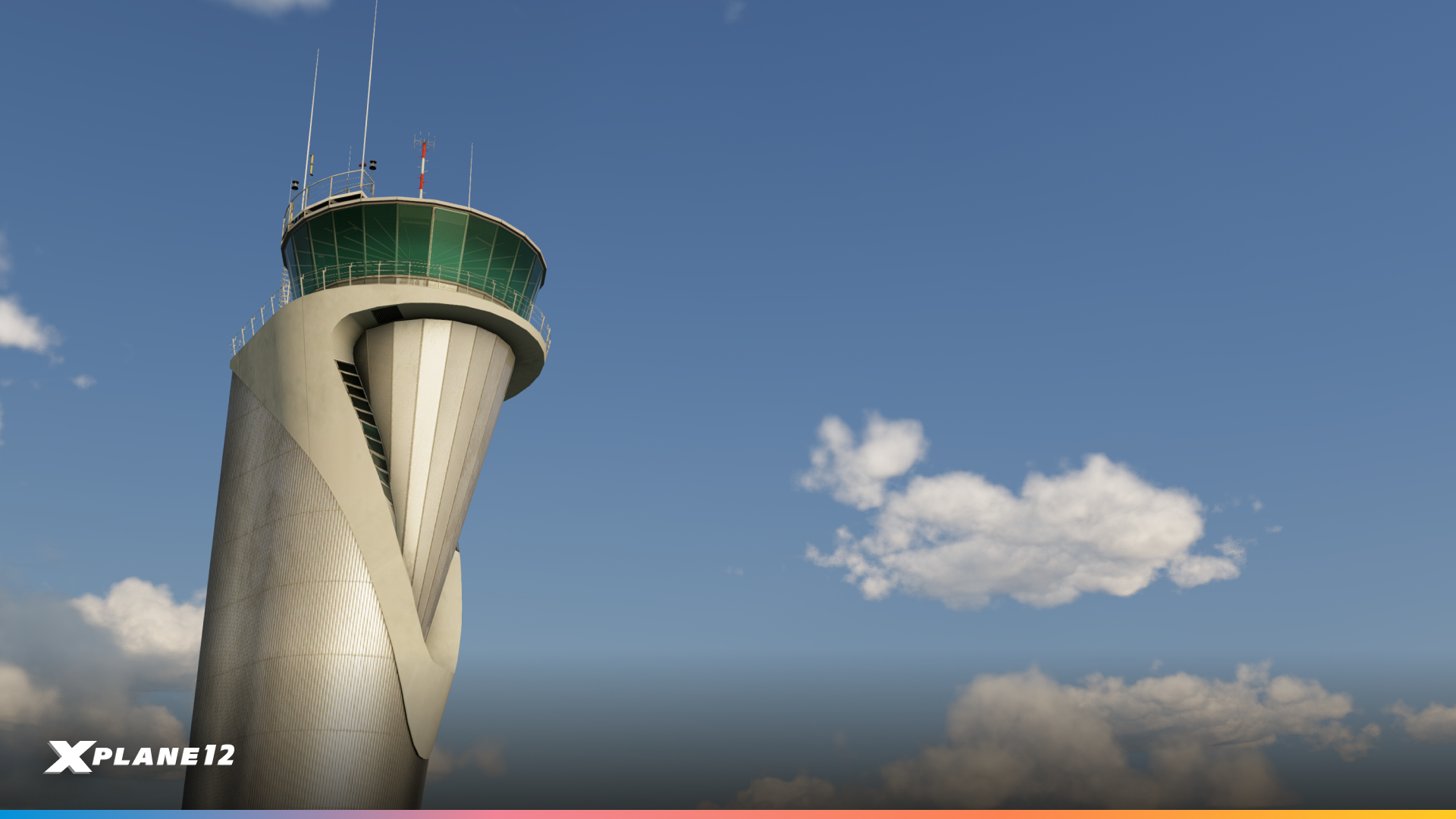
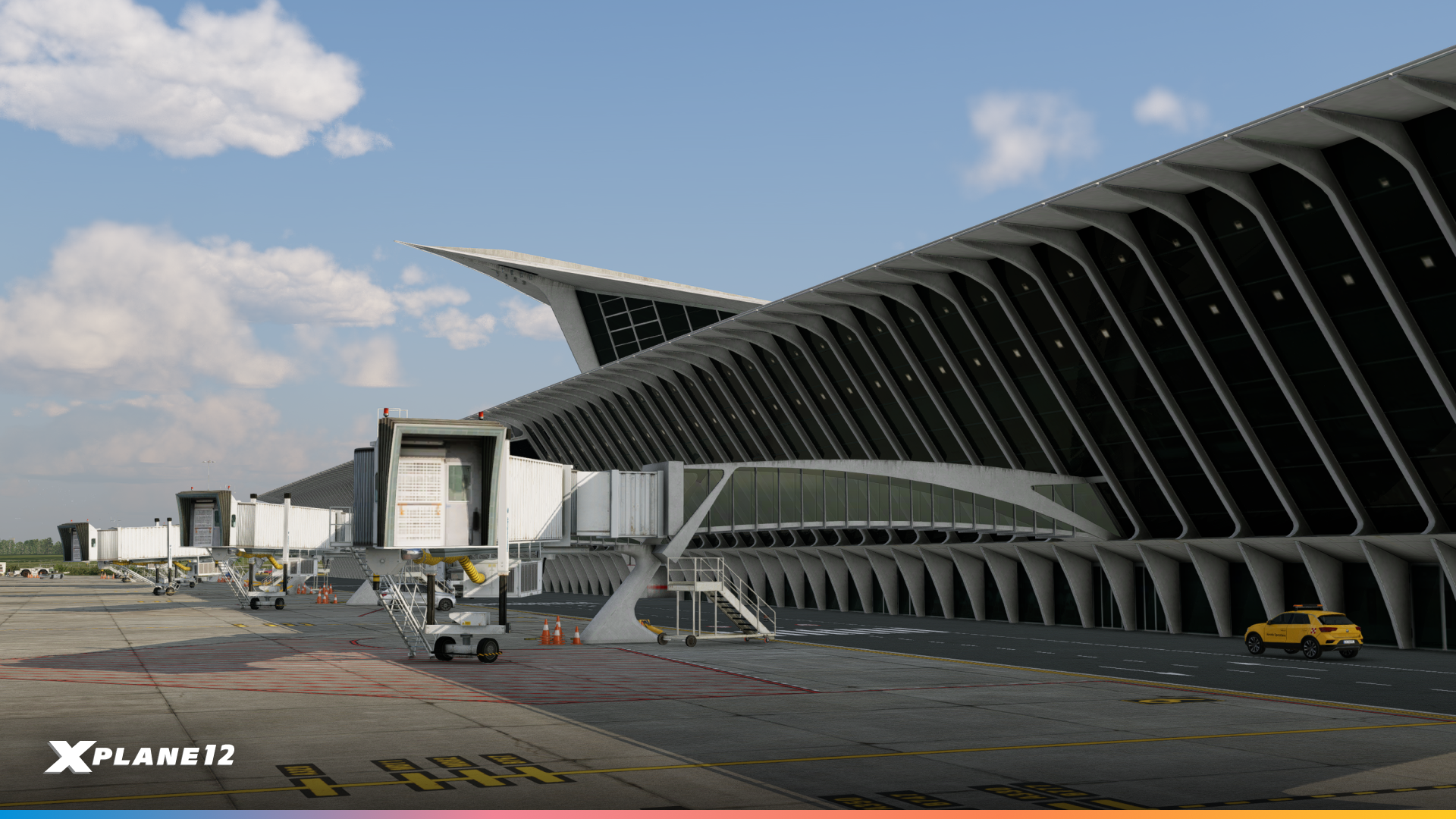
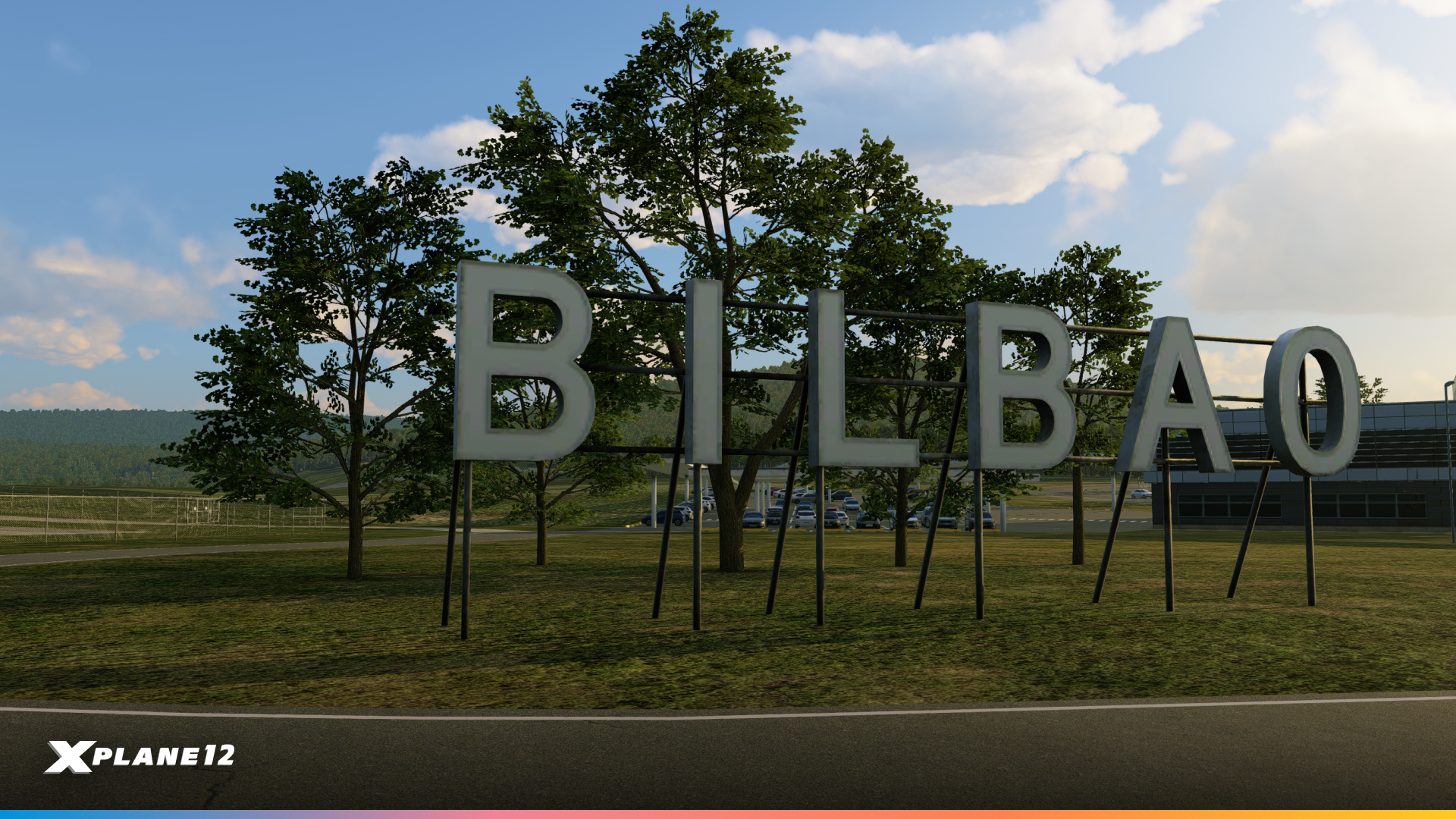
We know you love custom airports and so do we. This time we added a unique airport from Spain – Bilbao Airport (LEBB). Originally opened in 1948, it has received several improvements over the decades. The most striking is the new main terminal that opened in 2000, designed by renowned architect Santiago Calatrava. The ILS landing system was added between 1964 and 1965, and the runway was extended to 2,000 meters.

Santiago Calatrava
Santiago Calatrava is a Spanish architect, engineer and sculptor known for his expressive, sculptural buildings and bridges. Trained in both architecture and civil engineering, he often combines bold structural solutions with flowing, organic forms.
Born in 1951 in Valencia, Spain, Calatrava studied at the Escuela Técnica Superior de Arquitectura in Valencia and later at ETH Zurich. His work is strongly influenced by natural forms, anatomy and movement, which he translates into striking structural gestures.
Calatrava’s terminal building is a masterpiece of modern airport architecture. The design features his signature blend of engineering and art – sweeping curves, abundant natural light, and a distinctive white color scheme. The terminal’s most recognizable feature is its dramatic roof structure with wing-like canopies that seem to float above the building. Inside, passengers are greeted by soaring ceilings and carefully planned sight lines that showcase the surrounding Basque landscape. We’ve carefully modeled these architectural details to capture the terminal’s unique character.
Operational Details
Bilbao Airport operates two asphalt runways:
- Runway 12/30: 2,600 meters (8,530 ft) – the primary runway for commercial operations
- Runway 10/28: 1,900 meters (6,266 ft)
The airport serves as a major base for Vueling and Volotea, with regular service from major European carriers including Lufthansa, Air France, and Iberia.
Operationally, LEBB presents an interesting challenge for pilots. The surrounding mountainous terrain of the Basque Country creates conditions for low-level turbulence and windshear during approach, particularly in certain wind conditions. This makes Bilbao an engaging airport for practice approaches and a realistic test of your flying skills.

Quality of Life Updates
Virtual Reality Improvements
Virtual reality pilots will appreciate several quality-of-life improvements in this release. Aviation and general flashlights now work properly in VR, adding to the immersion during night operations. We’ve improved SteamVR controller detection and reduced excessive logging during the detection process, which was causing unnecessary overhead.
Performance when using SteamVR has been improved, helping maintain smooth frame rates in your headset. We’ve also added new commands to toggle the visibility of the VR xPad, giving you better control over your virtual cockpit interface.
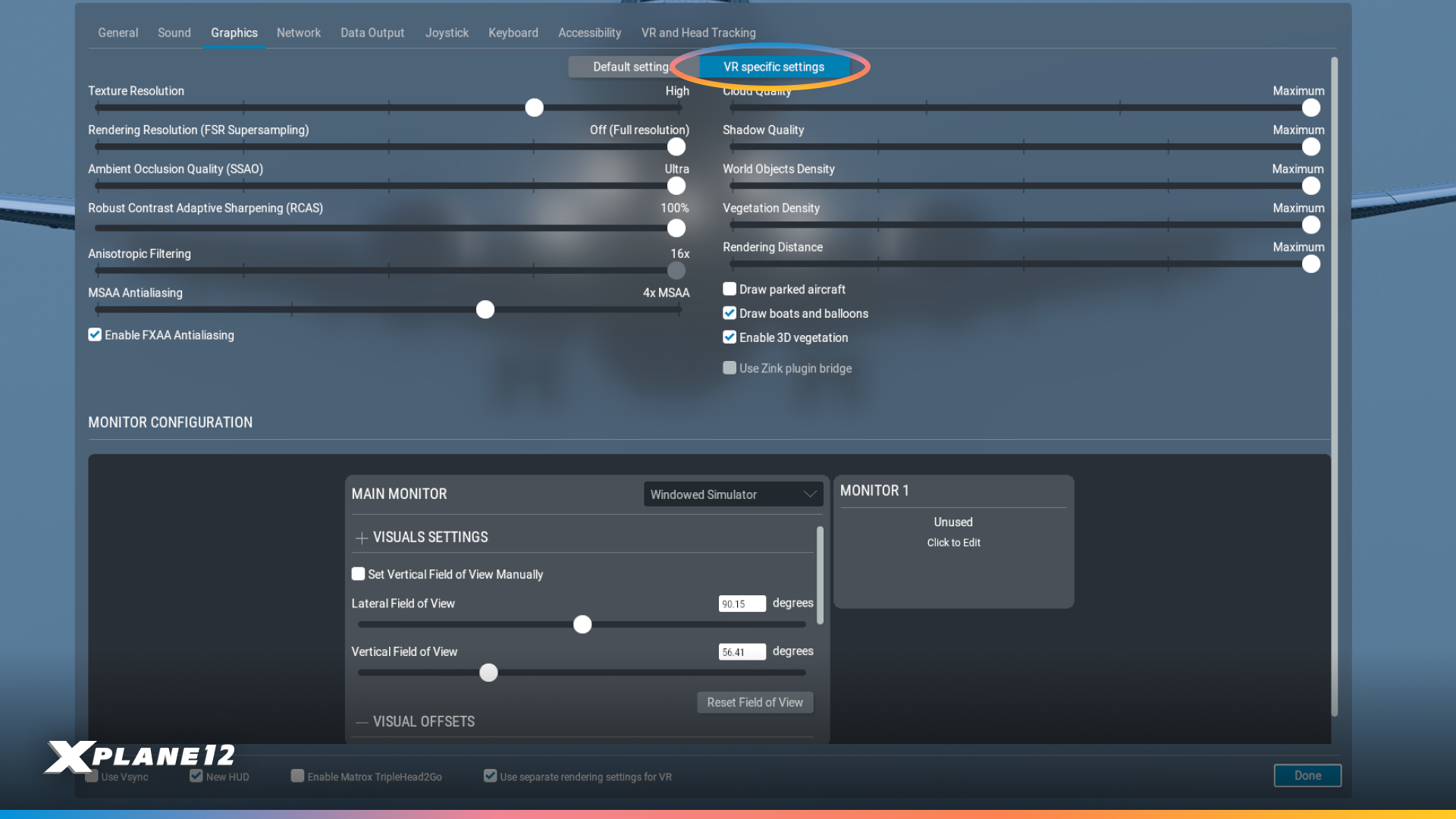
A major addition is the new VR-specific graphics settings option. You can now choose between “Default settings” and “VR specific settings,” allowing you to optimize graphics independently for VR use. This means you can maintain higher quality settings for desktop flying while using performance-optimized settings for VR, or vice versa, without constantly adjusting individual options.
FXAA Anti-Aliasing Improvements
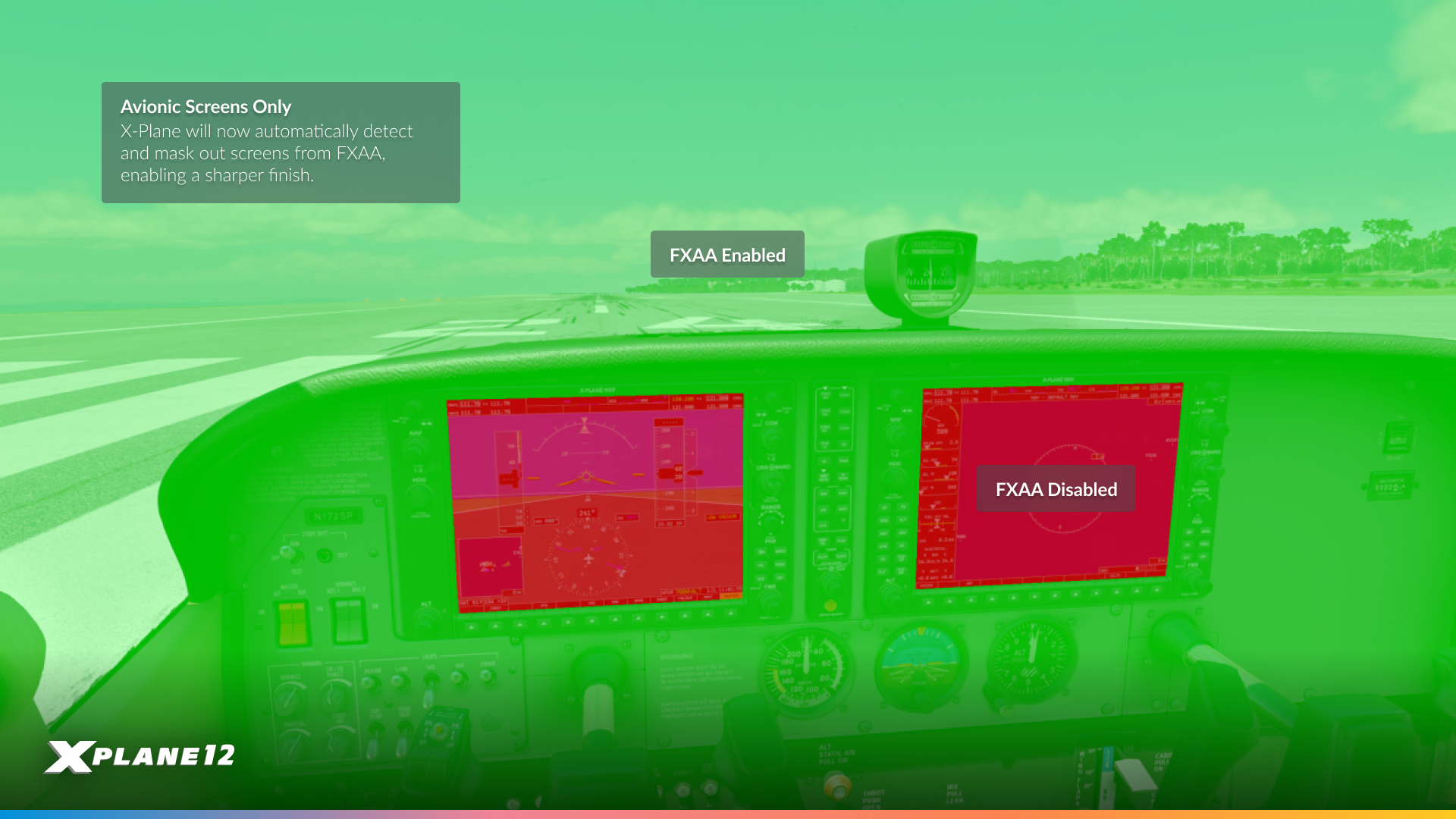
We heard your feedback loud and clear about FXAA causing blurriness on cockpit displays and instruments. In 12.4.0, we’ve excluded cockpit displays from FXAA processing entirely. This means you can now use FXAA for smoother edges throughout the sim while maintaining crisp, readable text and graphics on your instruments, MFDs, and PFDs.
This change addresses one of the most common complaints about FXAA and makes it a much more viable anti-aliasing option, especially for users seeking better performance compared to more demanding AA methods.
ATC Improvements
Air Traffic Control received several practical improvements that enhance both realism and usability. We’ve significantly improved transmitter ranges for ATIS and tower radios to match real-world performance, so you’ll now receive frequencies at appropriate distances rather than unrealistically short ranges.
A major quality-of-life addition is the new automatic check-in option. For those running long unattended flights, ATC can now automatically check you in while en-route and handle altimeter and transponder settings. The system is smartly designed – it won’t automate check-ins to your final destination or handle non-coordinated handoffs, maintaining some realism while reducing tedious mouse-clicking on long flights.
We’ve also implemented wind corrections for all “Fly heading” instructions, making ATC vectors more realistic. Altitude callouts during flight-following with STAR procedures have been improved, and all ATC text dialogs now include their spoken equivalents for better clarity.
Desktop Pilot Joystick Profiles
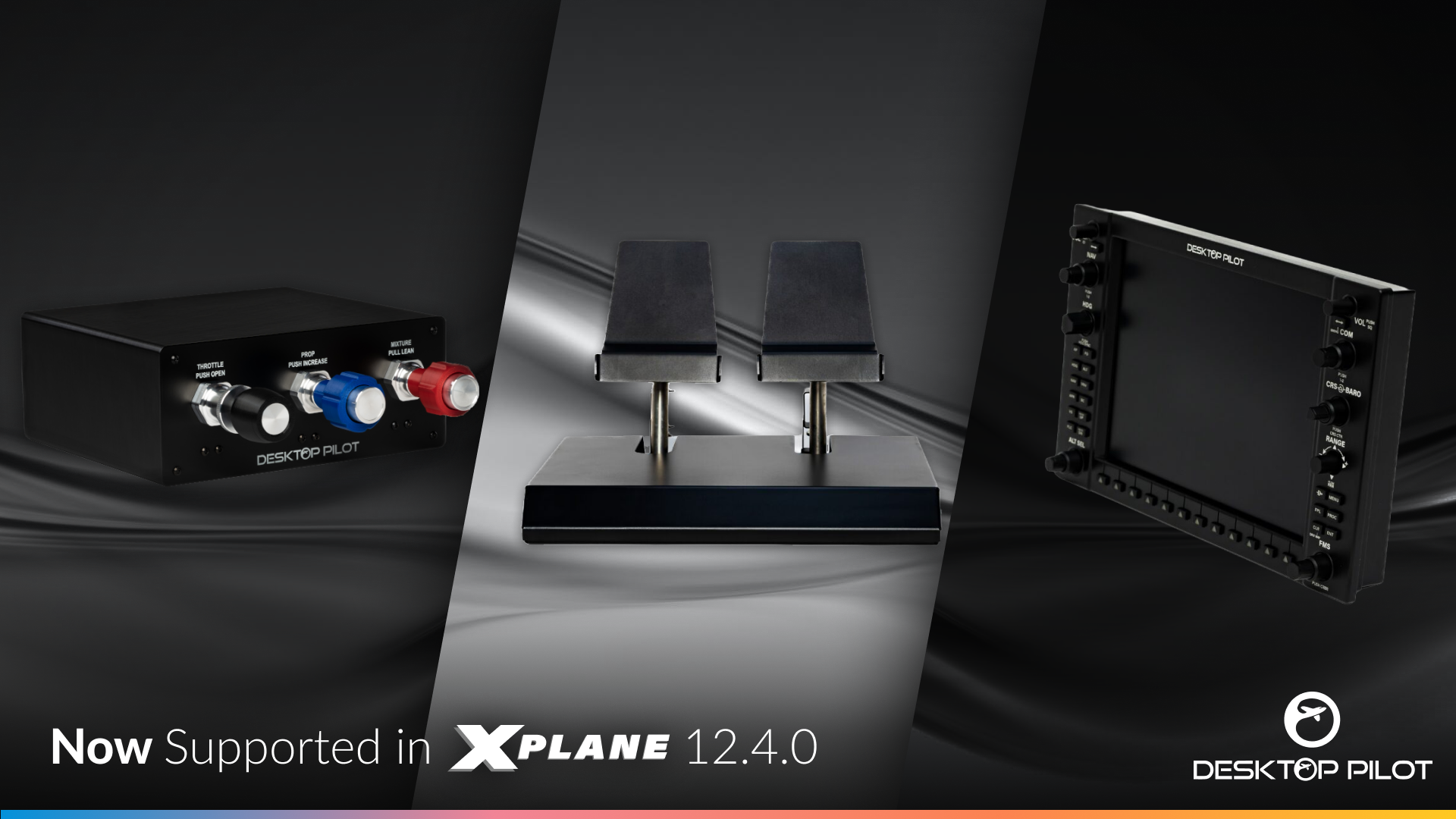
We’ve partnered with Desktop Pilot to include native joystick profiles for their excellent hardware lineup. If you’re using Desktop Pilot products, X-Plane will now automatically recognize and configure your controllers with appropriate button mappings and axis assignments right out of the box.
This saves you the hassle of manually configuring each button and switch, letting you get flying faster with proper, tested configurations that make the most of Desktop Pilot’s hardware features.
New Gateway Airports
This release includes 213 updated airports from our community-driven X-Plane Scenery Gateway. Thanks to all the talented artists who continue to improve airports worldwide with updated layouts and accurate runway data. Your contributions make X-Plane better for everyone.

New Default Library Assets
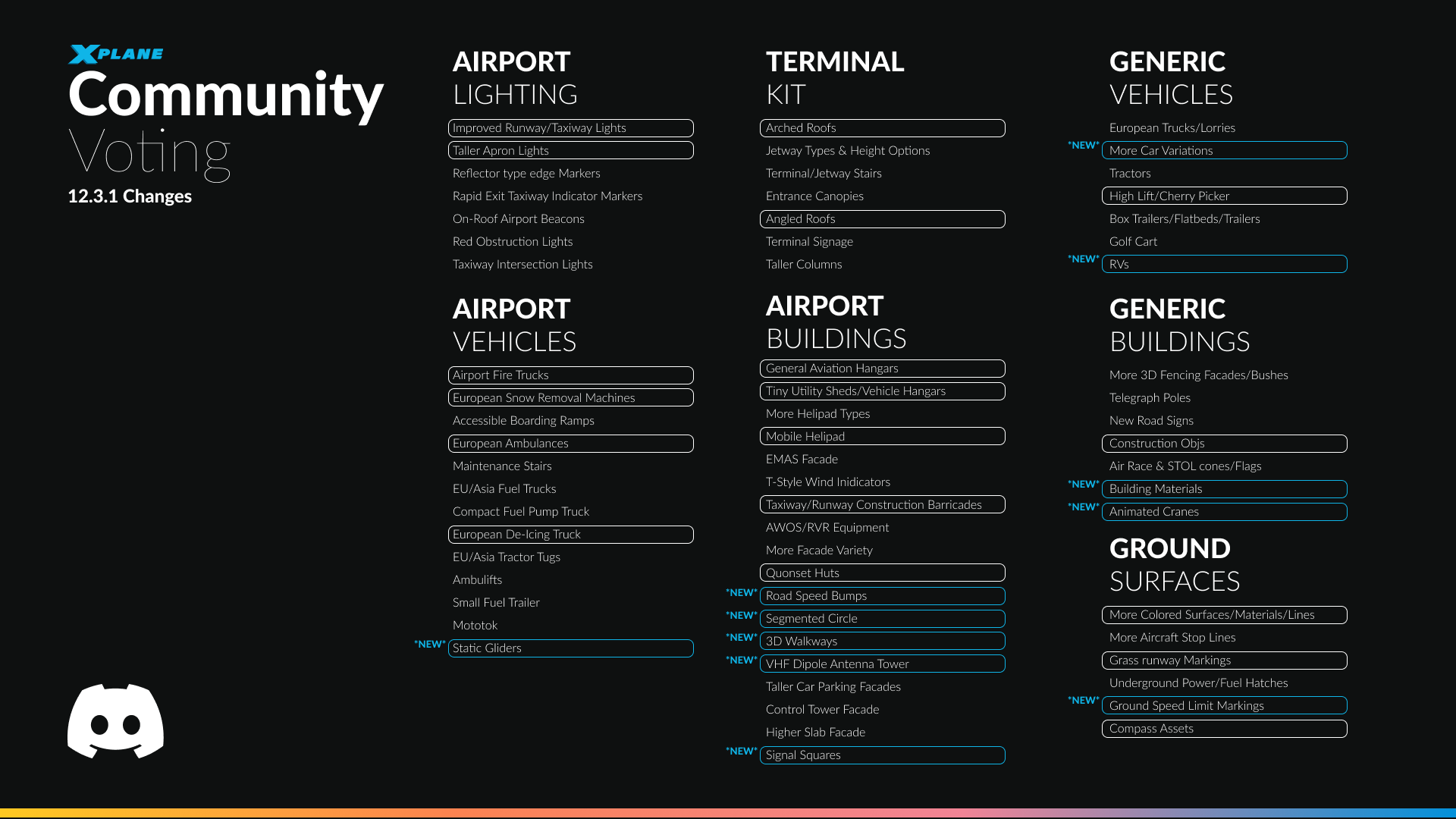
We’ve continued with our usual theme of community requests. The art team have made a couple of new additions to our growing scenery assets, that we think you are all going to enjoy. Lets take a look!
Segmented Circle

Airport ground assets have been updated to include airfield segmented circles around windsocks, improving visual realism and providing authentic real-world airfield cues. These markings enhance situational awareness on the ground and better reflect real airport layouts and operating environments.
Signal Square
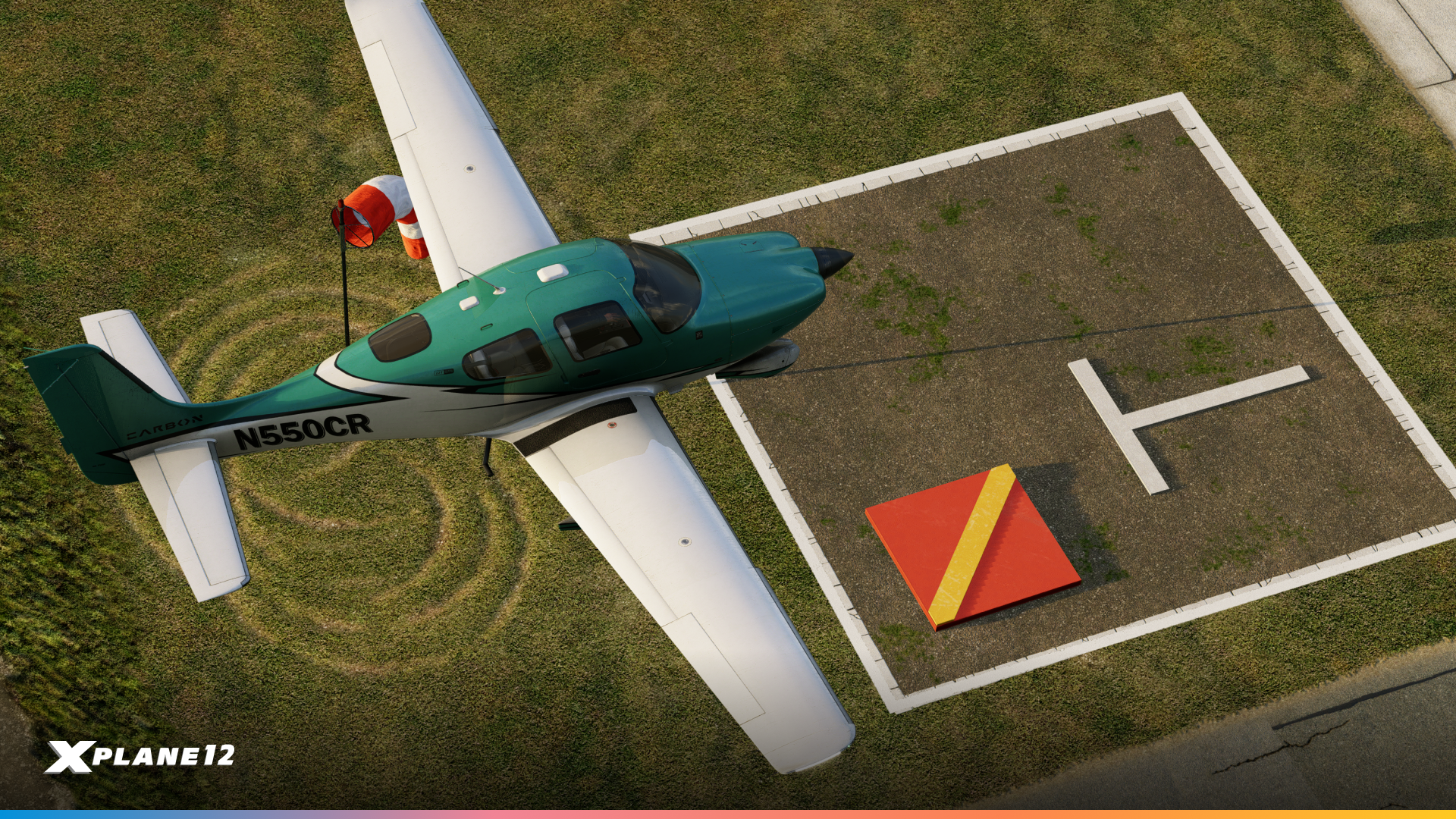
Airport ground assets now include signal squares, accurately placed in their real-world locations near the movement area. These ground markings are used at certain aerodromes to display visual signals and instructions to pilots, particularly for VFR operations and non-radio communications.
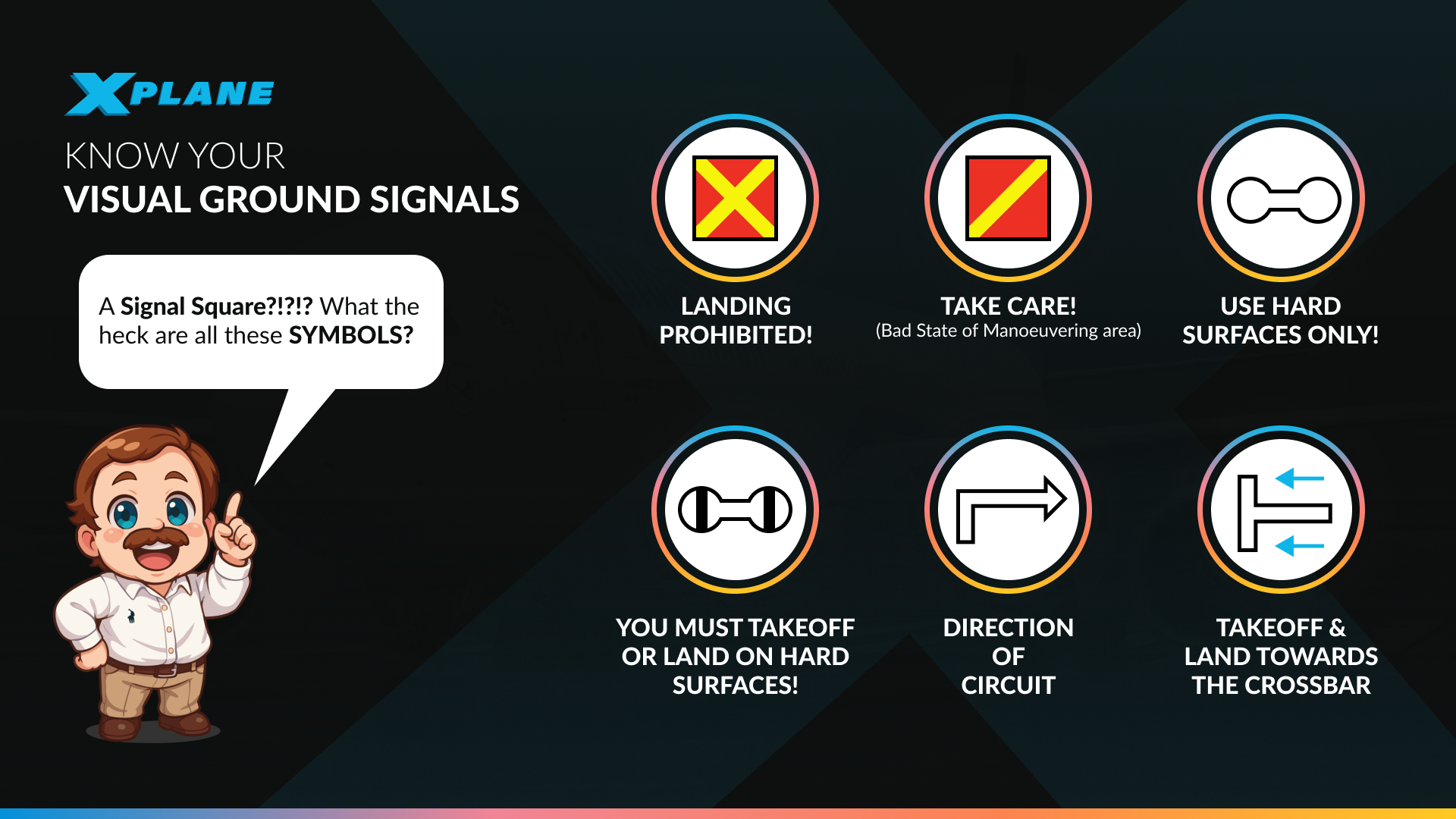
For non-EU pilots, these might be a rare sight for some! So we’ve put together this quick guide on what all those ground symbols mean!
Gliders

We had a huge demand for more static aircraft. So we’ve started off by catering to Glider pilots. In addition to some trailer equipment, we now have two new static models, the ASK-21 and the Ventus 3.
Animated Cranes & Construction Materials
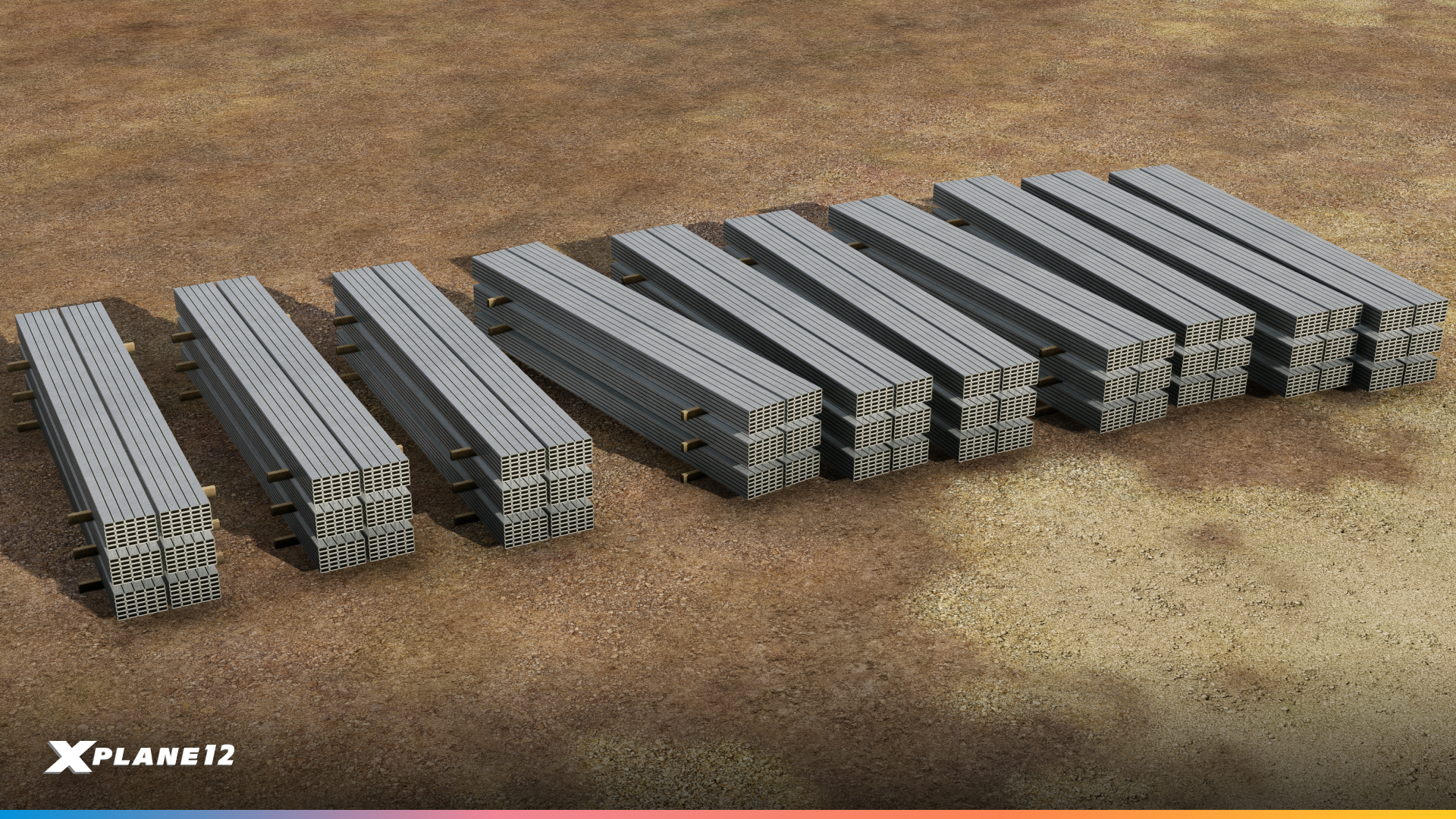



You may remember that we added construction vehicles in 12.2.1, however many people asked us for more construction materials and ground clutter to bring building sites to life.
And we’ve done just that. We have new animated cranes, cable wires, wooden pallets, steel pipes, concrete pipes, cement, concrete blocks, steel beams and more.
VHF Dipole Antenna Tower
Radio navigation wouldn’t exist without them. These VHF dipole antenna towers are used for VOR stations, communication facilities, and other navigational aids.
RVs & Camping Equipment

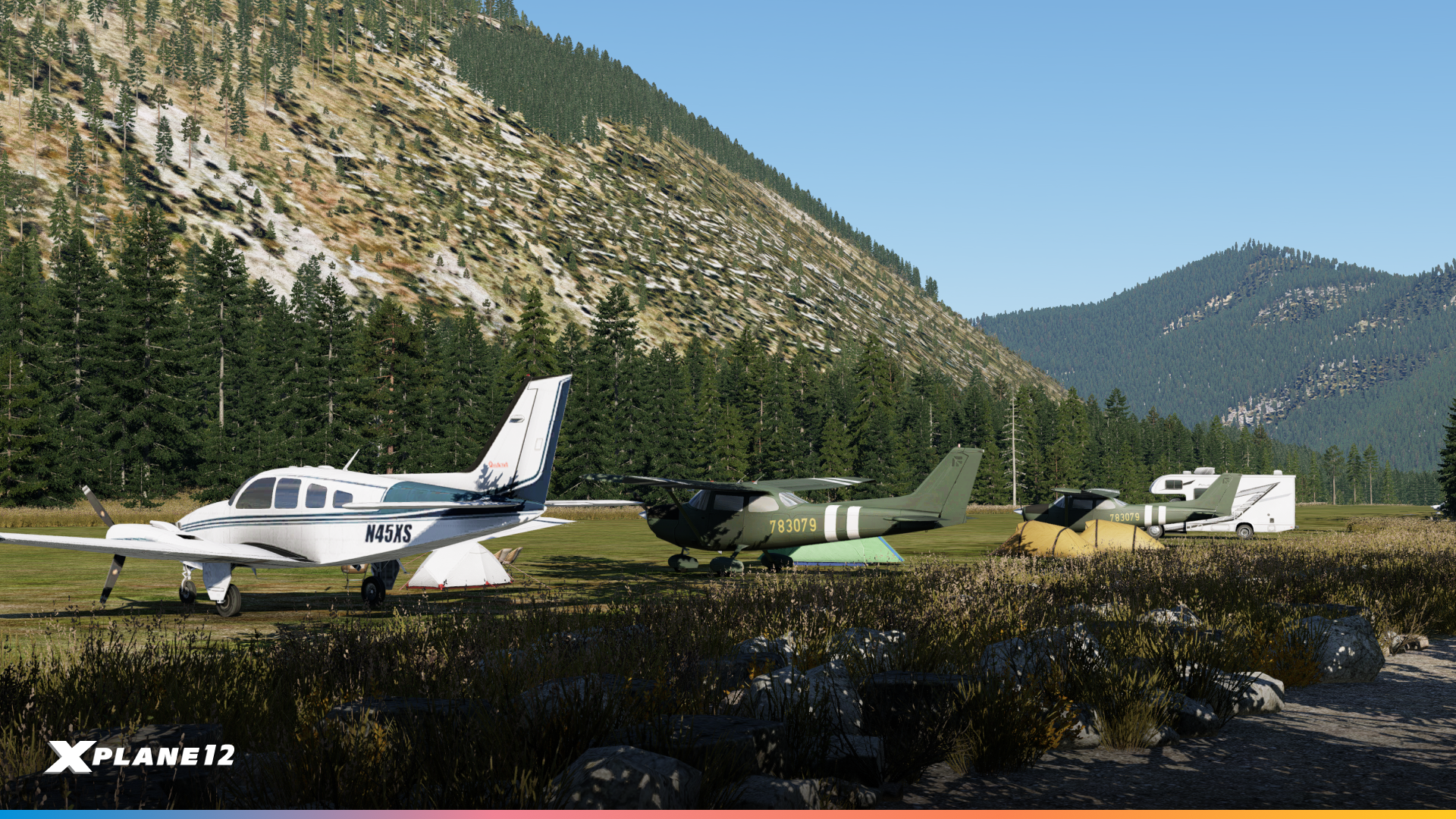



General aviation is about more than just flying – it’s about the fly-in camping trips and weekend adventures. This collection of RVs, tents, and camping equipment lets scenery designers capture the spirit of grassroots aviation at fly-in destinations and backcountry strips.
More Car Variations

Parking lots and ramps need variety. We’ve expanded our vehicle library with additional car models representing different eras and styles. These help create realistic, lived-in airport environments where the parking areas look as authentic as the runways.
Pavements, Planters & Fences, Ground Speed Limit Markings/Bumps




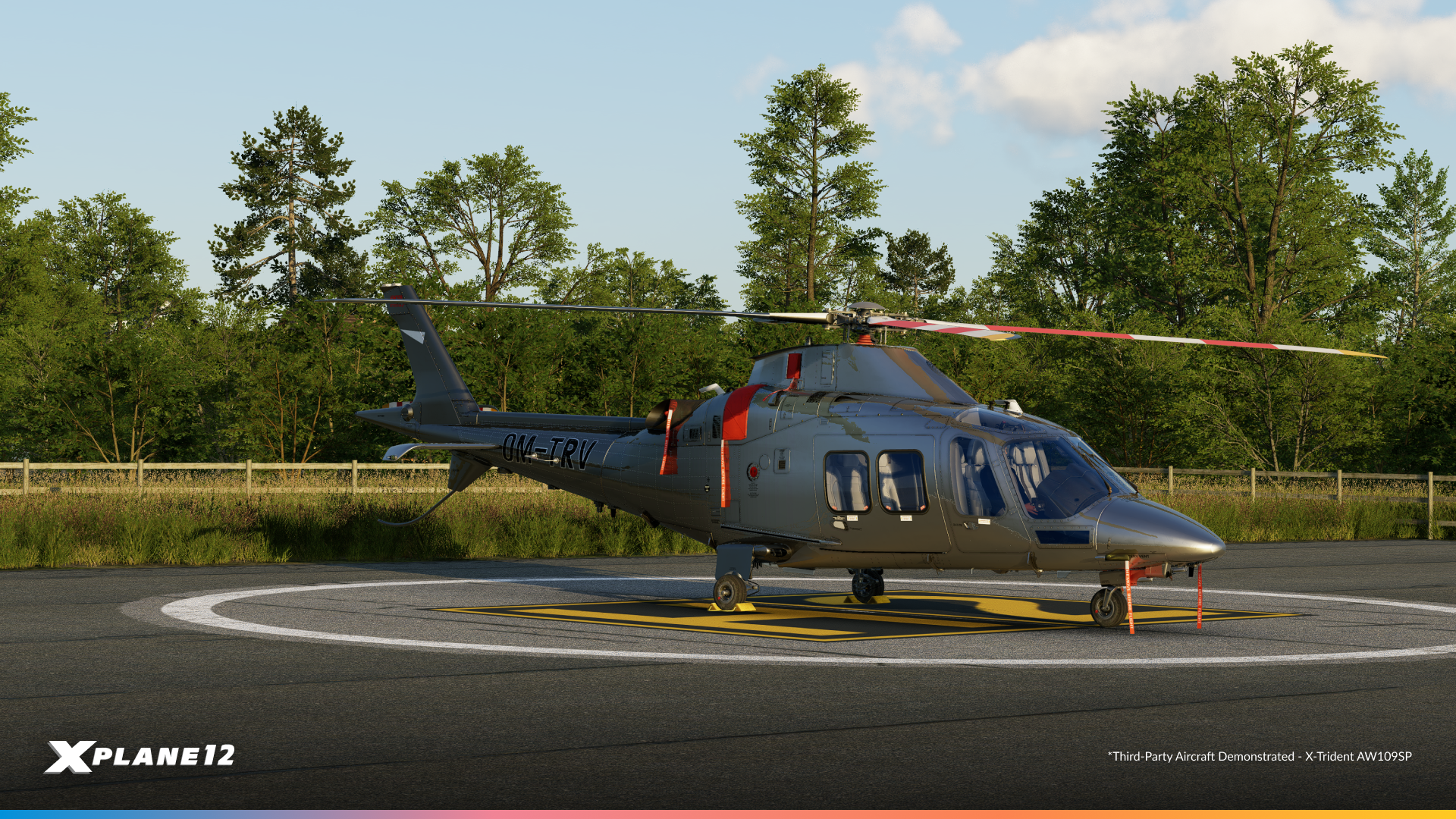



The details matter. This collection includes various pavement textures and types, decorative planters for terminal areas, and fencing options for perimeter security, GA parking areas, and facility boundaries. These finishing touches help scenery designers create airports that feel complete and authentic.

Multi-Core Scenery Processing
This release of X-Plane includes a real milestone – scenery processing now uses multi-core technology. Anyone familiar with multi-threading knows this doesn’t automatically guarantee performance improvements for everyone, but it’s an important step forward that frees the main thread from heavy scenery processing tasks.
Whether you’ll see a performance gain depends heavily on your specific hardware configuration. Users with modern multi-core CPUs will likely see significant improvements. However, if your CPU wasn’t the bottleneck before, you may not notice a dramatic change. GPU-limited systems, for example, won’t benefit as much from this update.
This is just one step of a series of multi-core improvements. We’re already using this technology in other parts of the simulator and will continue moving more systems to multi-threaded processing
We’ve run extensive testing internally and throughout the alpha phase of this release. The results vary widely based on system configuration, which is exactly what we expected with multi-core optimizations. These graphs show real-world performance data from different hardware configurations, giving you an idea of what to expect on your system.
This is foundational work that opens the door for future performance improvements as we continue optimizing X-Plane’s multi-threaded architecture.
Internal Testing
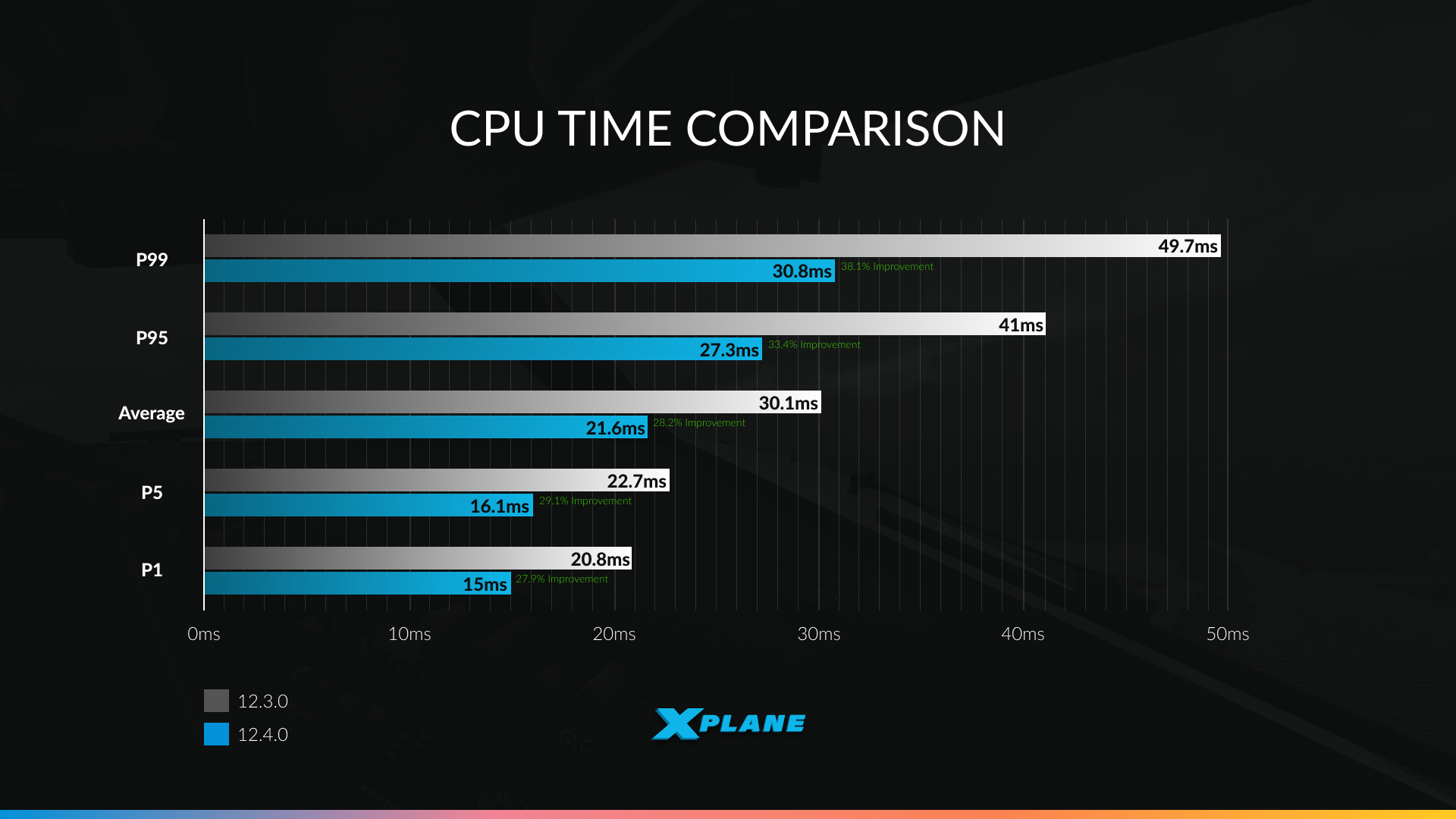
These are our internal tests showing CPU time comparisons between X-Plane 12.3.0 and 12.4.0 across different percentile scenarios. To understand the data, you need to know what percentiles represent. Think of percentiles as a way to describe performance across different scenarios:
- P1 represents the best performance – those quick, easy frames with minimal scenery complexity
- P5 captures the top 5% of fastest frames
- Average is the typical experience most of the time
- P95 represents more demanding scenarios – 95% of frames render faster than this
- P99 captures the most demanding 1% of frames – complex airports, dense scenery, the worst-case scenarios that used to cause stutters
Lower CPU times are better, meaning more processing power available for other tasks or higher frame rates. The improvements are most dramatic at P95 and P99, which means those demanding moments that used to cause performance drops are now significantly smoother.
The results are encouraging:
- P1 (best case): CPU time reduced from 20.8ms to 15ms – a 28% improvement
- P5: From 22.7ms to 16.1ms – a 29% improvement
- Average: From 30.1ms to 21.6ms – a 28% improvement
- P95: From 41ms to 27.3ms – a 33% improvement
- P99 (worst case): From 49.7ms to 30.8ms – a 38% improvement
Your results will depend on your CPU’s core count and architecture, your current bottleneck (CPU vs GPU), and the complexity of the scenery you’re flying over. Systems that were previously CPU-limited will benefit the most.
Alpha Testers
In the spirit of transparency, we’ve taken a random sample of results from our alpha testers. These are the raw results. System configurations vary wildly, but they give you a more realistic look at what different users might experience. This is also why we do internal testing – to see the difference between our own desktops and real-world systems.
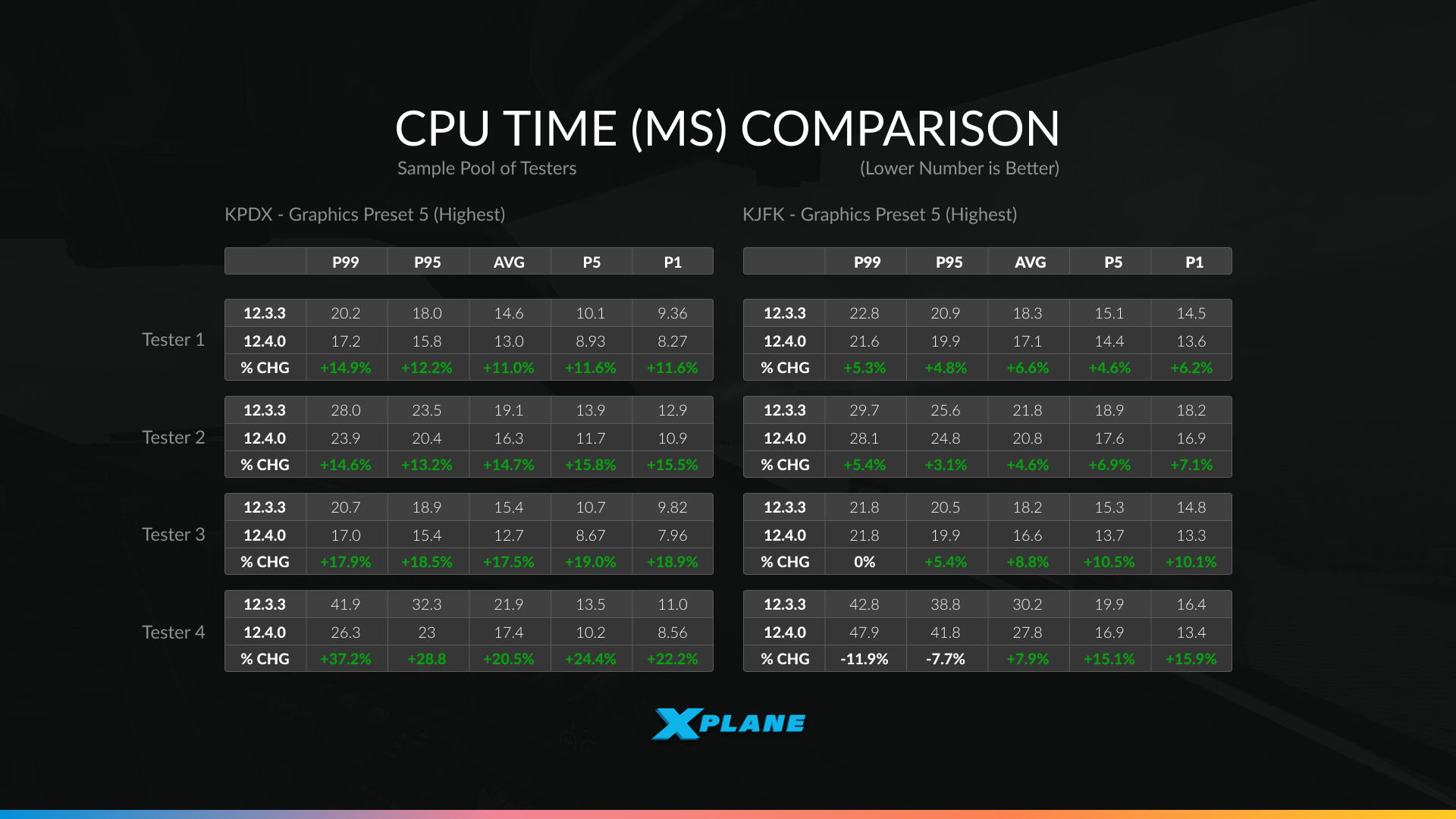
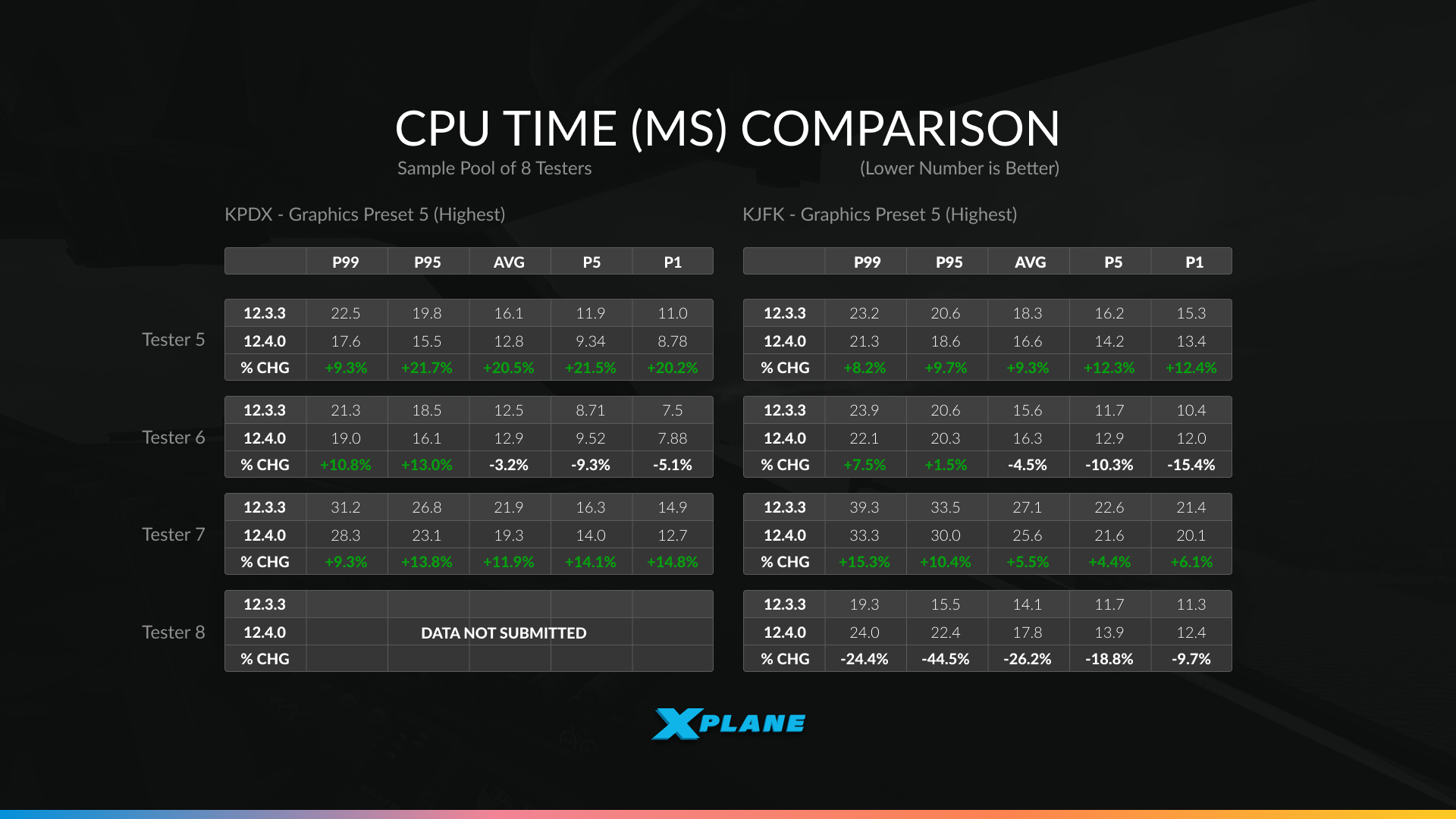
The data collected from our alpha testers are running a variety of hardware configurations at two demanding airports – Portland International (KPDX) and John F. Kennedy International (KJFK), both at Graphics Preset 5 (Highest):
The results show exactly what we expected from multi-core optimization – highly variable performance depending on your system:
- Significant improvements: Tester 2 saw gains up to 15.8% at KPDX and 13.1% at KJFK. Tester 7 achieved improvements ranging from 7.9% to 14.8%. These systems were clearly CPU-limited and had cores available for the new multi-threaded scenery processing.
- Moderate improvements: Testers 1, 3, and 5 saw gains typically in the 8-12% range across most scenarios – solid improvements that translate to smoother performance in demanding areas.
- Minimal or mixed results: Tester 4 actually showed a slight regression (-7.7% to -11.9%) at KJFK, while Tester 6 had mixed results with small losses in some scenarios. Tester 8 showed significant variation between the two airports (-24.4% at KPDX but gains at KJFK).
What does this tell you?
- If your system was already GPU-limited, had fewer CPU cores, or had other bottlenecks, you may not see dramatic improvements.
- The multi-core work shines brightest on modern multi-core CPUs at complex airports where scenery processing was previously the bottleneck.
- Your results may vary significantly from these examples.
Remember, this is just one milestone of improving the performance of X-Plane. There is more to come in the future!

12.4.0 is in Public Beta now!

We really hope you’ll enjoy this release and see some performance improvements on your system. Maybe you’ll find some time over the holidays to explore everything new in 12.4.0 – whether it’s mastering the A330’s cold and dark procedures, testing the new avionics features, or simply enjoying smoother performance at your favorite airports.
For additional details and a comprehensive list of all changes, check out the full release notes.
Happy holidays and happy flying!

