


Install/Un-Install Beta’s (Steam)
Installing Beta’s
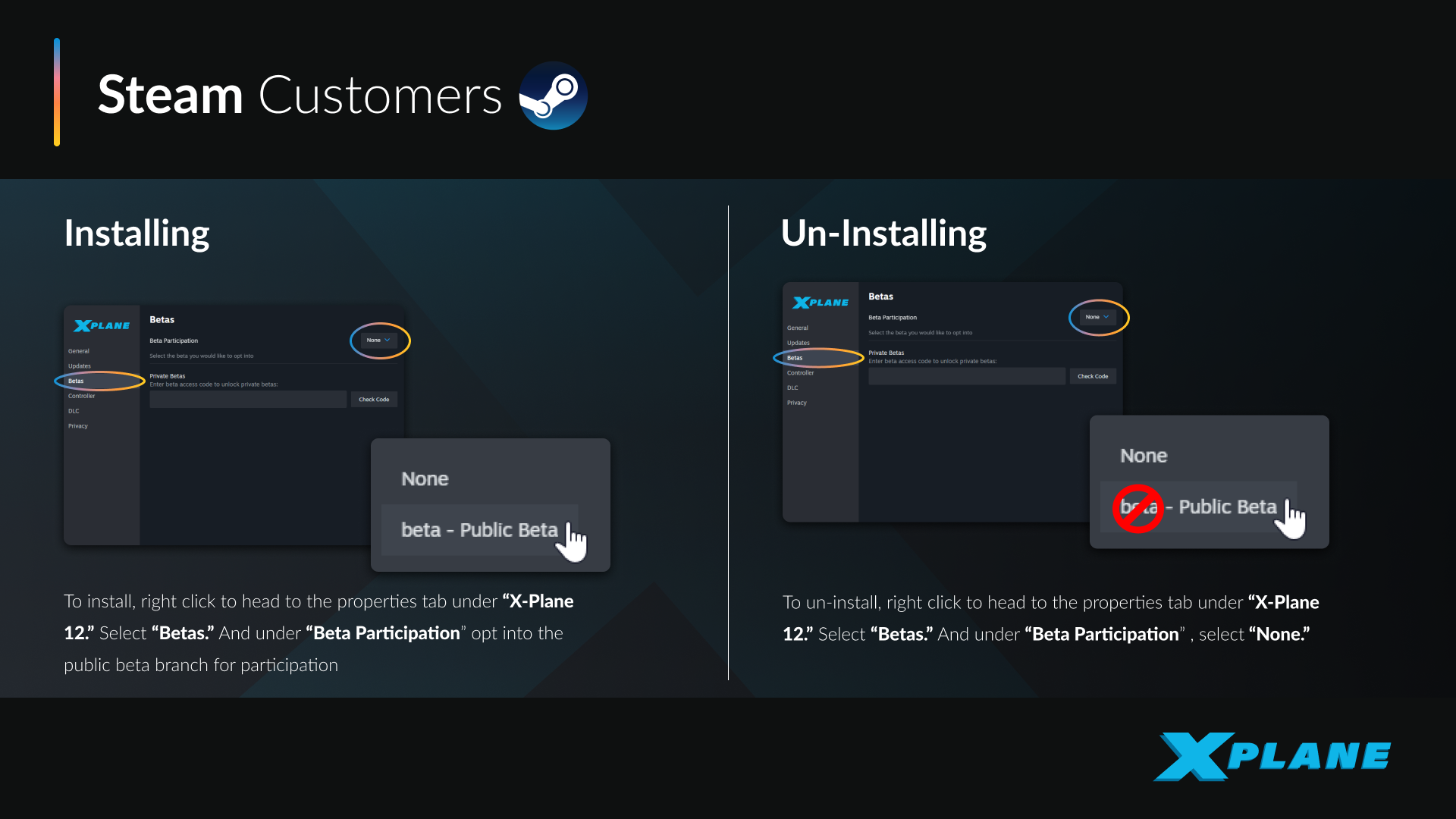
To install the latest X-Plane beta via Steam, proceed as follows:
Step 1 — Open Steam Library
Launch Steam, then navigate to your Library.
Step 2 — Open X-Plane Properties
- Right-click on X-Plane 12
- Select “Properties”
- In the Properties window, select the “Betas” tab
Step 4 — Opt Into the Beta
- Locate “Beta Participation”
- From the dropdown, select:
- “beta – Public Beta”
Steam will immediately begin downloading the beta update.
Step 5 — Launch X-Plane
Once the update completes:
- Launch X-Plane as normal
- The main menu will display the current beta version
Reverting to Stable Version
To return to the stable release:
- Open Properties for X-Plane 12
- Go to the “Betas” tab
- Under “Beta Participation”, select:
- “None”
- Steam will automatically reinstall the current stable version
Rollback to Previous Release (New to 12.4.1)
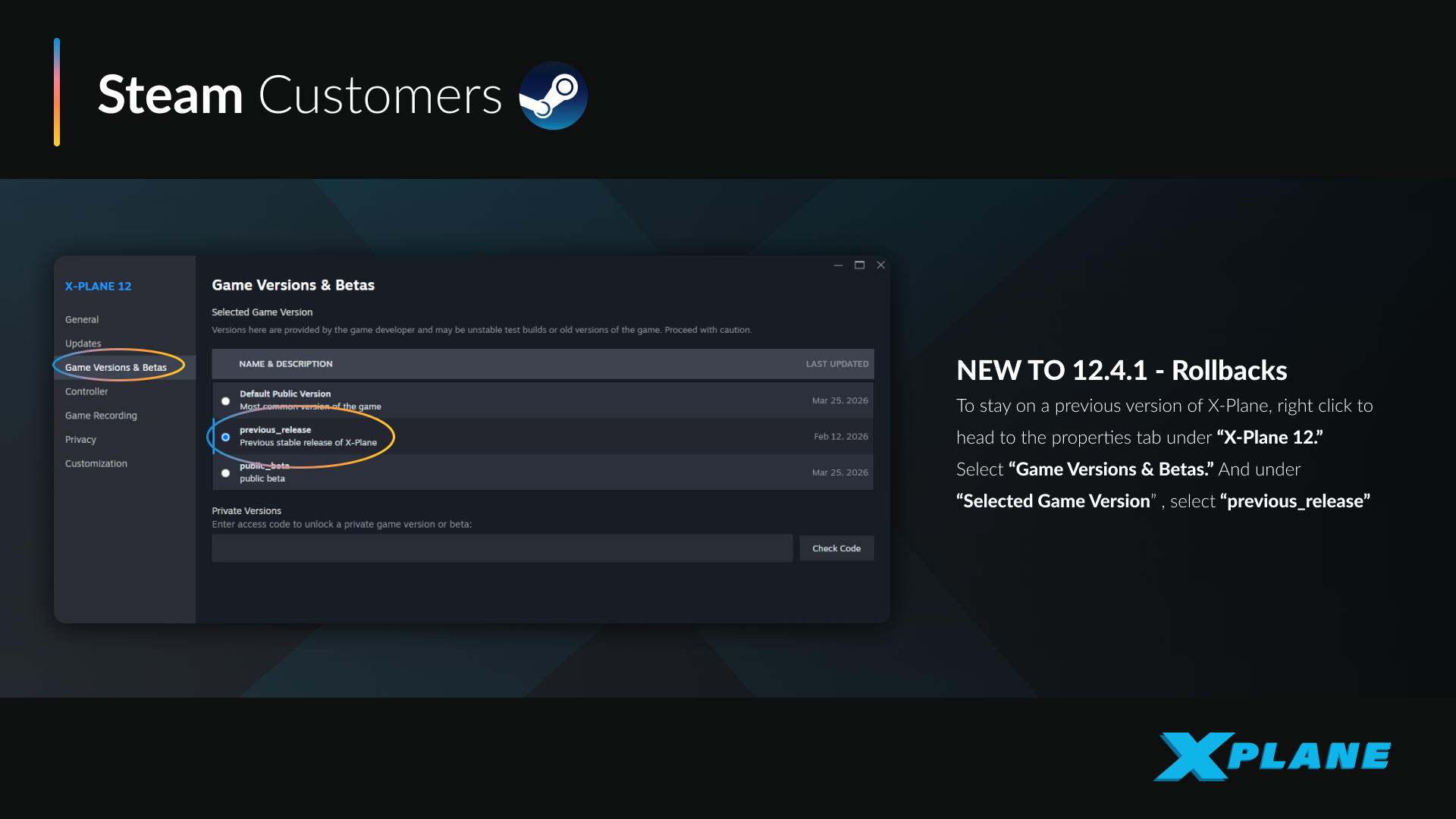
Steam also allows you to revert to an earlier version:
- Open Properties for X-Plane 12
- Navigate to “Game Versions & Betas”
- Under “Selected Game Version”, choose:
- “previous_release”
- Steam will download and install that version
Notes
- Beta builds may be unstable and are intended for testing
- Some third-party add-ons may not yet be compatible
- Updates are delivered automatically through Steam once opted in
 Back to Knowledge Base