


Installing X-Plane 12

Welcome to X-Plane! You’ve just unlocked a world of aviation – ready for you to explore. No rules, no games, and absolutely no counterfeit physics. Let’s get you started!
Installing via an X-Plane Account (X-Plane Identity)
X-Plane Identity is our all-encompassing account manager. It will be used to store your purchases of X-Plane, as well as manage product downloads from the X-Plane Store, and provide access to future extended functionality. If you want to know more about X-Plane Identity, or for more troubleshooting, click here!
1) Download the Installer
Contents
Stable Version ✅



Beta Version ⚠️



Once the download is finished, unzip the file and double-click the installer to run it.
The installer allows you to install X-Plane, check for updates/betas and add additional scenery later.
2) Run the Installer/Login
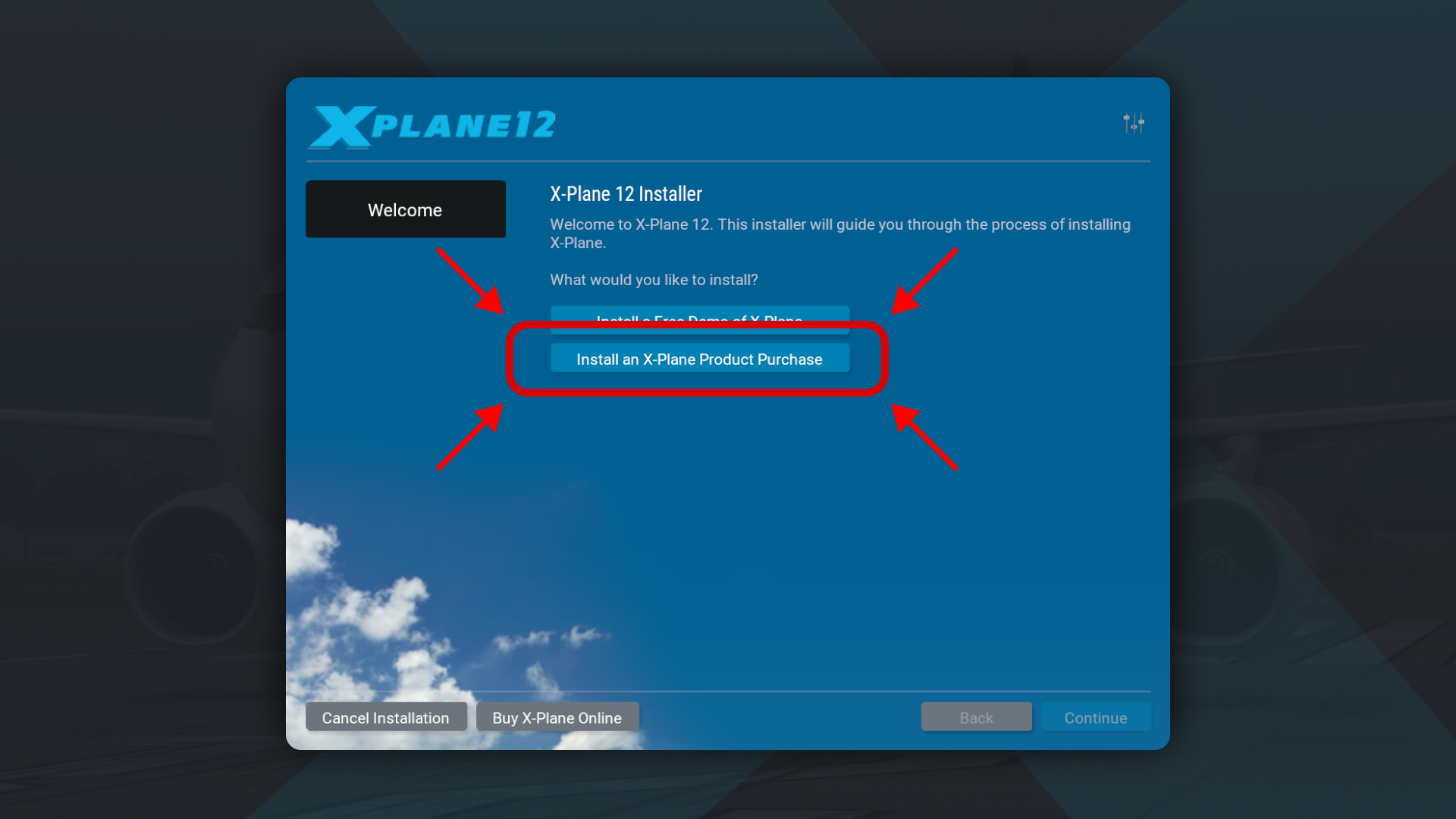
Follow the instructions to “Install an X-Plane Product Purchase”.
By default, X-Plane will install to the Desktop. Though it can be installed elsewhere (by clicking the “Change Destination” button), it is strongly recommended that it be left on the Desktop so that the folder can easily be found in the future.

Select “Login with X-Plane Identity”. You do not need a serial key! (XDD)
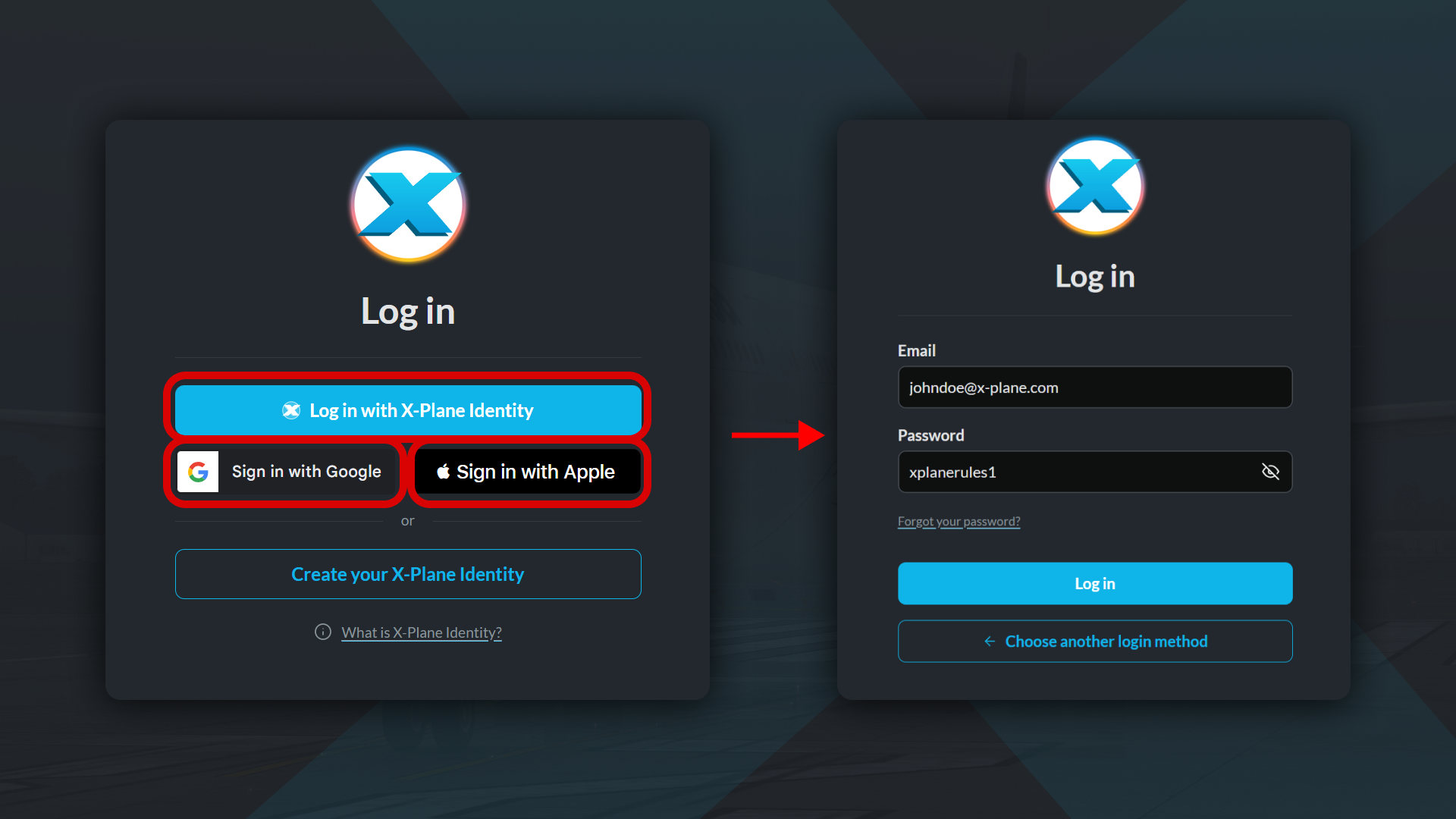
You will be prompted with a seperate window to login. Enter the option that matches the conditions of the account with your pre-existing purchase of X-Plane, and enter your details! Then login!
3) Install Scenery
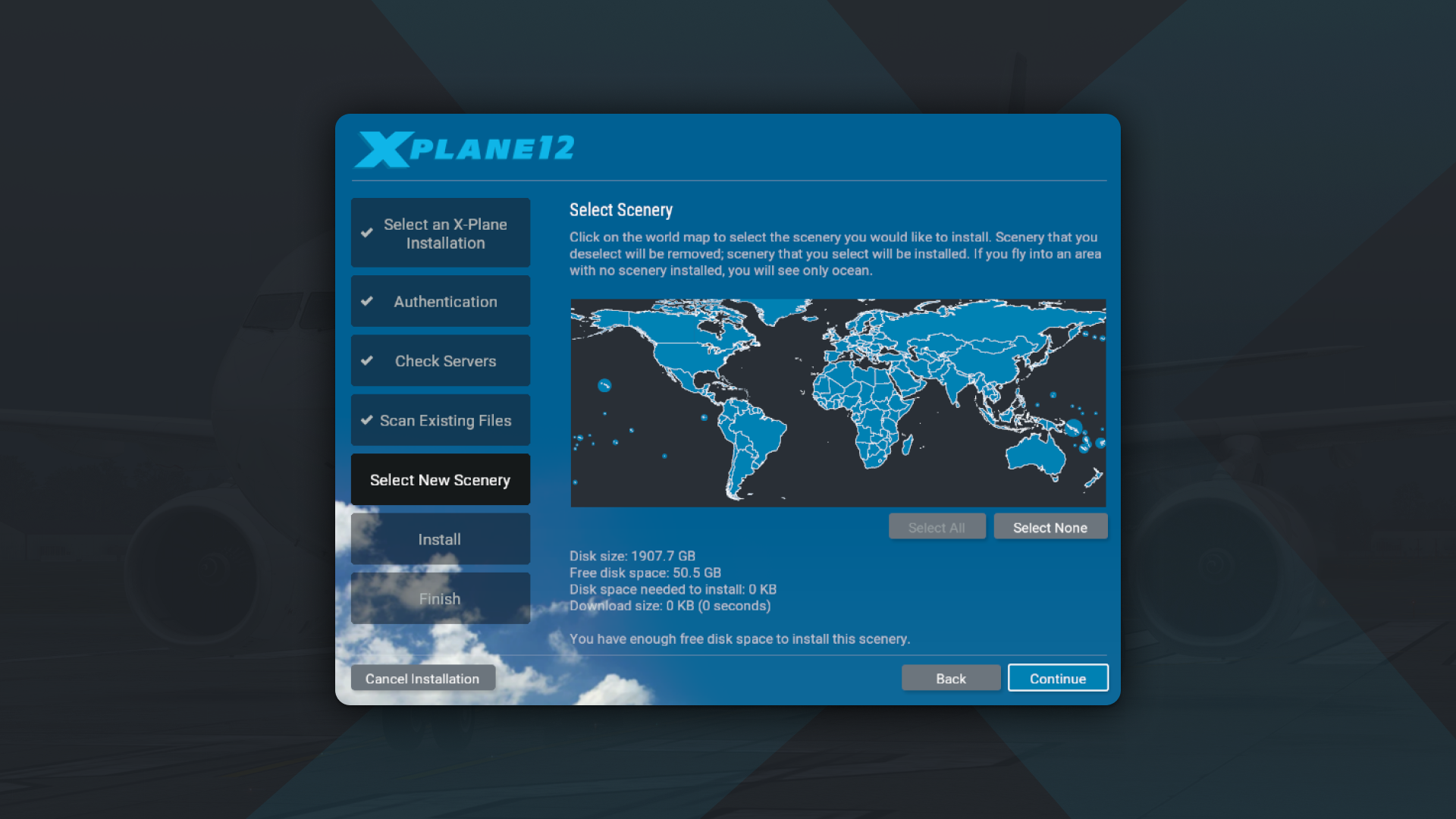
After entering your login information, continue with the installation. Select the scenery that should be installed. We strongly recommend that you install only a small bit of scenery now and add more later, as the entire scenery package takes over 60 GB of disk space.
4) Run X-Plane and have fun!
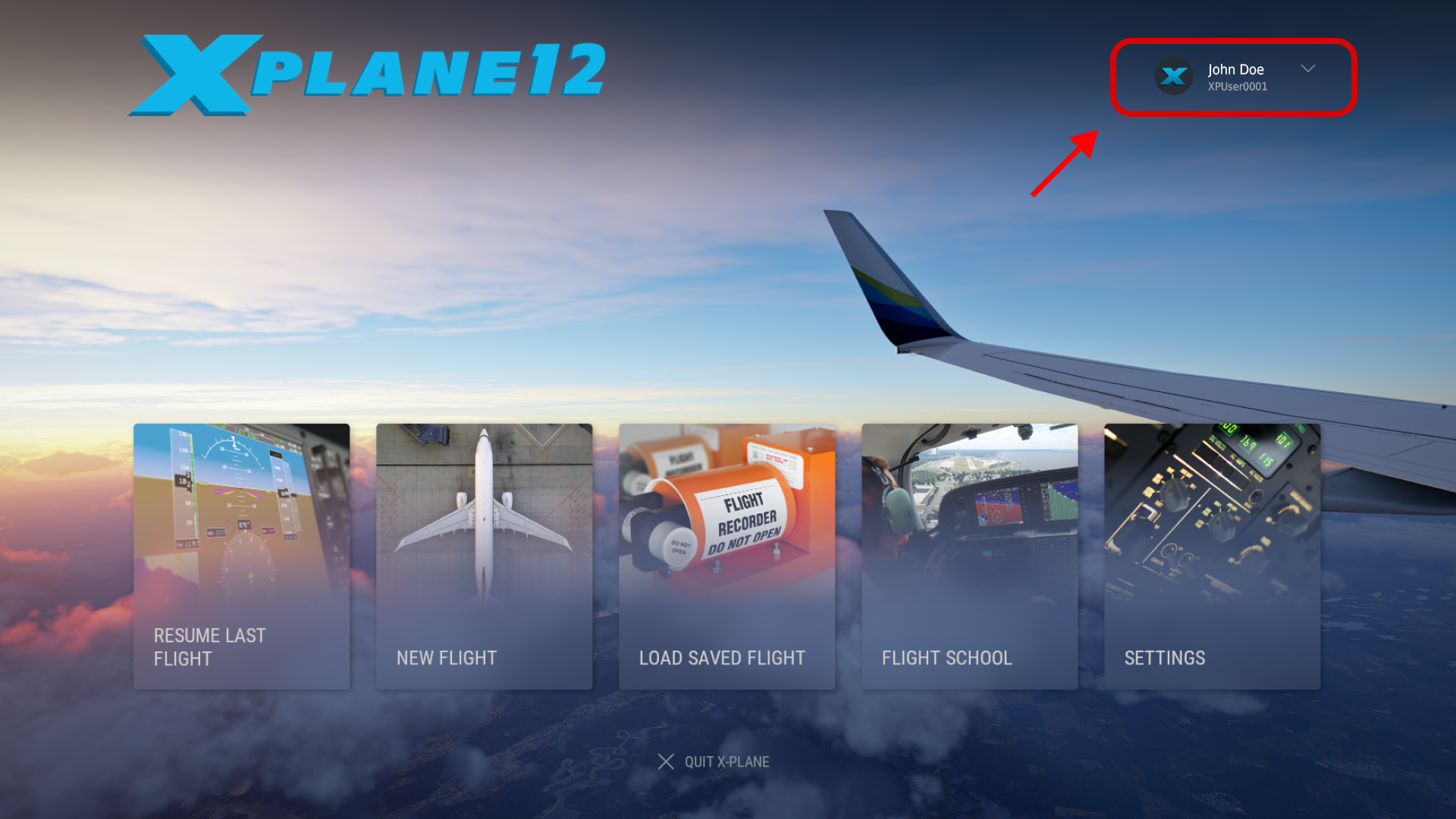
If everything goes ok, run X-Plane. You should automatically see a login/profile page in the upper right-hand corner of the menu. A successful login will show your profile.
If not, press the “login” button and sign into your X-Plane Identity account (The one you used to make this purchase.)
Installing via an X-Plane Serial Code (XDD)
XDD = X-Plane Digital Download
If you have an existing serial code, just download the installer. The process is the same as above for X-Plane Identity, with one slight difference…
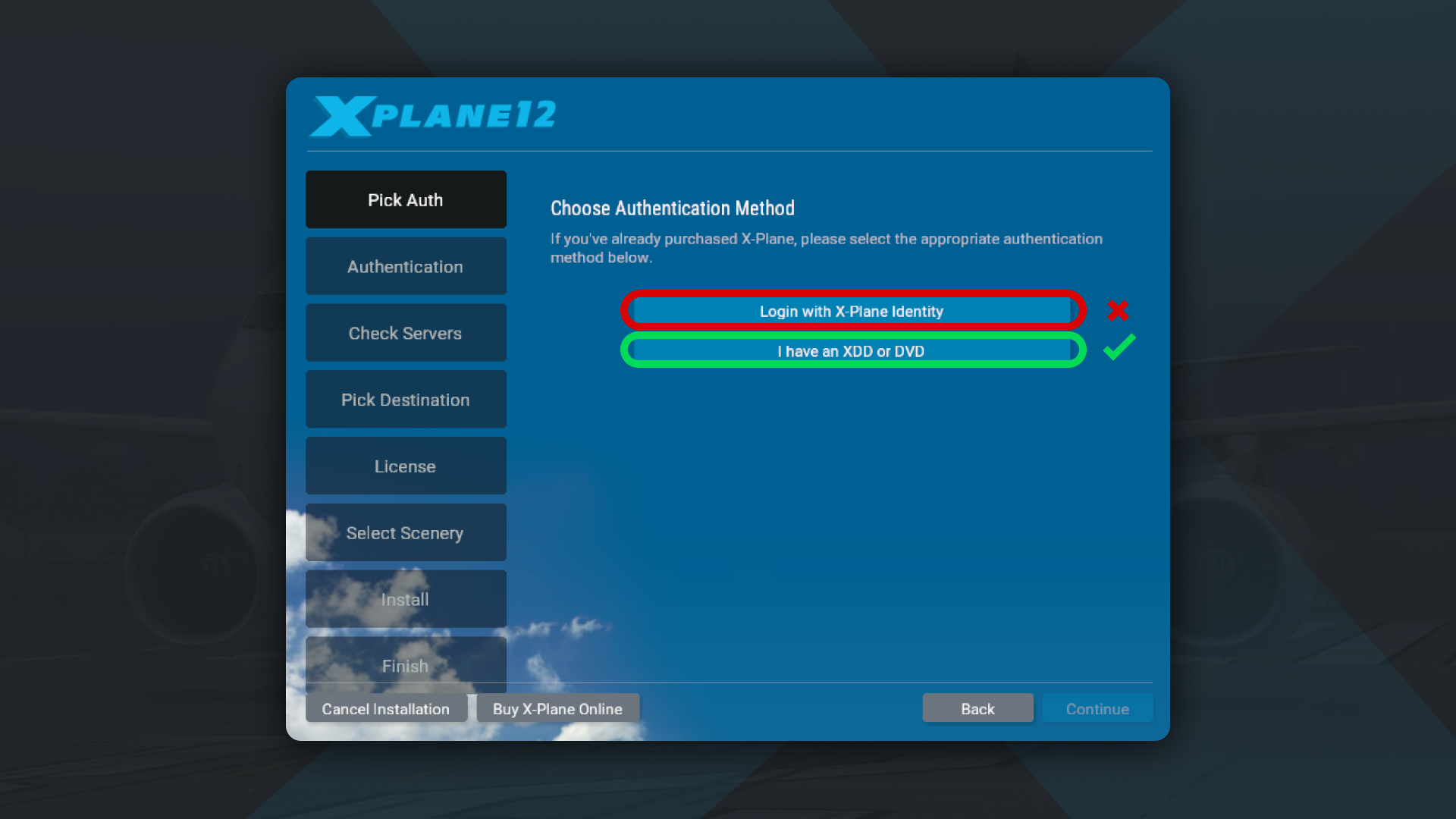
When choosing your authentication method, select “I have an XDD or DVD”
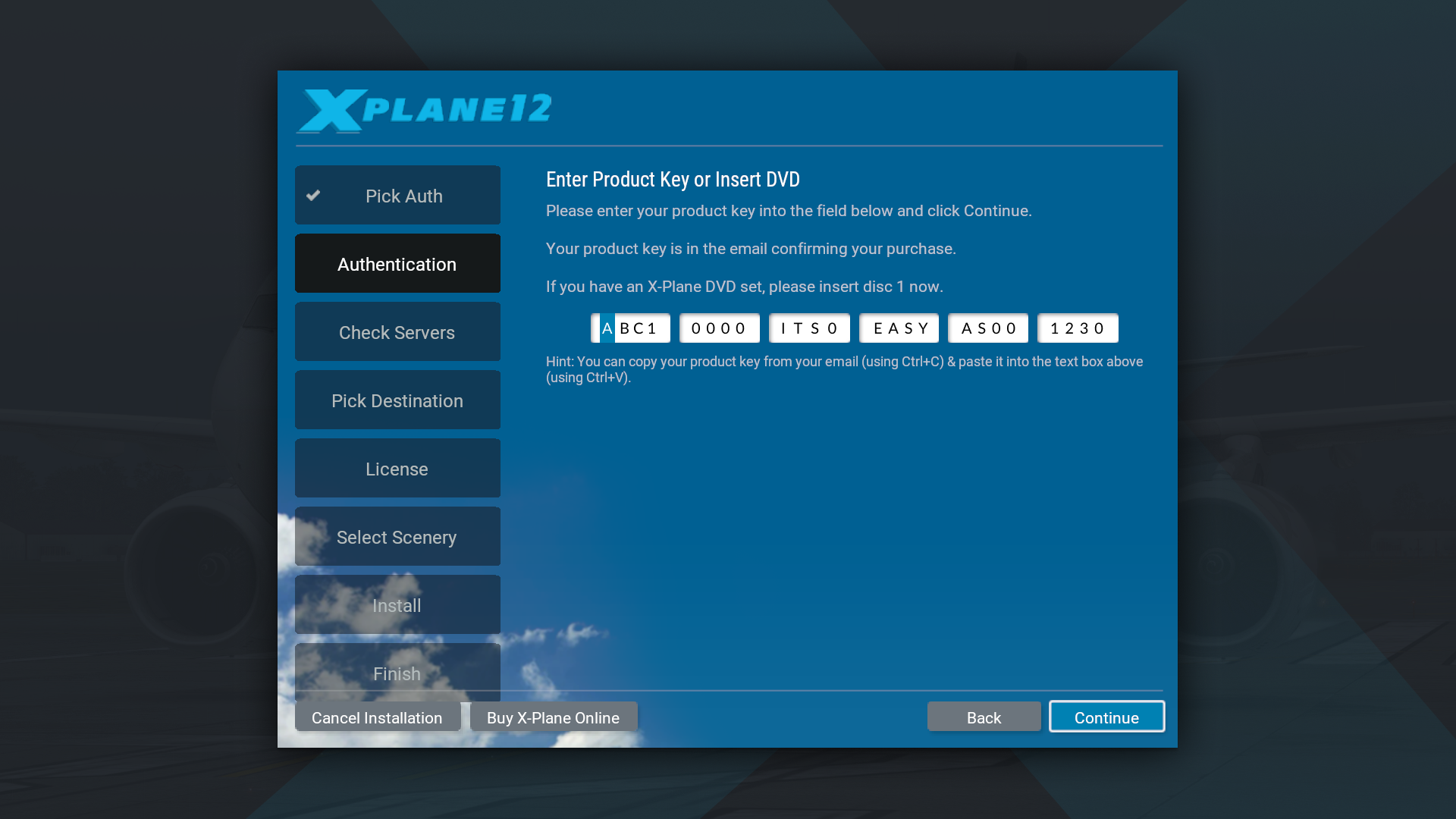
From here, you can insert your serial code as normal. Your serial will be tied to your email… so make sure you don’t lose it!
HELP! I lost my serial!
No problem, use your X-Plane Product Key Recovery, and we’ll get that sent over you in a jiffy!
Important notes (XDD Only)
- Save the email with your product key in a safe place in case you ever need to reinstall the simulator or re-authorize your product key.
- Treat your product key like a credit card number—keep it secret and never give out the full number to anyone.
- Your digital download product key is good for the life of X-Plane 12 for one computer; do not use it on multiple computers or share it with other users. This may cause your key to stop working.
- X-Plane will remember your product key when entered; you may not have to enter it again after entering it during install.
 Back to Knowledge Base